Chapter 3 ’Web User Graphical Interface’ — GUI Description
Electra VS
-
Version 05.10 209
User Manual - Rev. A
From the first drop-down list, you can choose to display only the current
logs, only the past logs or both.
You can filter the logs by their source:
System: check the
System logs
box to display the logs that regard
the system.
Job: choose if you want to display the logs that regard:
My jobs
: only the jobs you created
Group jobs
:
the jobs created by members of your group:
Group jobs
.
All jobs
.
Selected jobs
: first select jobs in the array of the
Jobs
tab.
Or select
None
if you do not want to display logs that regard jobs.
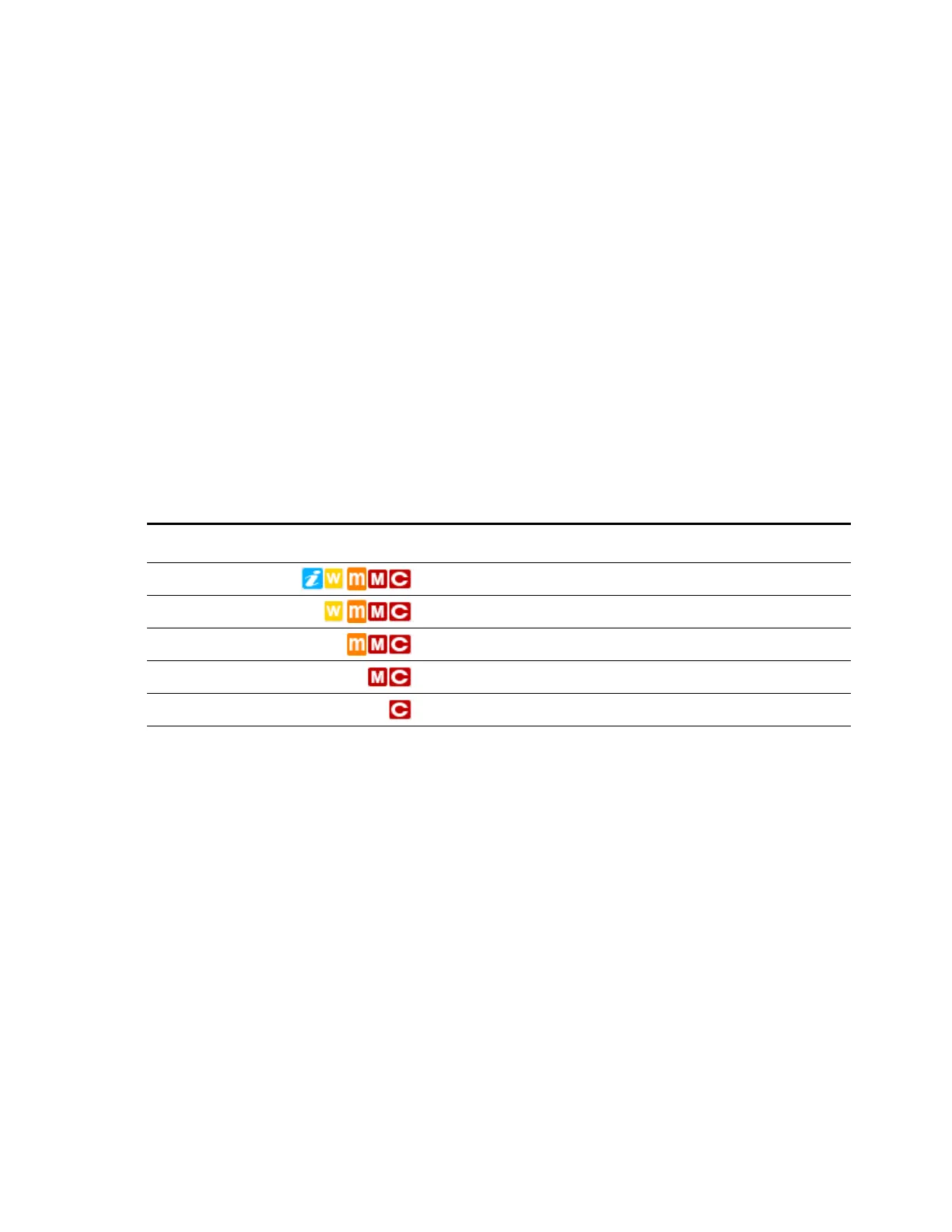
You can also choose to display the logs of only a given severity.
Table 3-8
details the options of this filter and the logs consequently displayed.
At the end of the sorting options line, you can see the number of
displayed logs out of the number of logs that correspond to the filters.
See
Appendix E ’Logs’
on page 563 for the list of logs (XML file).
Table 3-8. Options of the severity filter of the logs.
Option Icon Info Warning Minor Major Critical
Info to critical x x x x x
Warning to critical x x x x
Minor to critical x x x
Major to critical x x
Critical x



 To Next Page