Chapter 3 ’Web User Graphical Interface’ — Workflow Library
252 Electra VS
-
Version 05.10
User Manual - Rev. A
TS SCTE 35 Extractor
Description
This workflow lets you extract, from an MPEG-2 TS, the SCTE 35 sections
from a program.
In the case of ESAM management, the output sections can be forwarded
to a Chunker, that will send notifications to the POIS server for each
section it received. The POIS server sends answers to the Chunker to
validate, modify or discard these original input SCTE 35 sections. Thus,
the Chunker is able to send new SCTE 35 sections to the TS multiplexer
and it also will condition the output video stream to match the splice
points validated by the POIS server.
In the case of simple SCTE 35 Conditioning, the output sections can also
be forwarded to a Chunker, that will condition the output video stream to
match the splice points. The Chunker will also forward the SCTE 35
sections to the TS multiplexer.
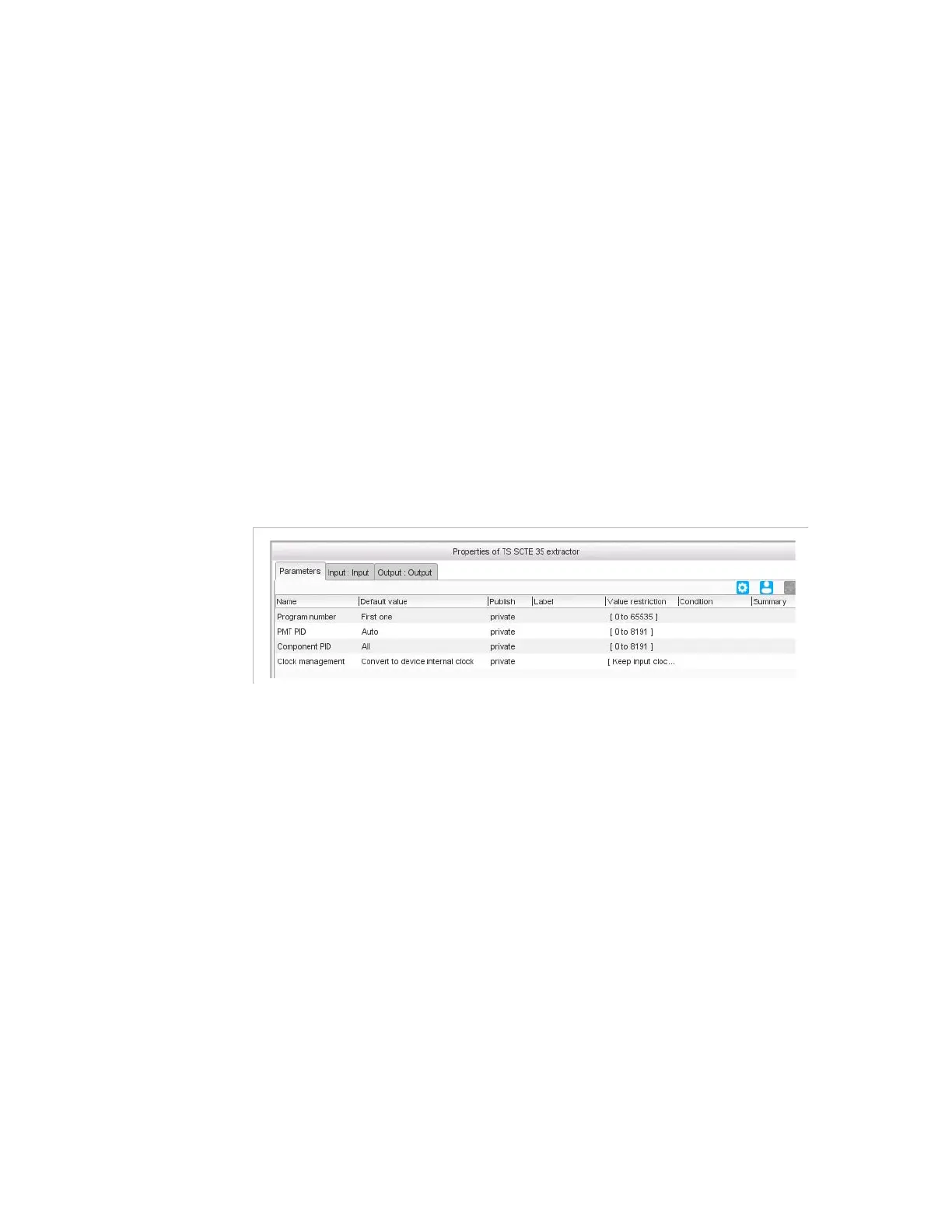
Figure 3-224. TS SCTE 35 extractor parameters
Parameters
Program number
: program number (also known as Service ID in
DVB standard) of the program (or service) that contains the requested
SCTE 35 sections. You can also use one of the predefined values:
First one
: the first program referenced by the PAT table is
considered. This value is suitable when the input TS is a single
program TS (SPTS).
All
: all the programs referenced by the PAT table are processed.
Component PID
: set a specific PID or choose
All
, to extract all the
SCTE 35 components present in the PMT.
Clock management
: if set to
Convert to device internal clock
(default value), then the input clock is converted to the device clock. If
set to
Keep input clock
, then the input clock is kept. When you want to
multiplex components from different input programs, the clocks shall
be converted to the device clock.



 To Next Page