Chapter 3 ’Web User Graphical Interface’ — GUI Description
214 Electra VS
-
Version 05.10
User Manual - Rev. A
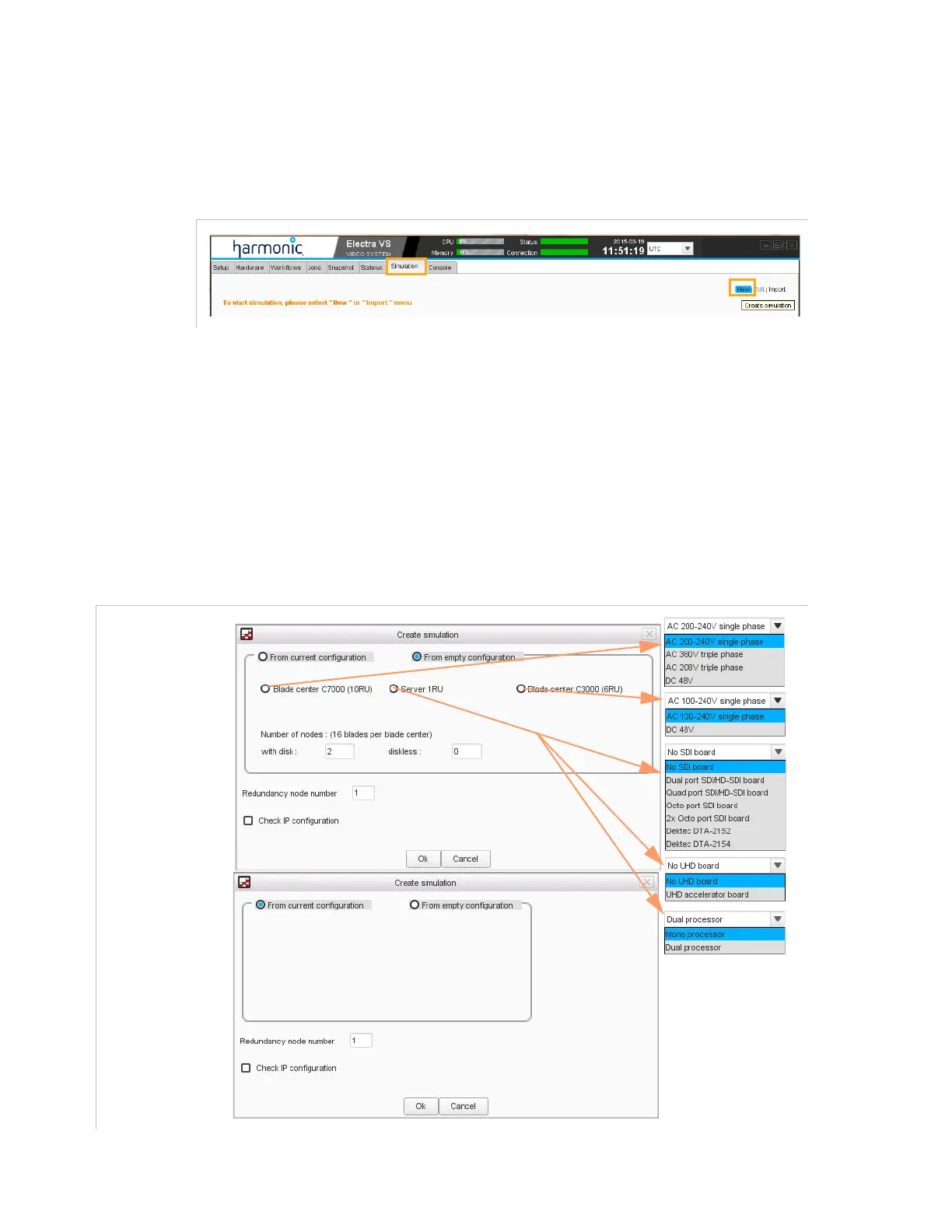
Step 1: Create a Simulation
Display the
Simulation
view and click
New
to create a simulation.
Figure 3-176. Create a Simulation
Step 2: Define an Hardware Configuration
Define an hardware configuration
either from an empty configuration (
From empty configuration
button).
Select this mode if you want to design a new system.
or from the current configuration (
From current configuration
button). Select this mode if you want to increase the number of jobs
on the current Electra VS.
Figure 3-177. Create a Simulation
Simulation from an
empty configuration
Simulation from the
current configuration



 To Next Page