Chapter 2 ’Installation and Startup’ — Hardware Delivery
54 Electra VS
-
Version 05.10
User Manual - Rev. A
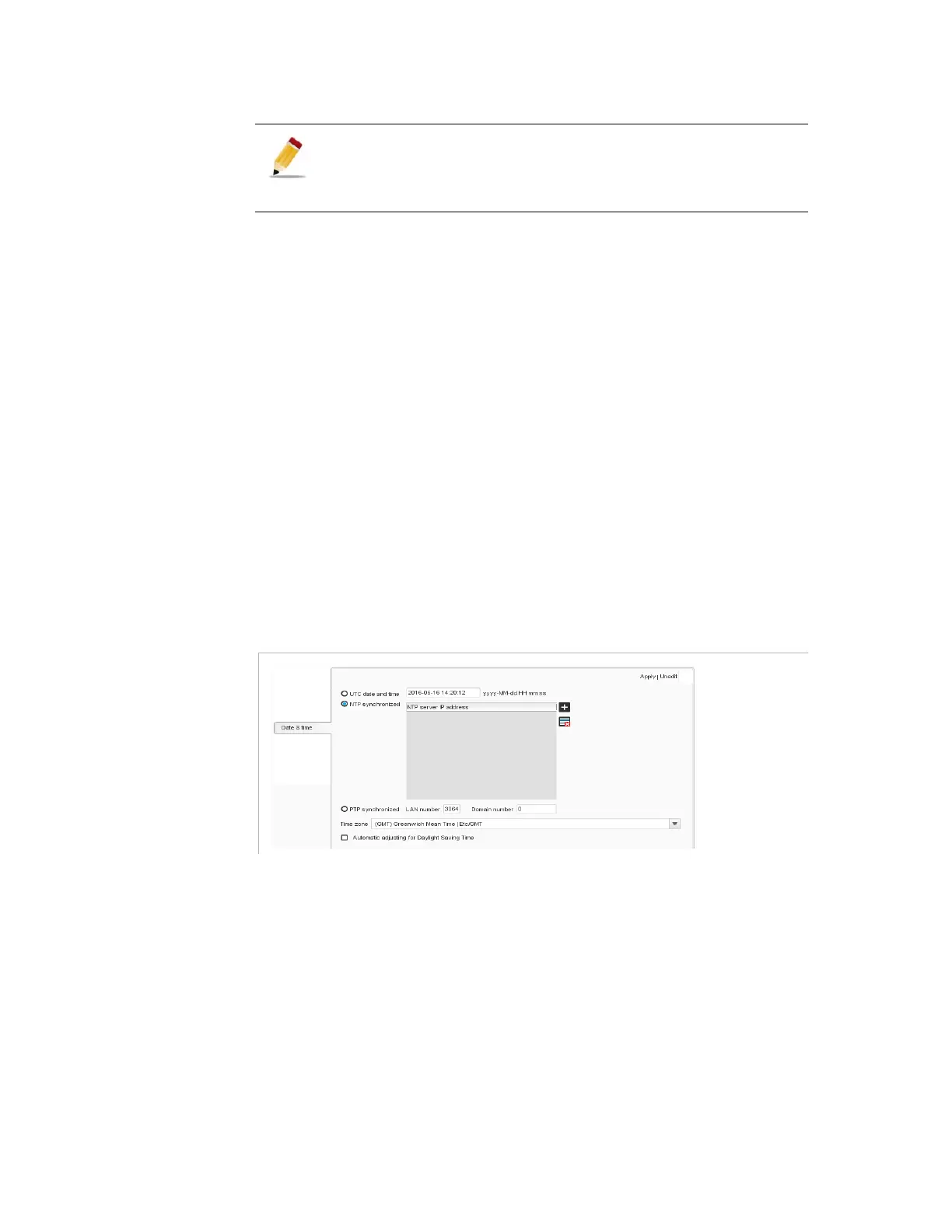
Setting the Date and Time
To set the date and time:
1.
Select the
Setup
tab.
2.
Go to the
Date & time
category.
3.
Choose the method that should be used to get the UTC:
Set it manually: enter the date and time in the
UTC date and
time
field.
Get it from one or more NTP servers: add the IP address(es) of
the server(s) to the
NTP synchronized
list.
Get it from one PTP Grandmaster clock server: add the
LAN
number
and the
Domain number
of the server.
4.
Choose the time zone to use from the drop-down list.
5.
Indicate if you want to adjust the time automatically for Daylight
Saving Time.
Figure 2-29. Date and time settings
6.
Click
Apply
.
Selecting the Supervision Protocol
If you want to secure the protocol used to communicate with the Electra
VS
1.
Select the
Setup
tab.
Date settings must be performed during the installation phase.
Modifying the date (except the time zone or the daylight saving time
option) while the services are on-air may cause temporary
disturbances on those services.



 To Next Page