Chapter 2 ’Installation and Startup’ — Hardware Delivery
Electra VS
-
Version 05.10 55
User Manual - Rev. A
2.
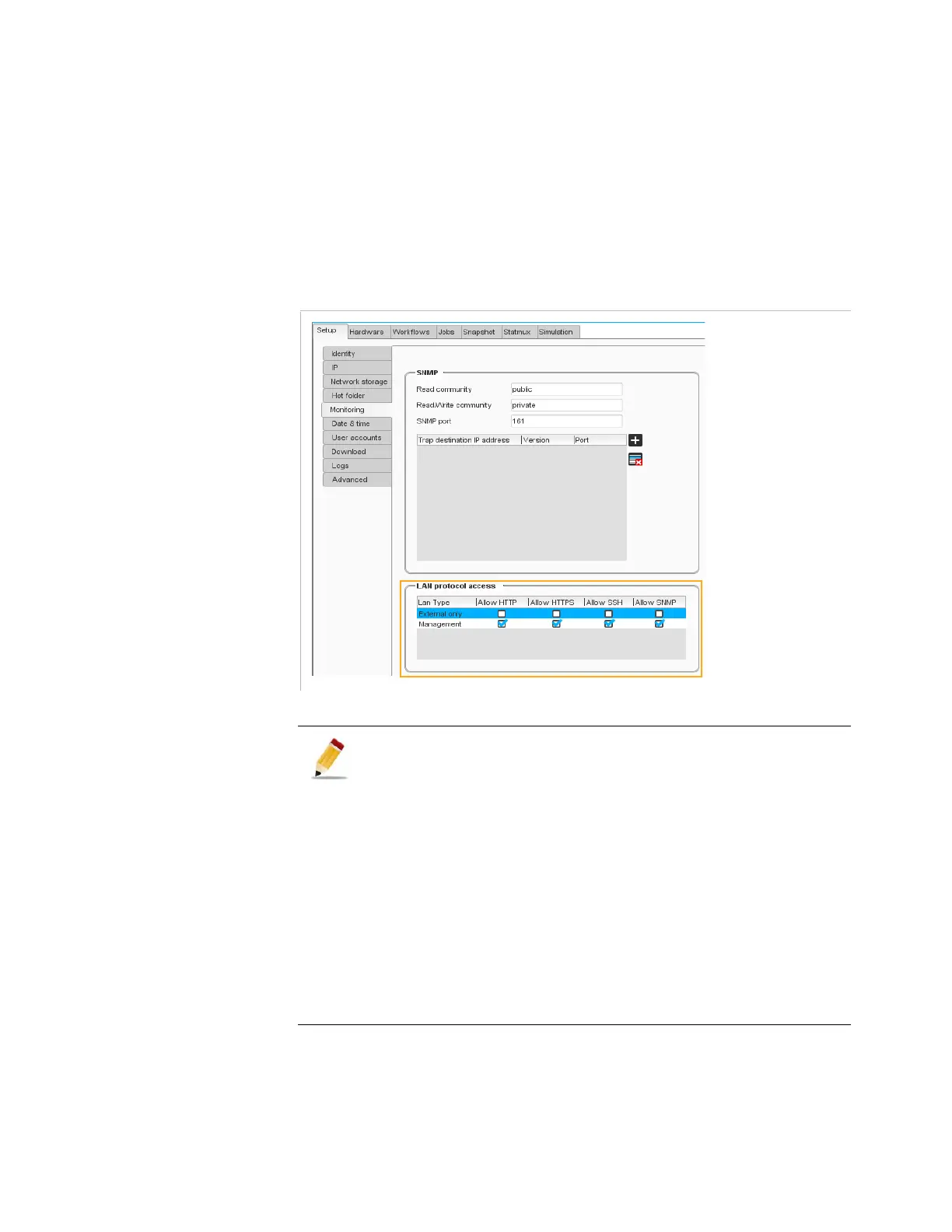
Go to the
Monitoring
category.
3.
The
LAN protocol access
category lets you indicate the protocols
that are available in the external and management LANs. You can
allow or block the HTTP, HTTPs, SSH and SNMP connections.
It is recommended to allow the protocols only in the management LAN
in order to avoid security breaches.
Figure 2-30. Selecting the LAN protocol access
1.
If you select HTTPS only and you are currently in HTTP, you will
have to stop the connection and restart a new one.
2.
If HTTPS only is activated, the webTV outputs with get mode will
not work on the corresponding network. The get mode
corresponds to
Use local web server
set to
true
for Microsoft Smooth
Streaming and DASH outputs or
Stream available on
local web server
set to
true
for HLS output, and/or
ESAM conditioning
set to
true
in the
Chunker
processing component.
3.
Our Electra VS in HTTPS is secured by a certificate, therefore the
explorer will warn you that the security certificate was issued for
a different website's address.
You can check that it is effectively issued for
www.harmonicinc.com.



 To Next Page