Chapter 2 ’Installation and Startup’ — Hardware Delivery
46 Electra VS
-
Version 05.10
User Manual - Rev. A
2.
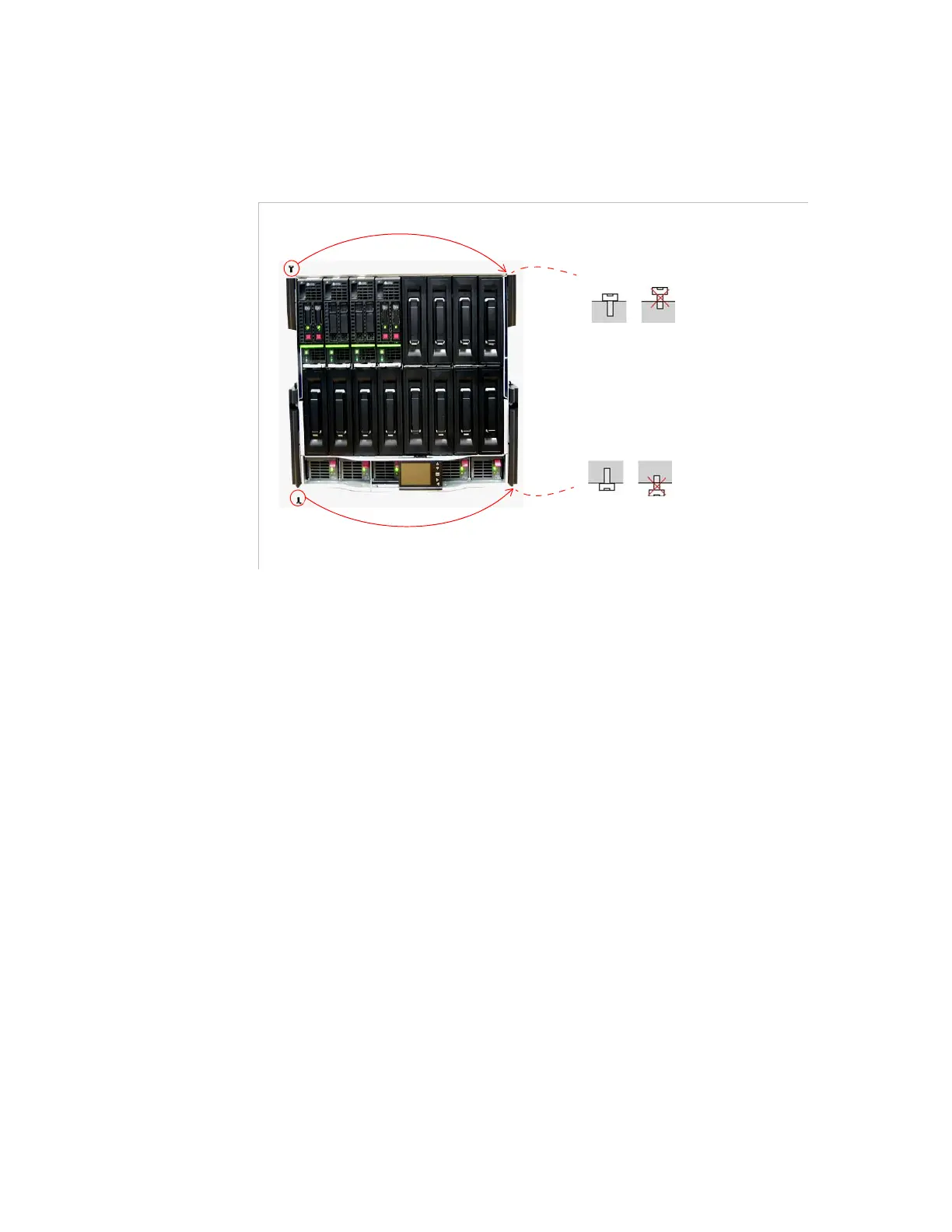
Remove the top and bottom screws from the left hinges then screw
them tightly onto the right hinges (see below).
Figure 2-21. Moving the top and bottom screws from the left hinges to the right hinges
3.
Install the front panel in the right hinges as shown in
Figure 2-24
and
Figure 2-25
(this time with the right hinges).
4.
Re-mount the top right hinge and front panel together on the chassis
as shown in
Figure 2-26
(this time with the top right hinge).
Mounting the Front Panel on 6RU Device
The following items are shipped with the device:
1 front panel (left or right opening) in a plastic bag
1 left hinge and 1 right hinge mounted on the chassis
2 screws at the top and bottom of the left hinge
To install the front panel, the left or right hinge must be removed
depending on whether left- or right-opening is required. This operation
is explained below.
Move the top screw from the top left hinge to the top right hinge
Move the bottom screw from the bottom left hinge to the bottom right hinge



 To Next Page