Chapter 3 ’Web User Graphical Interface’ — GUI Description
206 Electra VS
-
Version 05.10
User Manual - Rev. A
Main
or
Backup area
Job id
: identifier of the main/backup job
Alarm status
: alarm status of the main/backup job. List of
possible alarm status and their meaning is provided in
Table 3-1
’Status pictograms’
on page 90.
Activity status
: activity status of the main/backup job. List of
possible activity status and their meaning is provided in
Table 3-7 ’Job states: colors, descriptions and possible
actions’
on page 201.
Switching trigger status
: indicates if switch trigger is raised
on the main/backup job:
- Not raised:
no switching trigger is raised. Switch or switch
back operations on this job is authorized. The job can be set
active.
- SDI sync loss
: no input SDI signal detected. Switch or
switch back on this job is forbidden.
- Job is not running
: the job is not running due to lack of
resources. Switch or switch back on this job is forbidden.
-
"
-
": the backup job is not started, the switching condition is
unkown. Switch on this backup job is authorized but may
fail if it is not possible to start the backup job (job not
running) or if the SDI input is in sync loss.
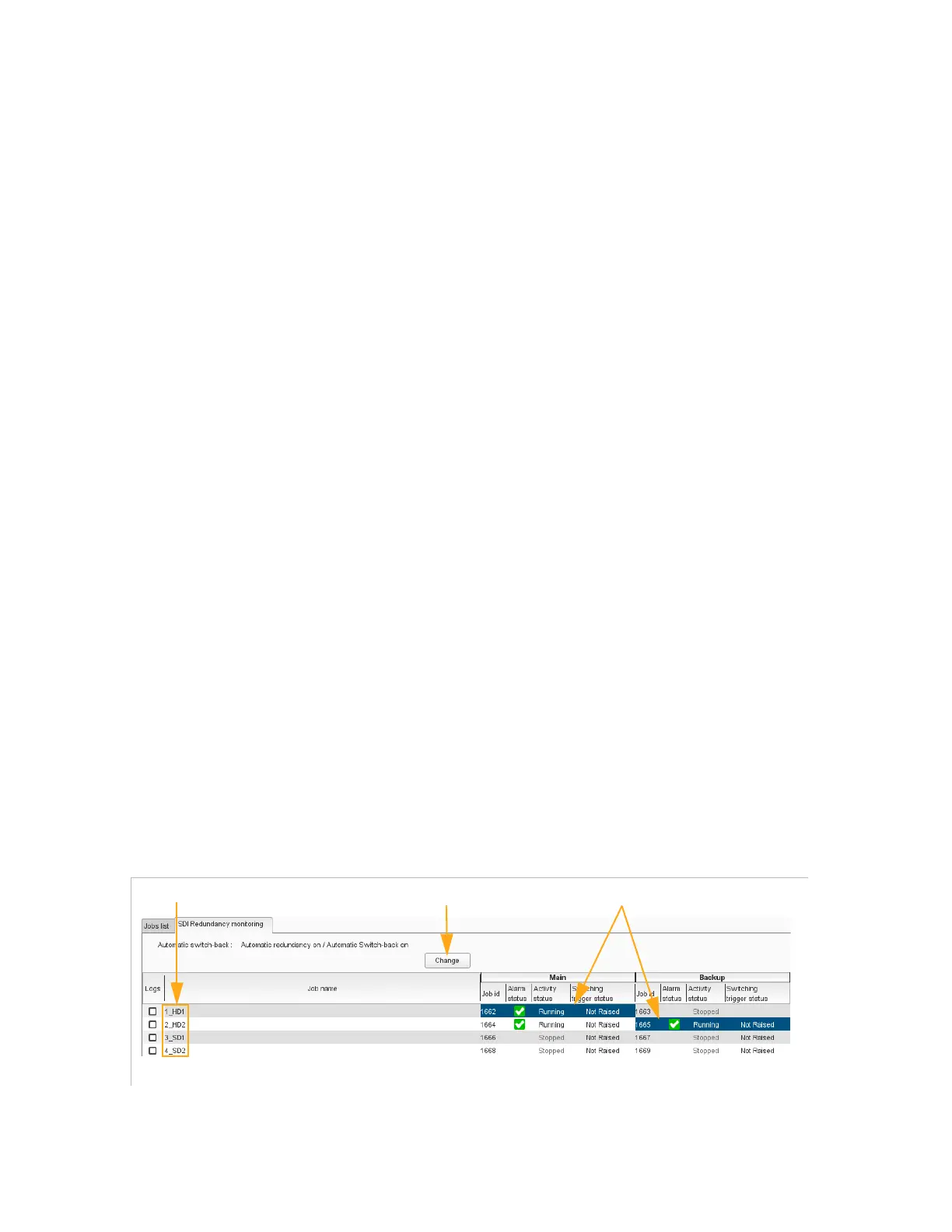
SDI Redundancy Monitoring Tab
The SDI Redundancy Monitoring tab is displayed if the SDI topology is a
topology with redundancy.
It shows the information of all the SDI redundant jobs in view more
oriented redundancy. The SDI redundancy mode is also displayed and
can be modified. To modify it click
Change
and refer to section
’SDI
Redundancy Mode’
on page 189.
Figure 3-170. SDI Redundancy monitoring tab
Refer to section
’Job Redundancy’
on page 205 to have the fields
description.
Active jobs
Redundant jobs
To modify the SDI redundancy mode



 To Next Page