Chapter 7 ’Tools’ — HP Monitoring Tools (6RU and 10RU Devices)
Electra VS
-
Version 05.10 475
User Manual - Rev. A
2.
Select
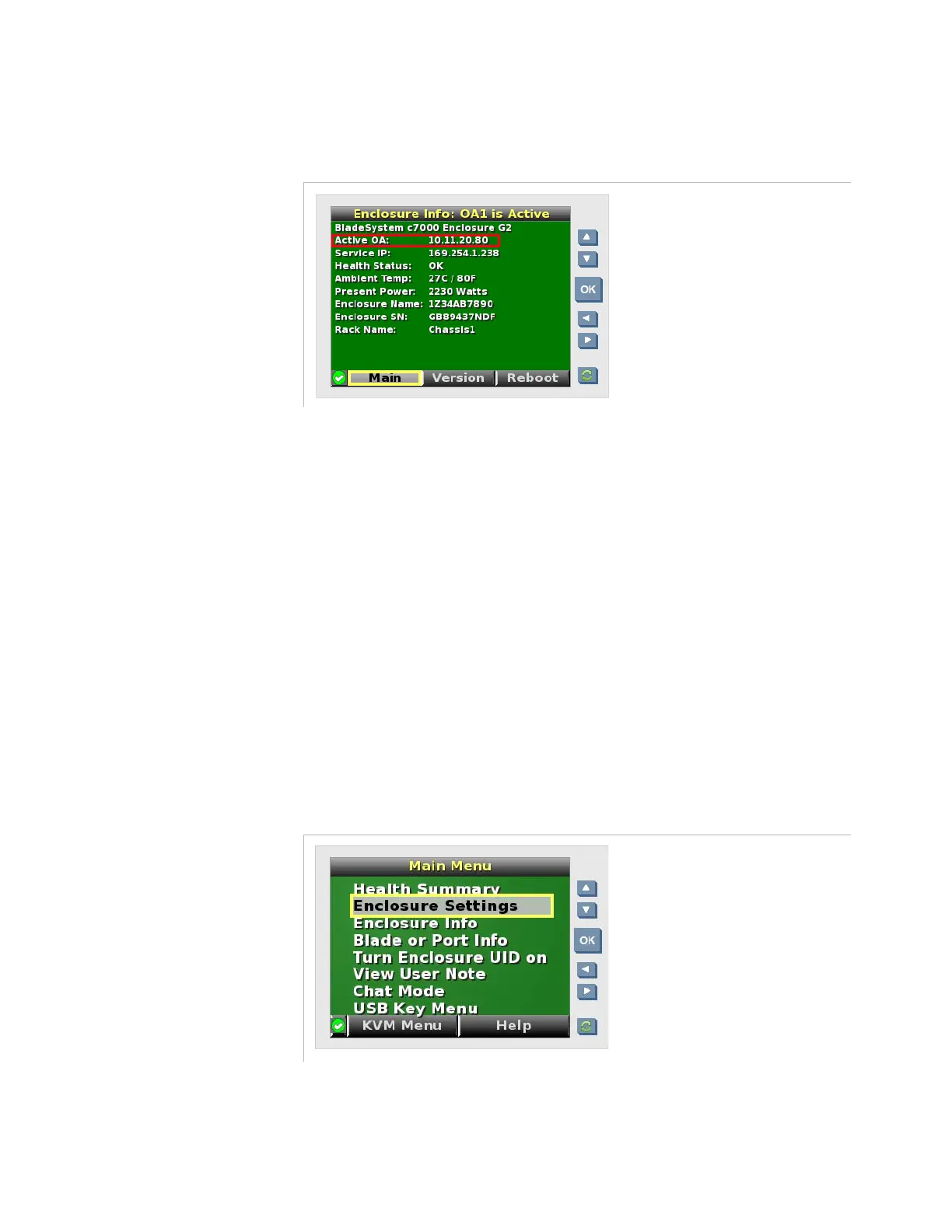
Enclosure Info
and press
OK
.
Figure 7-8. Electra VS front panel screen – Enclosure information
3.
Note the IP address indicated in the
Active OA
field.
4.
From a remote computer, type the IP address in the address bar.
5.
Enter the user name and password indicated on the asset tag.
You are now connected to the HP configuration interface.
Method #3: Connecting After Manually Configuring
the IP Address of the Device
If you do not have a DHCP server nor a DNS server, you can configure the
IP address manually using the front panel.
To do so:
1.
On the front panel of the Electra VS device, press
OK
to activate the
display.
Figure 7-9. Electra VS front panel screen – Main menu



 To Next Page