Chapter 3 ’Web User Graphical Interface’ — GUI Description
Electra VS
-
Version 05.10 181
User Manual - Rev. A
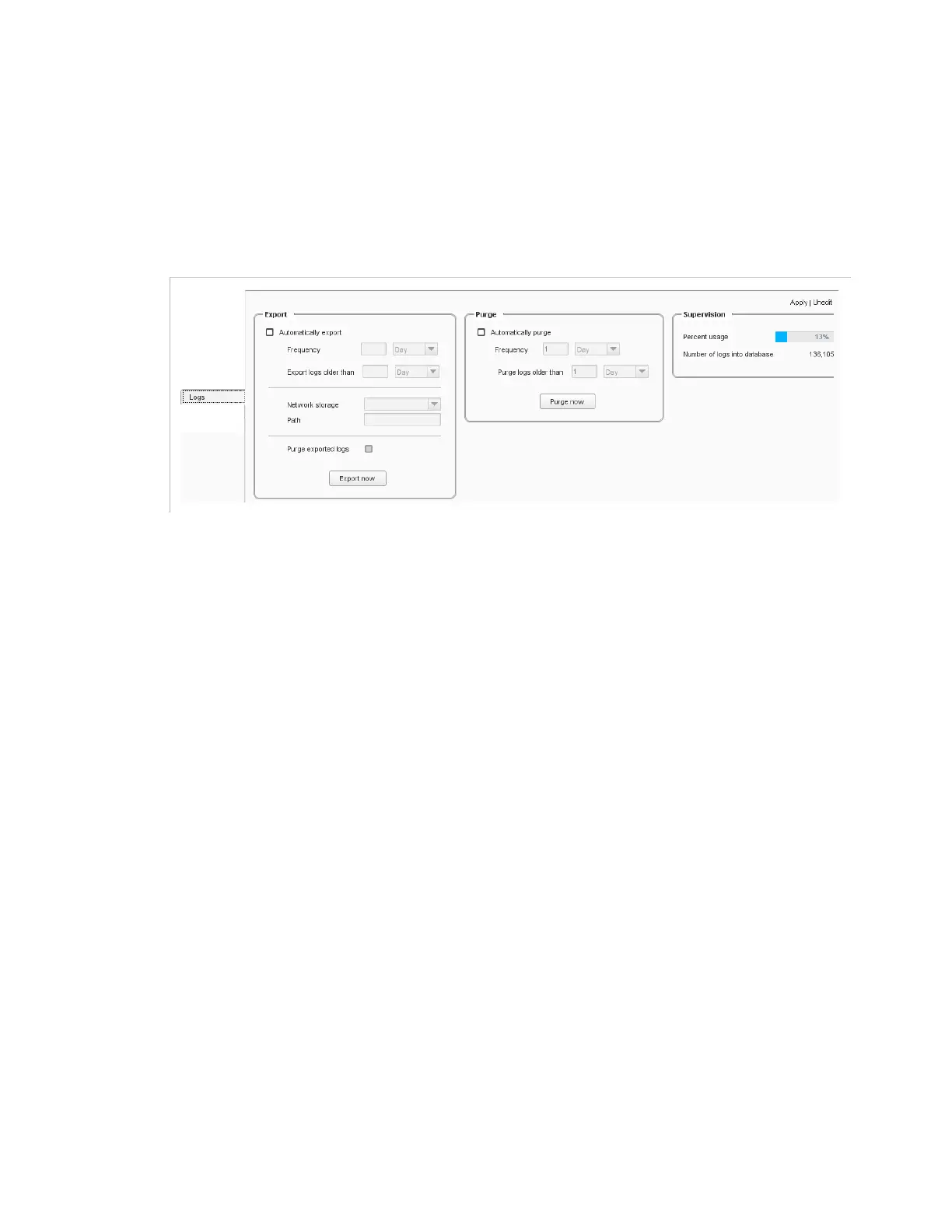
Setup/Logs
The
Logs
category lets you define settings related to the logs generated
by Electra VS.
It is divided into three parts.
Figure 3-141. Logs configuration
Export
Automatically export
: click to automate the export of the logs and
define the frequency.
Frequency
: define how often the logs should be exported (in days,
weeks or months).
Export logs older than
: define the age that the logs should have to
be exported (in days, weeks or months). The date taken into account
is the date of log closure.
Network storage
: choose from the list the network storage where
the exported logs should be saved. To define network storage places,
go to the
Network Storage
category. For more information, refer to
section
’Setup/Network Storage’
on page 173.
Path
: enter the path to where the exported logs should be saved on
the network storage defined earlier. To set sub-directories, use the
/
separator. If the directories you enter do not already exist, they are
automatically created. If no path is defined, the exported logs are
saved at the root of the network storage.
Purge exported logs
: if enabled, logs that have been exported will
be deleted from the equipment. Note that if the export fails, for
instance if the network storage is unreachable, logs are not purged.



 To Next Page