Chapter 4 ’Servicing’ — Hardware Delivery
416 Electra VS
-
Version 05.10
User Manual - Rev. A
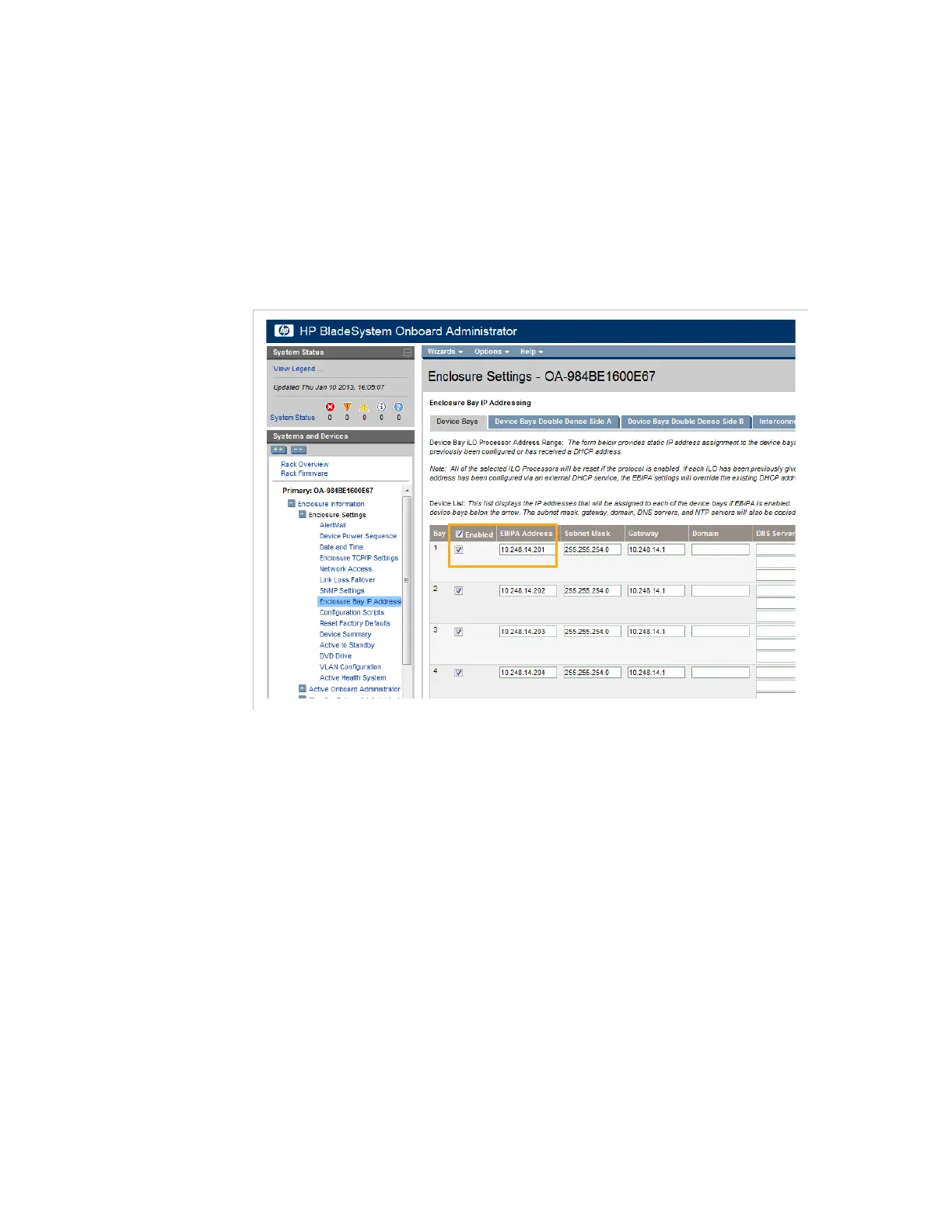
Enabling the Node
1.
In the HP OnBoard Administrator page, point to
Enclosure
Information
,
Enclosure Settings
and select
Enclosure Bay IP
Addressing
.
2.
Select the new node you have just racked and check the box in the
Enabled
column.
Figure 4-8. Enabling the new diskless node
Configuring the BIOS of a Diskless Node
Once the new node is enabled, follow the procedures below to configure
it.
For a 6RU or 10RU blade: Accessing the BIOS
In the HP BladeSystem Onboard Administrator, click the
Rack
Overview
link in the tree on the left.



 To Next Page