Chapter 3 ’Web User Graphical Interface’ — Workflow Library
Electra VS
-
Version 05.10 267
User Manual - Rev. A
PS Video Extractor
Description
The
PS Video Extractor
processing component lets you extract video
stream from a Program Stream file.
The output stream can be forwarded to a decoder, for example.
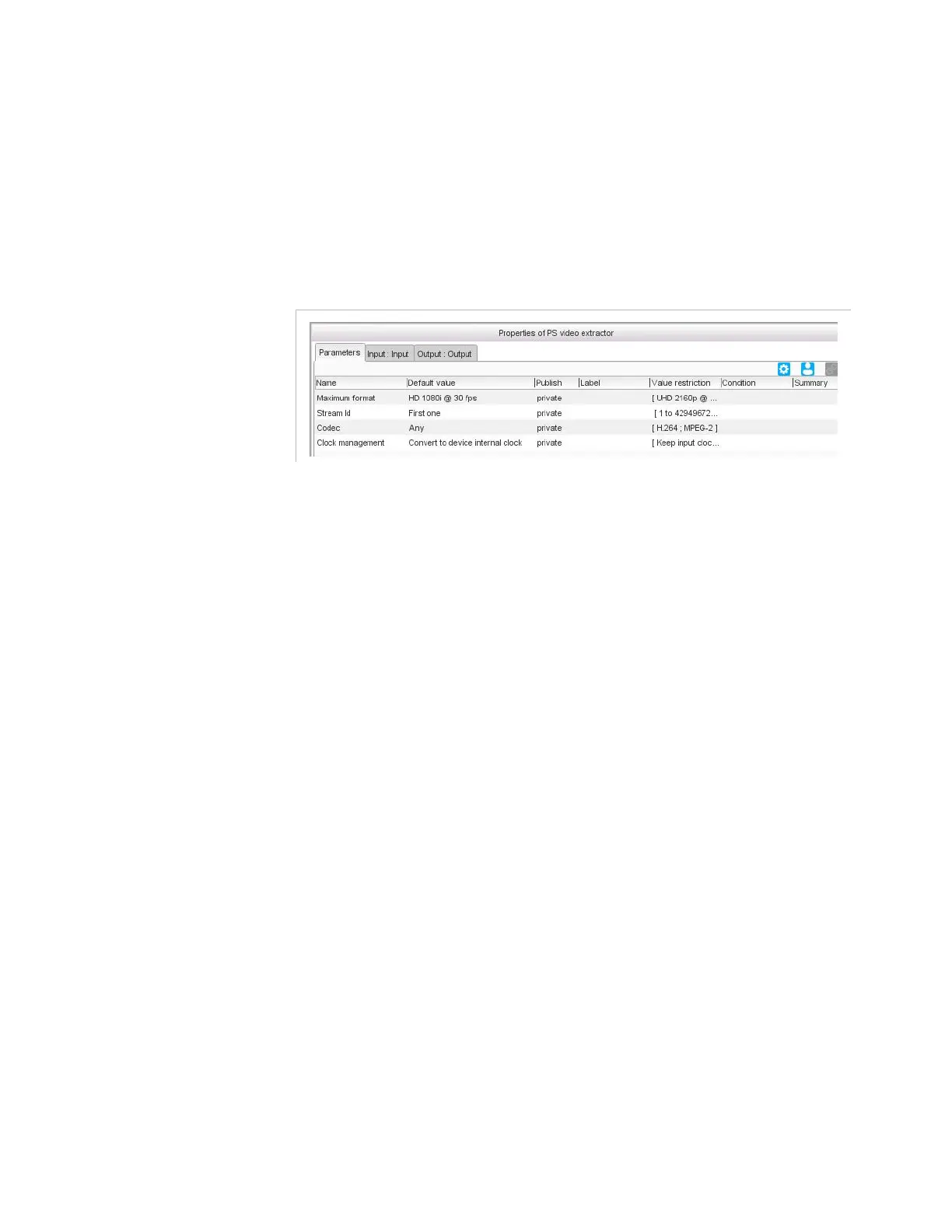
Figure 3-237. PS video extractor parameters
Parameters
The parameters you set here act as filters for the component extraction,
that is, the Electra VS will extract the component(s) it finds that matches
the parameters you defined.
For this processing component, you must set the following parameters:
Maximum format
: maximum format that this input can receive.
This information is essential for the load-balancer as it will use it to
allocate resources (CPU, memory, license). Setting an HD format
when the source is SD results in Electra VS system underuse.
If you choose
custom
, set the
Maximum picture size
and
Maximum frame rate
fields.
Stream Id
: Stream identifier. If set to
First component
, the Electra VS
will extract the first component it finds that matches the parameters
you defined. If set to
All
, the Electra VS will extract the all components
it finds that matches the parameters you defined.
Codec
:
H.264
,
MPEG-2
or
Any
. If set to
Any
, the codec is automatically
detected.
Clock management
: if set to
Convert to device internal clock
(default value), then the input clock is converted to the device clock. If
set to
Keep input clock
, then the input clock is kept. When you want to
multiplex components from different input programs (to create a
mosaic for instance), the clocks shall be converted to the device clock.



 To Next Page