Chapter 3 ’Web User Graphical Interface’ — Operating Instructions (Tutorial)
Electra VS
-
Version 05.10 117
User Manual - Rev. A
Advanced Operations
This section gives additional information on
how to create an MPTS job
how to create an MPTS job with Statmux
how to declare an SDI source
how to use an SDI source
how to configure the SDI redundancy
how to create your own workflow from scratch or by adapting an
existing workflow.
how to create sub-workflows
how to create workflows with multi-instantiable processing
components
Creating an MPTS Job
To create an MPTS, the following method is recommended:
1.
Create one job per program, each job being based on a workflow
using ‘MPTS over IP’ processing component (e.g. Live SD-HD
Transcoder workflow).
a.
In the
Jobs
tab, click
Create
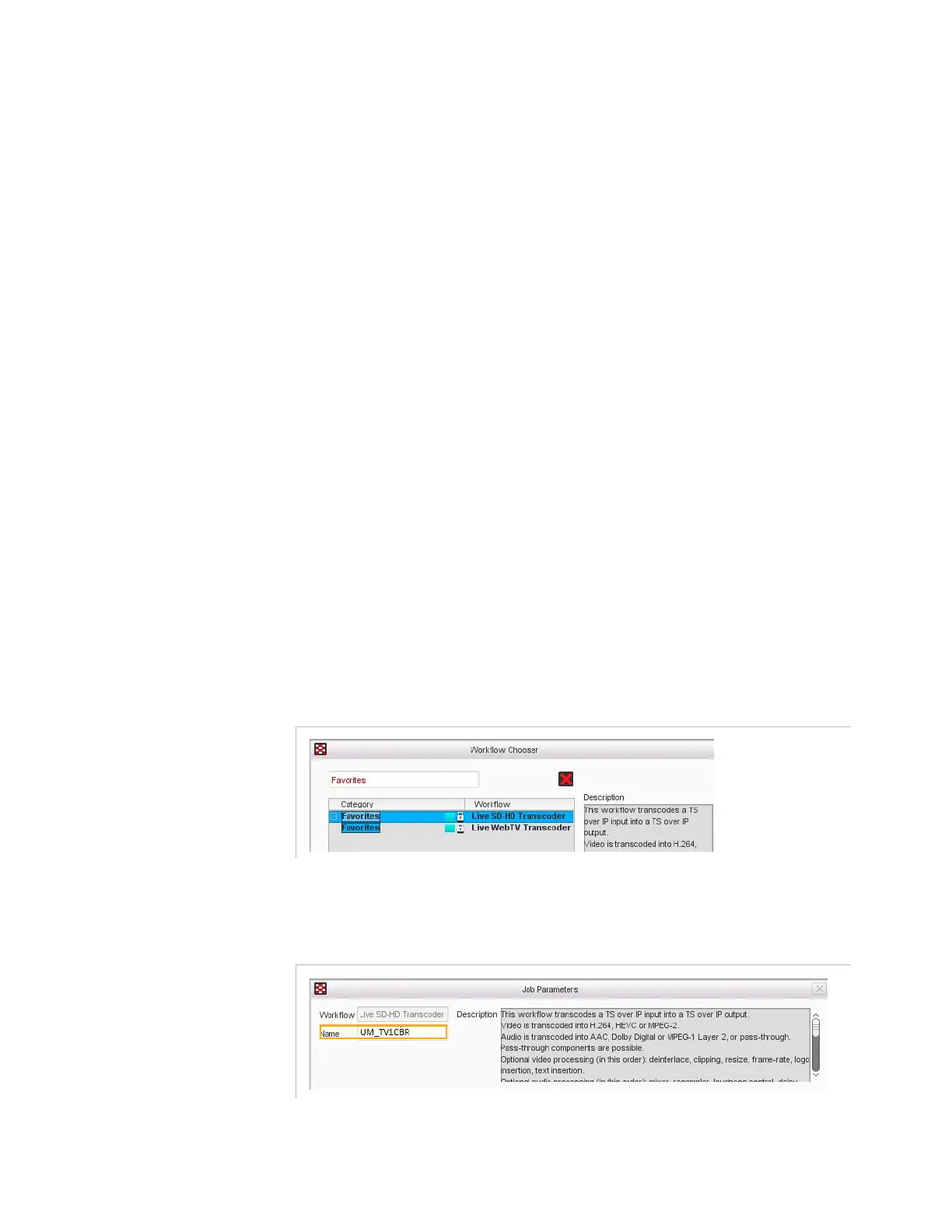
and select the Live SD-HD
Transcoder workflow.
Figure 3-51. Selecting the Live SD-HD Transcoder workflow
b.
Enter a name to your job (e.g.
UM_TV1CBR
)
Figure 3-52. UM_TV1CBR job parameter - Name



 To Next Page