Chapter 3 ’Web User Graphical Interface’ — Workflow Library
256 Electra VS
-
Version 05.10
User Manual - Rev. A
Dolby x: source
: group and channel of the Dolby source. For more
details on groups and channels, see the Source L/R parameter
explanation above.
Dolby x: codec
: select AC3 for Dolby Digital/Dolby Digital Plus, or
Dolby E.
Auto switch mode
(if
codec
=
Dolby E
): set it to true if you want
to activate an automatic switching between the Dolby E and a backup
PCM 2.0 component. The backup PCM may be transported in the
Dolby E component or may be a separate PCM component. The Dolby
E / PCM transition is done in two frames (1/2 fade out frame, 1 silence
frame, 1/2 fade in frame).
Raise a log when audio PCM is on air
(if
Auto switch mode
=
true
): a minor alarm will be raised when the PCM source is on air.
For more information on SDI inputs, see also section
’SDI Inputs
(Depending on Server Type)’
on page 513.
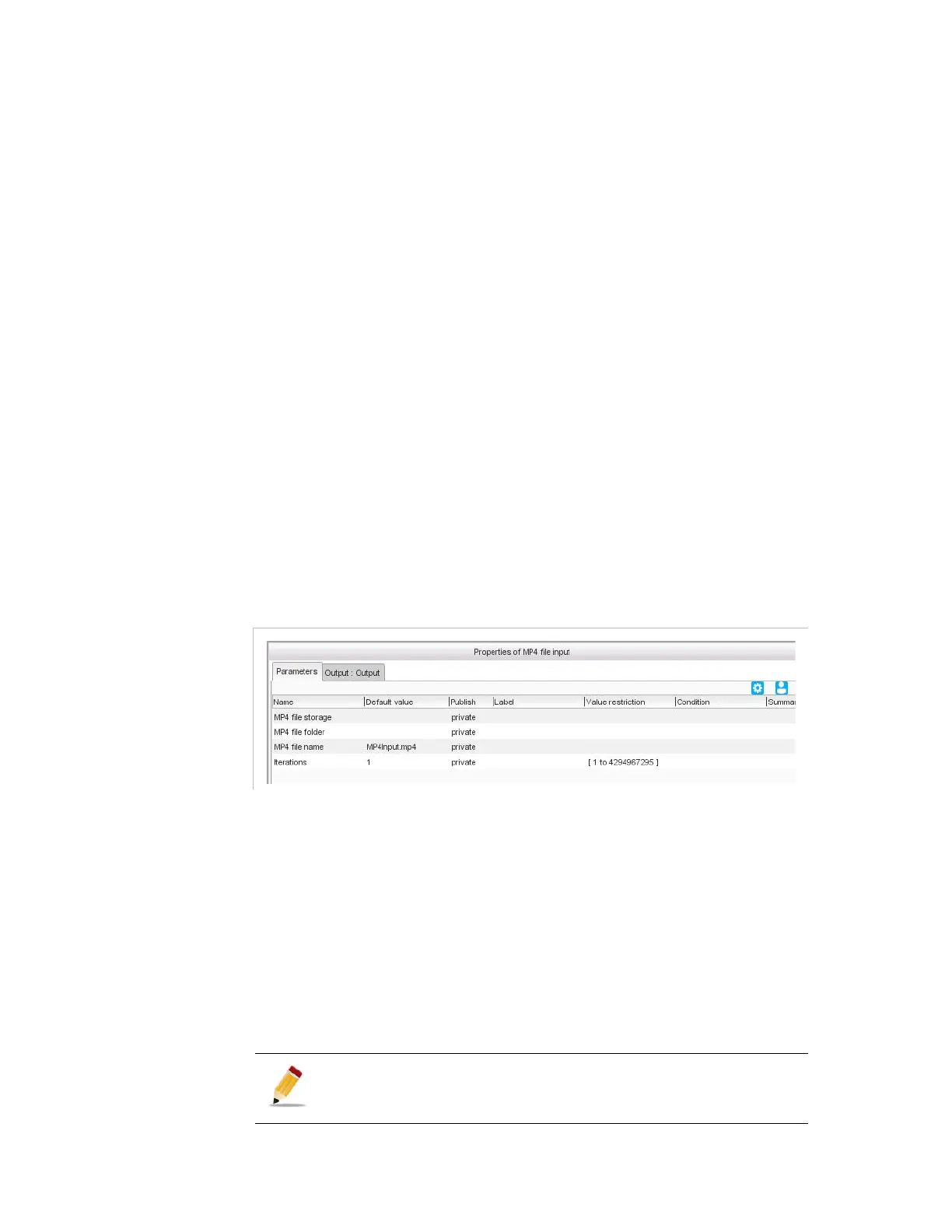
MP4 File Input
Description
This workflow manages a MP4 file input.
Figure 3-226. MP4 file input parameters
Parameters
For this processing component, you must set the following parameters:
MP4 file storage
: location on the server where the MP4 file to
import in input is stored. Refer to section
’Video overlay’
on page 296
for the possibles syntaxes.
MP4 file folder
: folder on the network storage where the MP4 file
to import in input is stored.
MP4 file name
: name of the MP4 file to import in input.
Iterations
: number of consecutive times the file will be played.
Loops are not seamless: there is audio/video disruption.



 To Next Page