Chapter 3 ’Web User Graphical Interface’ — Workflow Library
Electra VS
-
Version 05.10 319
User Manual - Rev. A
Decoder delay
: this parameter is associated to the decoder buffer.
Increasing this delay improves the quality. However, the zapping time
is longer. It can be set to
500
or
1000 ms
.
Deblocking
: enter a value to define the strength of the deblocking
filter that will be applied to the stream. This helps to prevent the
blocking artifacts resulting from image compression. Disabling the
deblocking gives a sharper image, which might be a good choice
when the video bitrate is high.
Closed caption
: set to Insert closed caption if you want closed
captions that are present in the incoming video stream or from the SDI
input to be collected and integrated in output.
MPEG-1 Layer 2 Encoder
Description
The
MPEG-1 Layer 2 encoder
processing component lets you encode
audio in MPEG-1 layer 2 format.
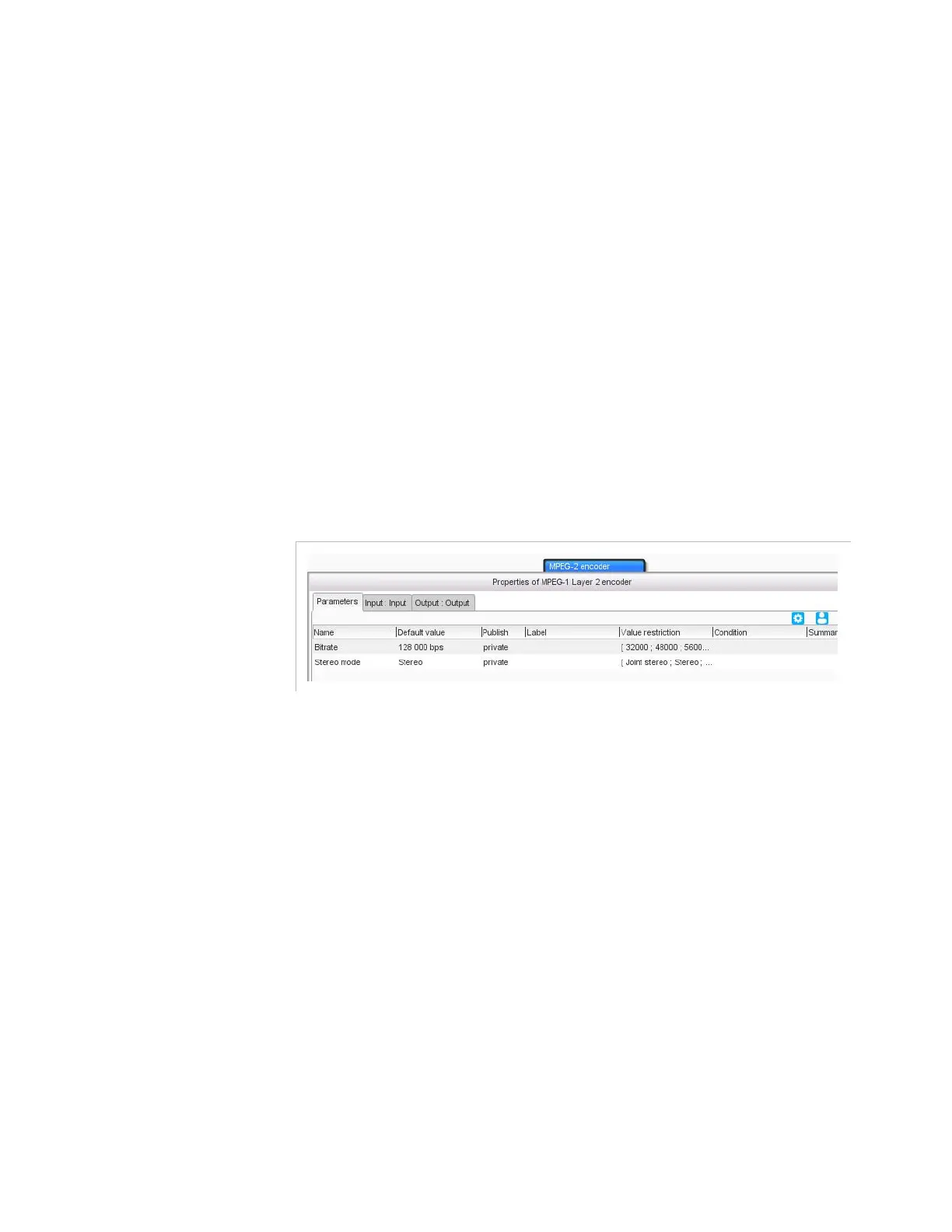
Figure 3-289. MPEG-1 layer 2 encoder parameters
Parameters
For this processing component, you must set the following parameters:
Bitrate
: enter the bit rate value (without encapsulation overhead), in
bits per second.
Stereo mode
: choose the stereo mode to use from the drop-down
list. Available modes are:
Joint stereo
: removes stereo intensity irrelevance
Stereo
Dual channel
: uncorrelated (contains two completely different
audio streams but encodes them together).
This parameter is ignored when the input is mono.



 To Next Page