Chapter 3 ’Web User Graphical Interface’ — Workflow Library
286 Electra VS
-
Version 05.10
User Manual - Rev. A
Mosaic Editor
The
Mosaic Editor
processing component generates a mosaic of video
thumbnails.
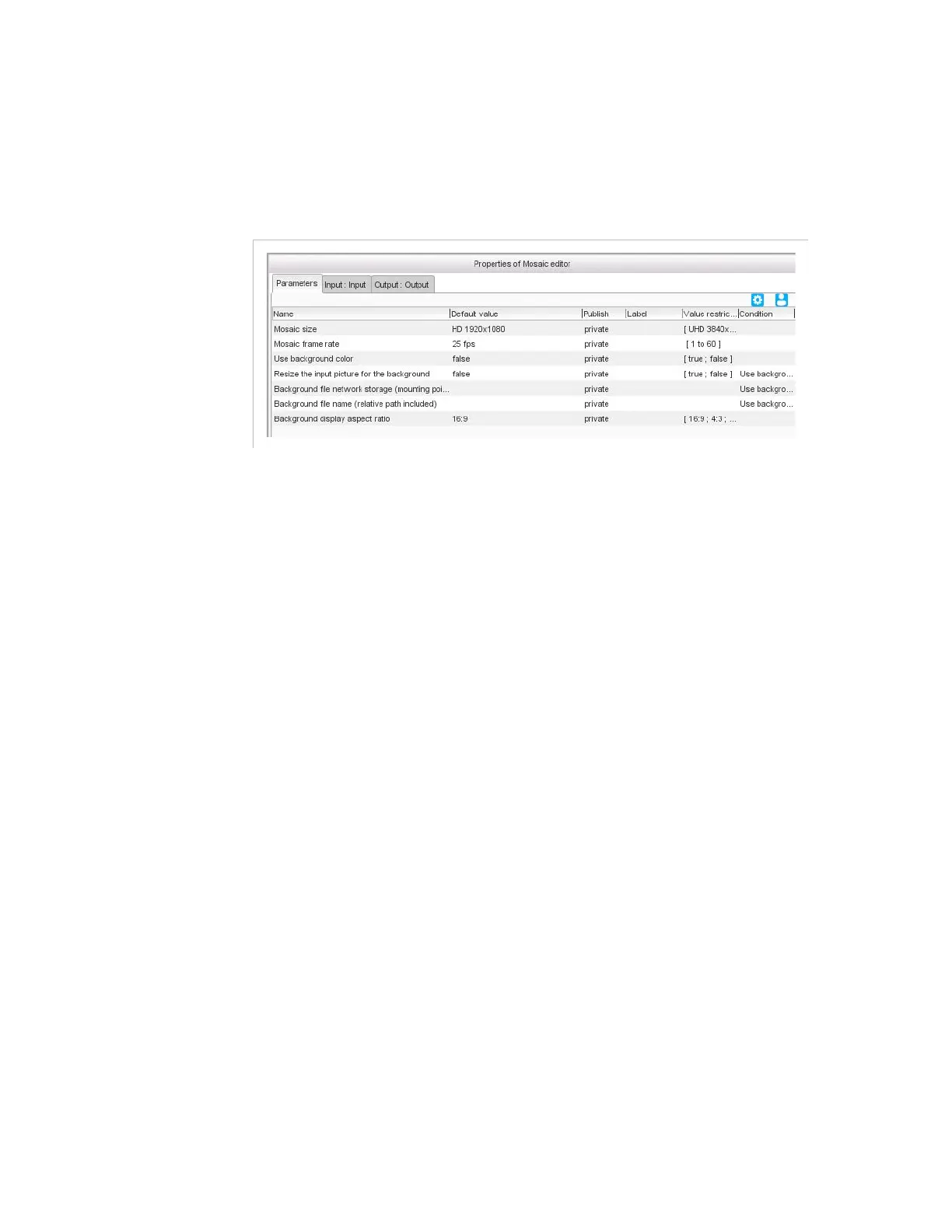
Figure 3-257. Mosaic editor general parameters
For this processing component, you must set the following general
parameters:
Mosaic size:
choose a predefined SD, HD, or UHD format, or set to
Custom
and specify a
Background picture size
, which is the size
of the file that will be used as the mosaic background, in pixels.
Mosaic frame rate
: enter the frame rate that will be applied to the
stream, in frames per second.
Use background color
:
Set to
True
to use a color as background. In this case, specify the
Background color
(RGB value).
Set to
False
to use a picture as background. In this case, set the
following parameters:
- Resize the input picture for the background
: set to
true
if your background input picture is not the same size as
the mosaic you are creating. In that case, it is resized to fit
into the background.
- Background file network storage (mounting
point)
: location of the file that will be used as the mosaic
background. Refer to section
’Video overlay’
on page 296
for the possibles syntaxes.
- Background file name (relative path included)
:
name of the file that will be used as the mosaic background.
Background display aspect ratio
: choose from the list the
display aspect ratio that should be used for the mosaic background.



 To Next Page