Chapter 7 ’Tools’ — HP Monitoring Tools (6RU and 10RU Devices)
480 Electra VS
-
Version 05.10
User Manual - Rev. A
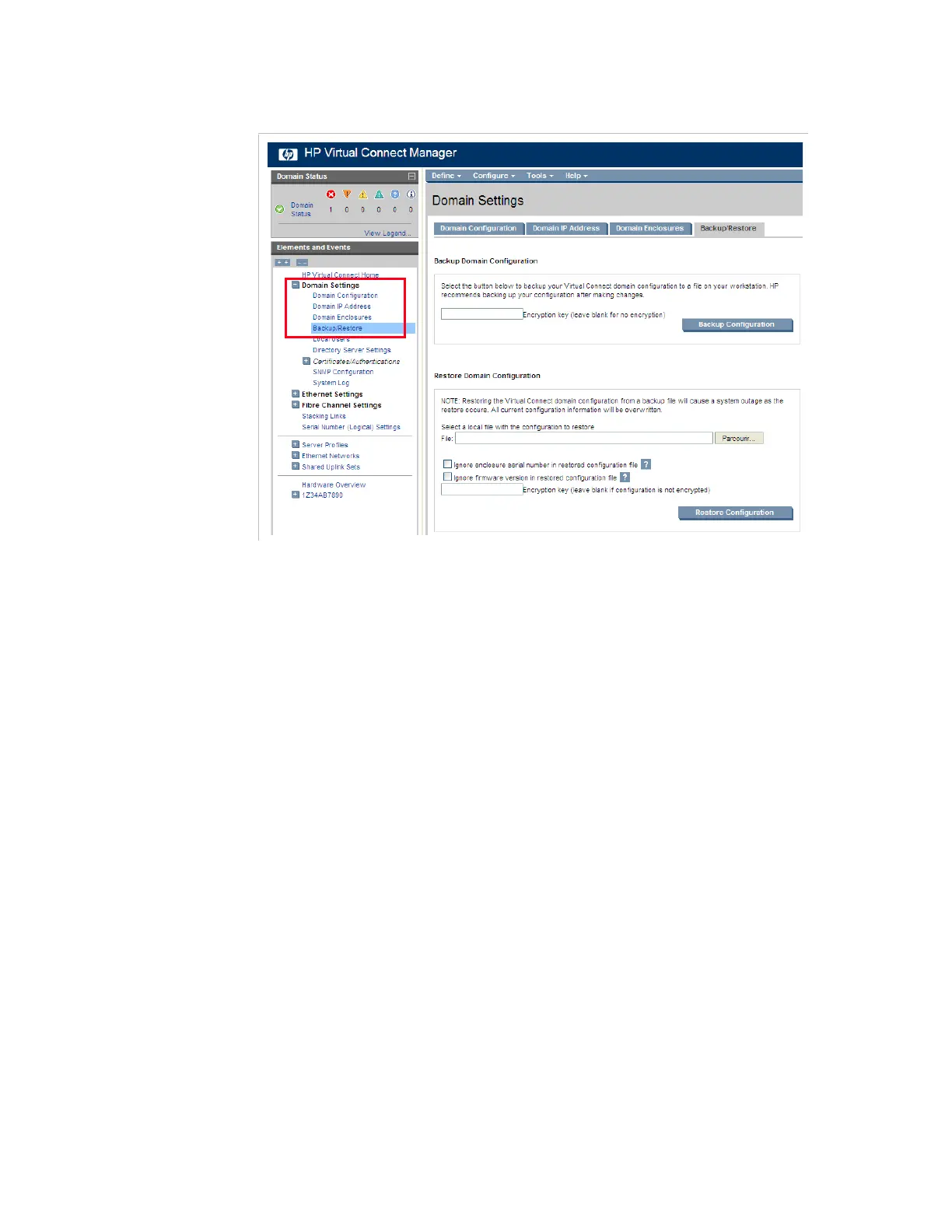
Figure 7-16. HP Virtual Connect Manager interface – Domain settings
2.
If you wish to encrypt your backup, enter an encryption key in the field.
3.
In the
Backup Domain Configuration
area, click the
Backup
Configuration
button.
4.
Save your file.
If you need to restore this configuration, proceed as follows:
1.
In the same configuration panel, click
Browse
in the
Restore
Domain Configuration
area and select your backup file.
2.
Click the
Restore Configuration
button.
You can also use the Import/Export feature in script format, as described
in section
’Exporting Information for Customer Support’
on page 450,
in the Enclosure information paragraph.
More Information
For more information on the HP configuration interface, refer to the HP
documentation available on the HP Website and on the DVD-ROM.



 To Next Page