Chapter 7 ’Tools’ — Equipment Setup
472 Electra VS
-
Version 05.10
User Manual - Rev. A
Setting Device Parameters
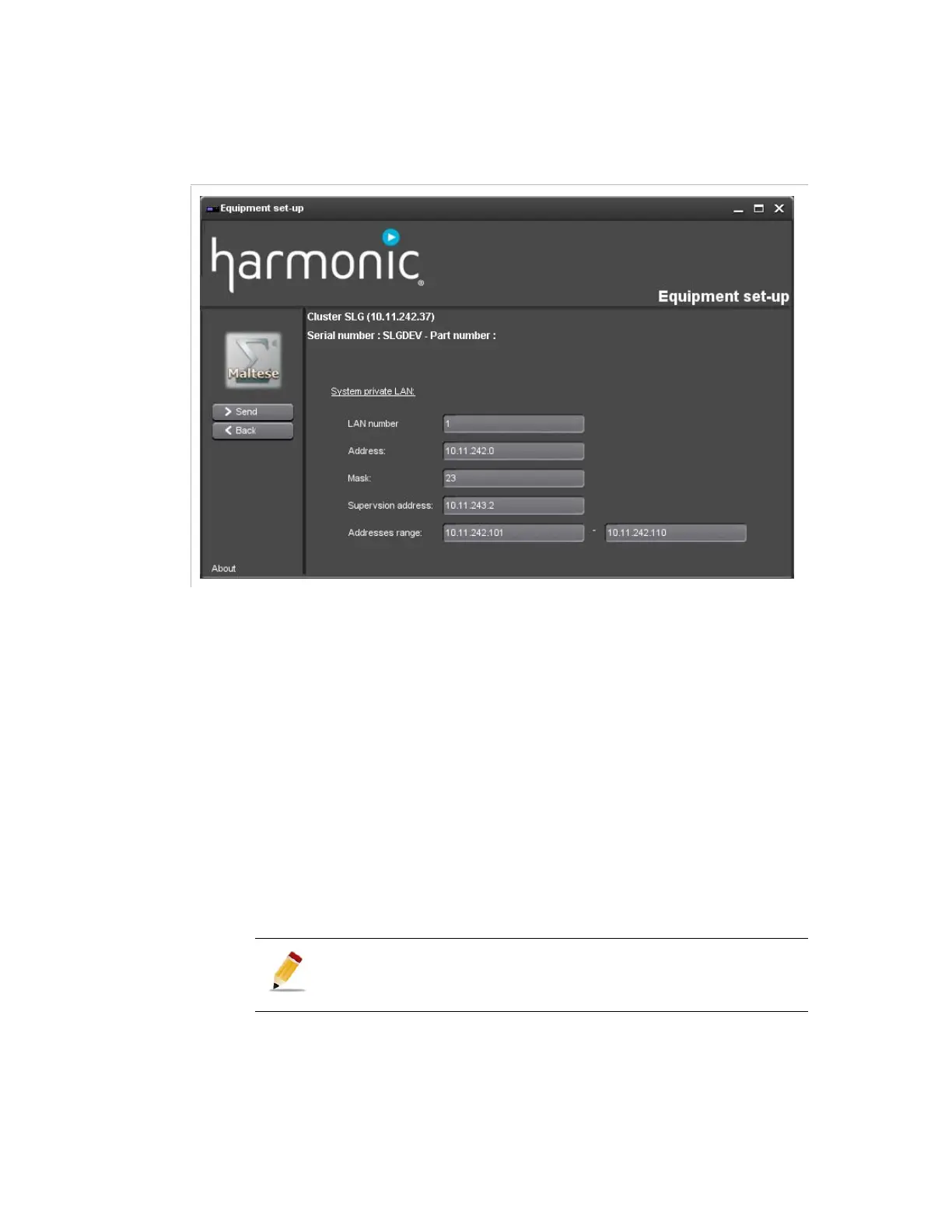
Figure 7-4. Equipment set-up settings
Once you are connected to a device, you can set a number of parameters
regarding the system private LAN:
LAN number
: number of the LAN, used to identify the LAN in logs.
Address
Mask
Supervision address
: this is a virtual IP address allocated to the
master node, allowing supervision of the Electra VS on this LAN. It
allows to connect to the Electra VS without knowing which node is
currently the master one.
Addresses range
When the parameters are set, click
Send
to apply them to the equipment.
If the supervision PC is in DHCP, unplug and replug it so as to
force it to get a new address.
Number of necessary addresses = number of blades + 2.



 To Next Page