Chapter 4 ’Servicing’ — Hardware Delivery
Electra VS
-
Version 05.10 437
User Manual - Rev. A
Blade Center - Upgrading Flex10 firmware
First, you may want to check the Flex10 firmware version. To do so, follow
the procedure below.
Connecting to the ILO Interface
1.
Run Internet Explorer.
2.
Enter the IP address of the blade center ILO interface. For more
information, see section
’Connecting to the HP Monitoring Tools’
on
page 473.
3.
Enter the user name and password indicated on the asset tag.
The
HP OnBoard Administrator
interface is displayed.
4.
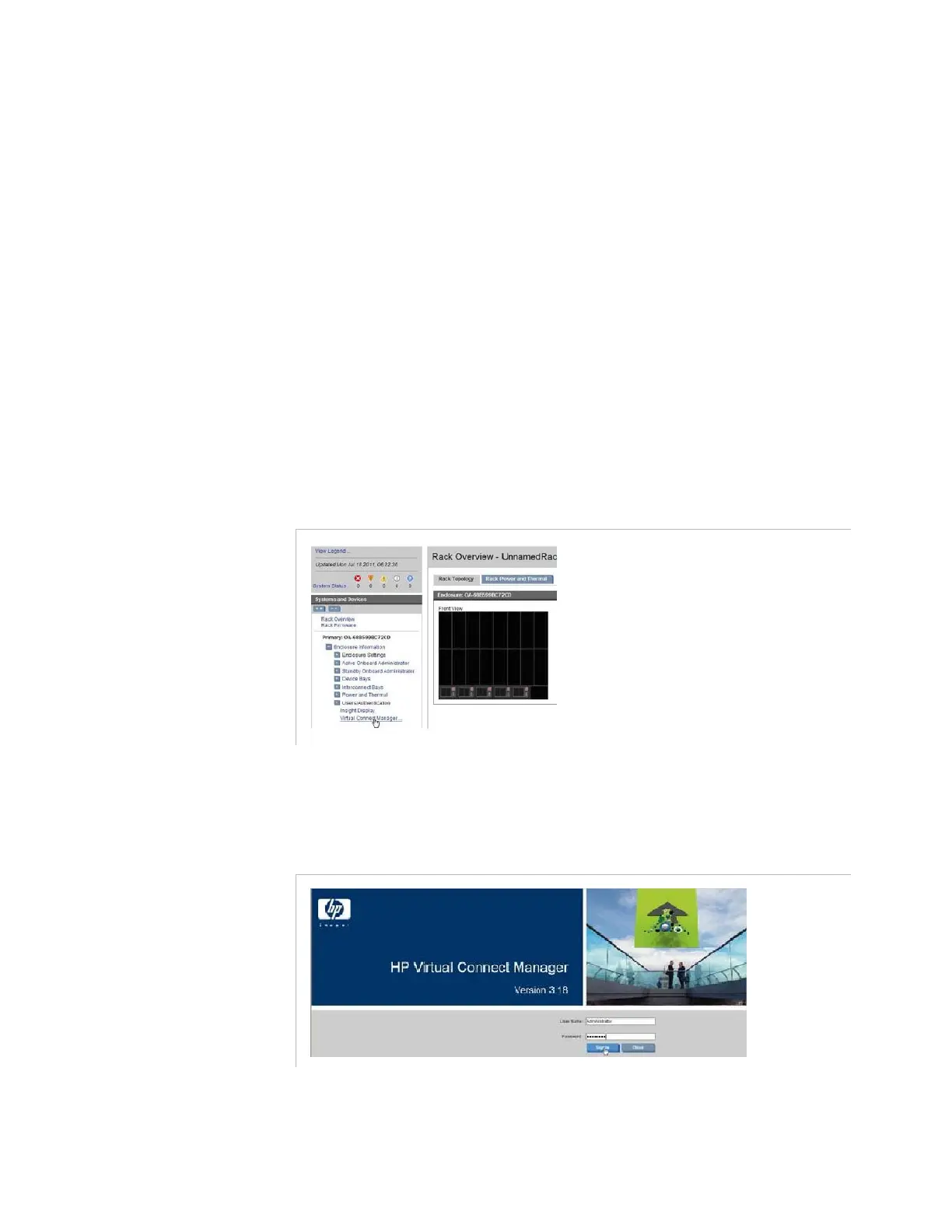
To upgrade the Flex10 firmware, select
Enclosure Settings
,
Virtual Connect Manager
view
.
Figure 4-43. HP configuration interface – Virtual Connect Manager selection
The
Virtual Connect Manager
is opened. The firmware version is
displayed.
Figure 4-44. HP configuration interface – Virtual Connect Manager page
To upgrade the Flex10 version, follow the procedure below.



 To Next Page