Chapter 3 ’Web User Graphical Interface’ — Workflow Library
288 Electra VS
-
Version 05.10
User Manual - Rev. A
Video format converter
Description
Modifies the video format, using one of the following preprocessing
features: Deinterlace, Interlace, Resize, Clipping, Bit depth conversion,
Predefined conversion or Frame rate modification.
Parameters
For this processing component, you must set the following parameters:
Resize
: the output size shall be configured.
Interlace/progressive conversion is managed. Examples:
1080i@25 fps to 720p@50 fps (which includes a duplication of the
frame rate), 1080i@29.97 fps to 720p@29.97 fps (same frame rate). It
is thus not necessary to add a deinterlace processing before the resize
when the input is interlaced and the output is progressive.
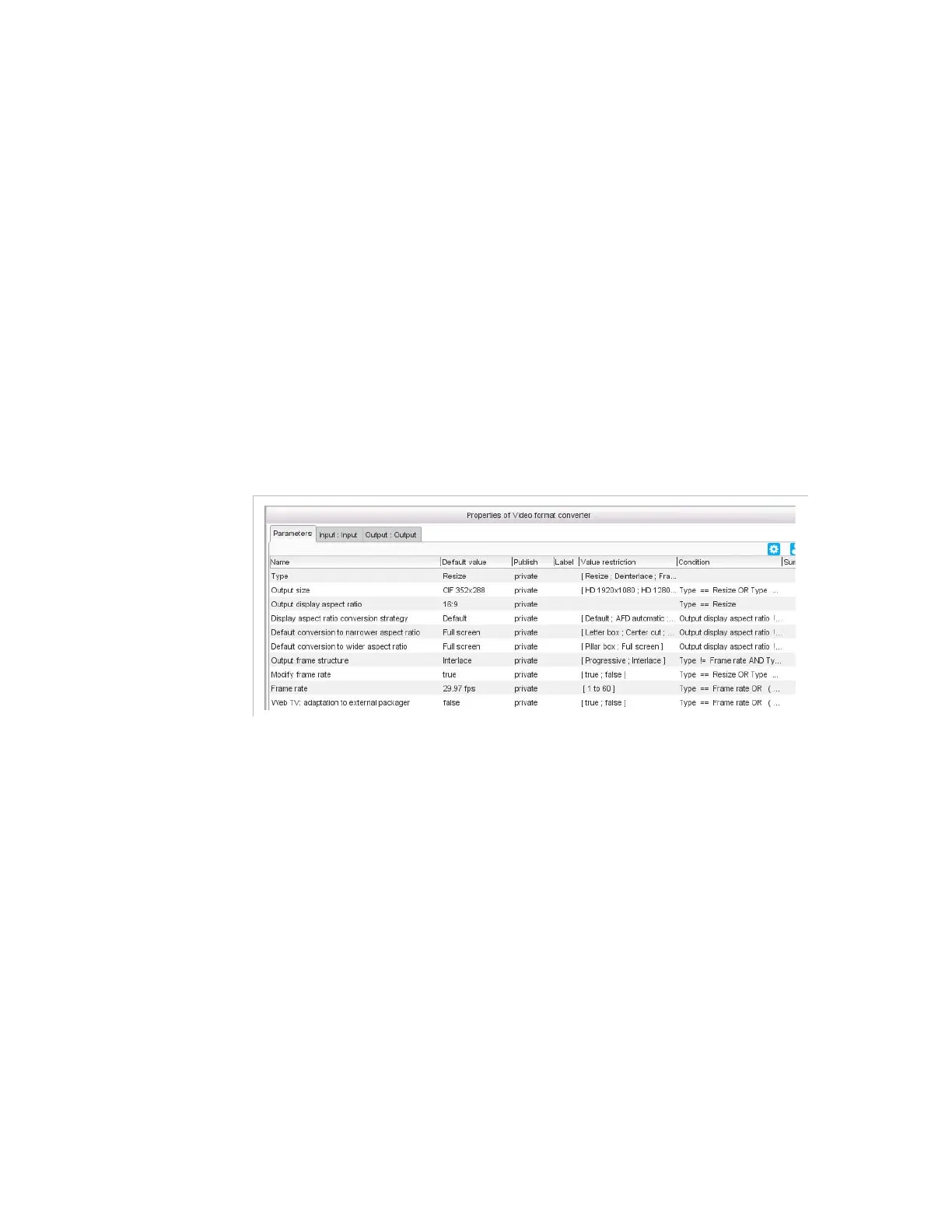
Figure 3-259. Video format converter parameters - Resize
For this feature, you must set the following parameters:
Output size
: select a standard format for the destination frame
from the drop-down list or select
Custom
and set your own
values for the width and the height in the
Custom output size
field.
Output display aspect ratio
: leave to
Same as input
if you
want the input aspect ratio to be kept in the output. If you want
to force the ratio, select it in the drop down list (
16:9
or
4:3
) or
enter it manually.
Display aspect ratio conversion strategy
(if output
aspect ratio different from input): select the strategy for the
aspect ratio conversion. The
Appendix H ’Aspect Ratio
Conversions’
details the default conversion performed and the
AFD value set according to the input AFD and aspect ratio.



 To Next Page