Chapter 3 ’Web User Graphical Interface’ — Workflow Library
Electra VS
-
Version 05.10 269
User Manual - Rev. A
YUV File Input
Description
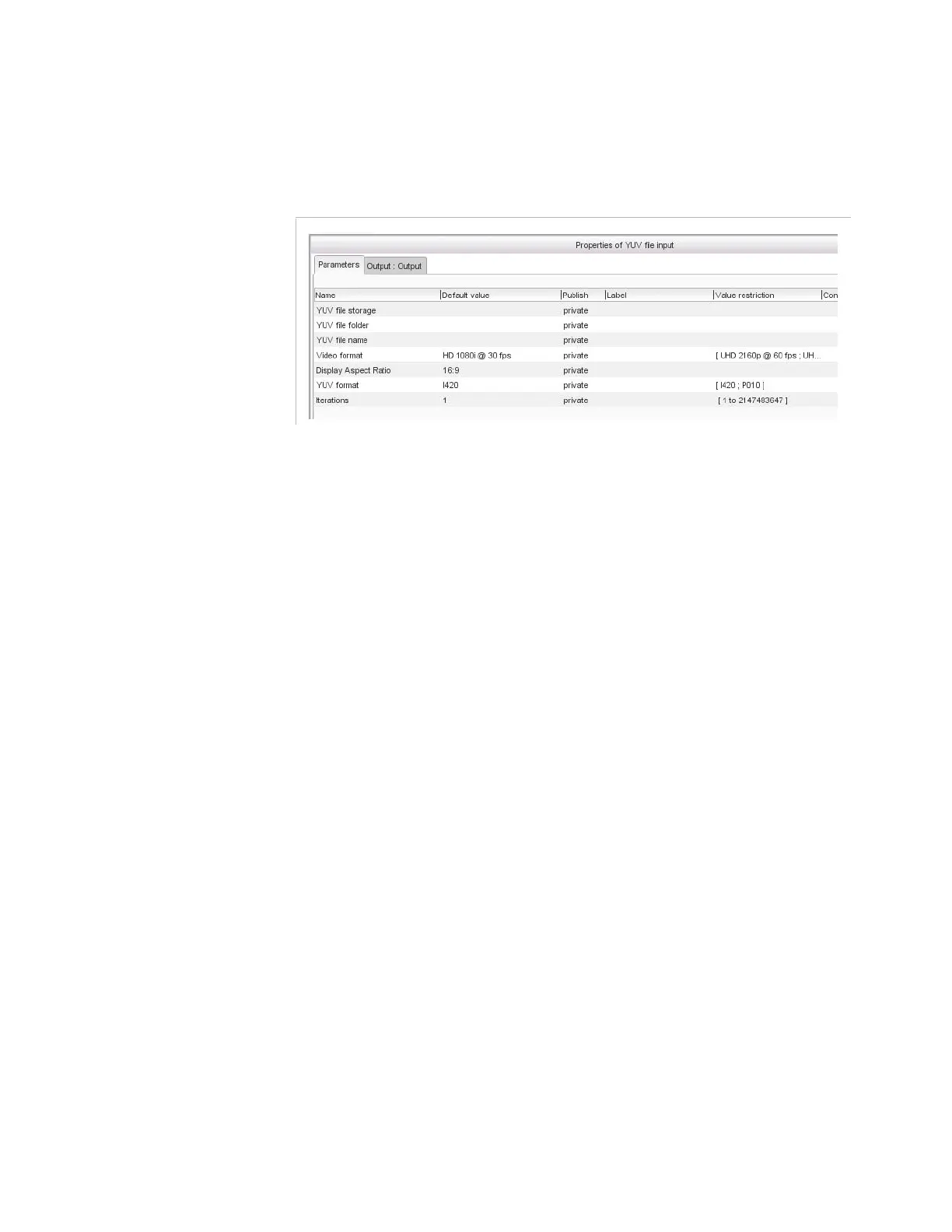
Figure 3-239. YUV file input parameters
Parameters
For this processing component, you must set the following parameters:
YUV file storage
: location on the server where the YUV file to
import in input is stored. Refer to section
’Video overlay’
on page 296
for the possibles syntaxes.
YUV file folder
: folder on the network storage where the YUV file
to import in input is stored.
YUV file name
: name of the YUV file to import.
Video format
: format of the video stored in the YUV file to import.
If set to
Custom
, also set the following parameters:
Picture size
: size of the picture in pixels (H; V).
Frame rate
: picture frames per second. This can be a decimal
value.
Display aspect ratio
: aspect ratio of the picture (
4:3
,
16:9
).
YUV format
: select the YUV format:
P010
: 4:2:0,10 bits (coded on 16 bits, little endian), planar
(different from Microsoft definition)
I420
: 4:2:0, 8 bits, planar (different from Microsoft definition)
Iterations
: number of consecutive times the file will be played.



 To Next Page