Chapter 3 ’Web User Graphical Interface’ — Operating Instructions (Tutorial)
Electra VS
-
Version 05.10 151
User Manual - Rev. A
Declaring SDI Sources
Declaring SDI sources connected to a Node
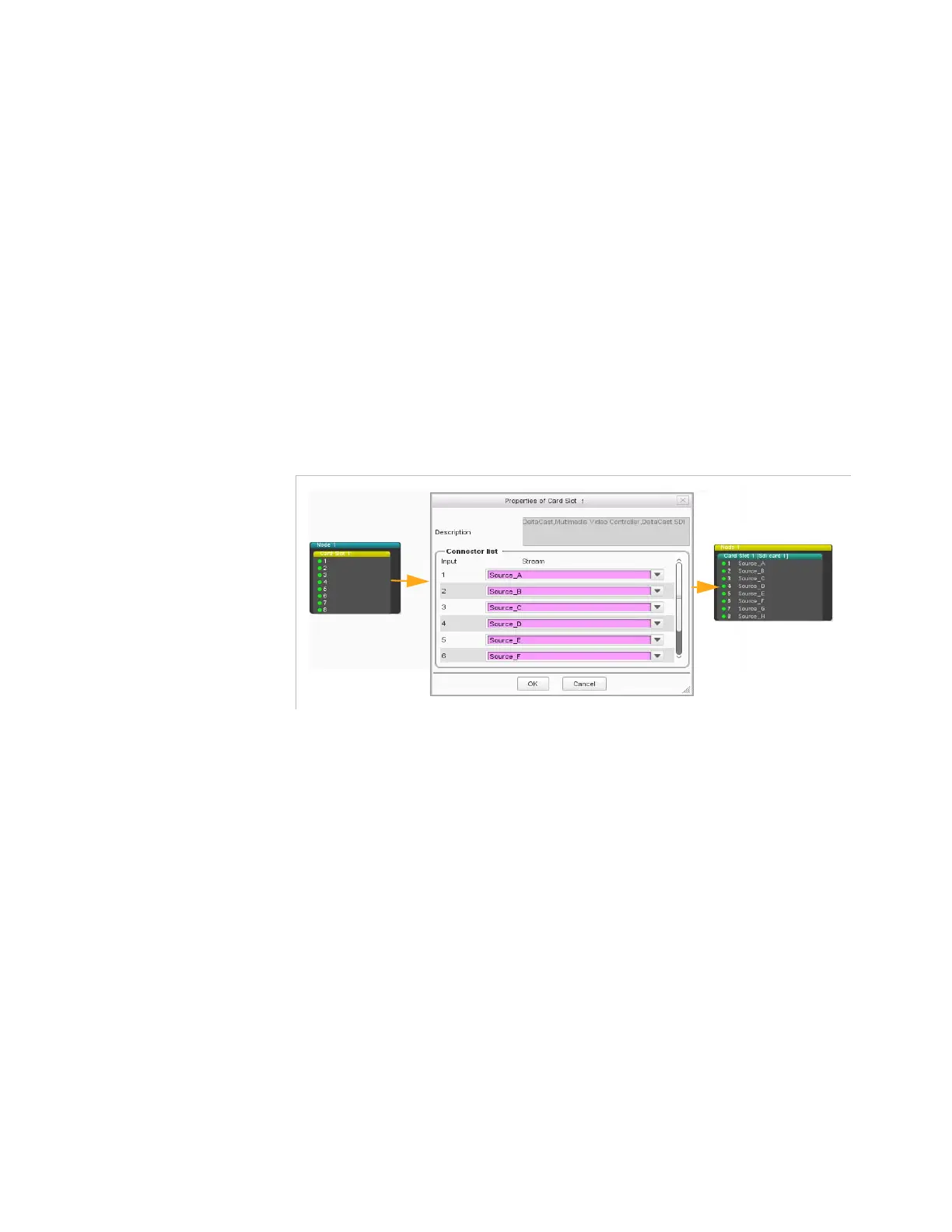
If you want to connect directly SDI sources to the SDI inputs of a node, it
is recommended to name the SDI sources so that they have explicit
names that you can easily recognize when configuring jobs. To do so:
1.
Go to the
Hardware
tab and choose the
SDI
category.
The tab displays the nodes that contain SDI inputs.
2. Edit
the configuration.
3.
Double-click the node(s) you wish to use and enter names for the
sources in the fields.
4. Apply
the configuration.
Figure 3-102. Naming the SDI sources of a node
Adding an SDI Matrix in an SDI System
If you want to connect the SDI sources to the SDI inputs of a node via a
matrix, you must:
1.
Add the SDI matrix and name the SDI sources.



 To Next Page