Chapter 3 ’Web User Graphical Interface’ — Operating Instructions (Tutorial)
152 Electra VS
-
Version 05.10
User Manual - Rev. A
2.
Connect the outputs of the matrix to the node.
3.
Configure the crosspoints of the matrix (for main nodes).
Adding the matrix
1
and naming the SDI sources
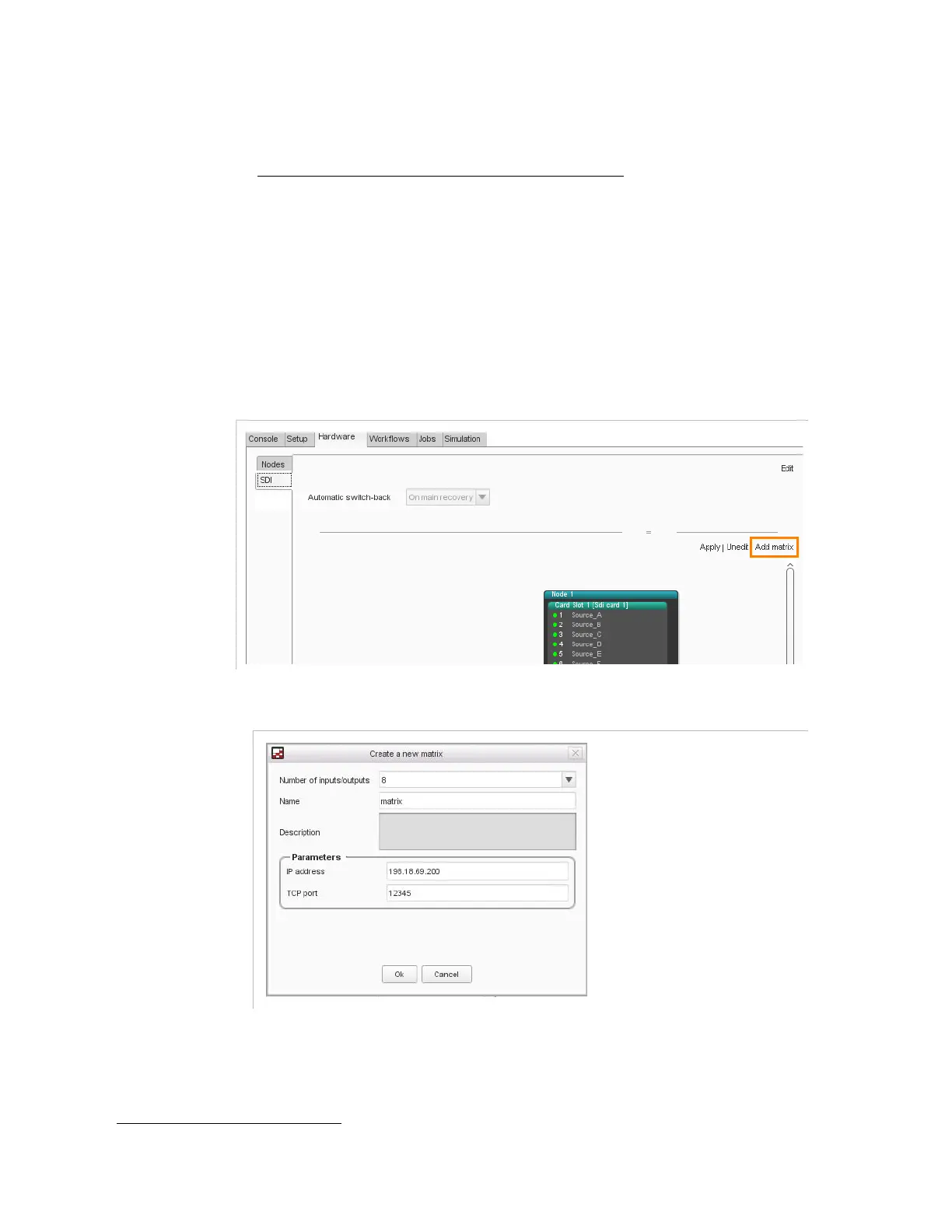
To declare the SDI matrix and name the SDI sources, proceed as follows:
1.
Go to the
Hardware
tab.
2.
Choose the
SDI
category.
3.
In the right of the view, click
Edit
.
In the right of the view, click
Add matrix
.
Figure 3-103. Add matrix
Figure 3-104. Create a new SDI matrix
4.
Set the SDI matrix parameters:
Number of inputs/outputs
: size of the matrix.
Name
: enter a name for the matrix, at your convenience.
1.
Note: SDI matrix management interface shall be connected to the Electra VS management LAN



 To Next Page