Chapter 3 ’Web User Graphical Interface’ — Operating Instructions (Tutorial)
Electra VS
-
Version 05.10 121
User Manual - Rev. A
Creating an MPTS Job with Statmux
To create a job that uses statistical multiplexing, proceed as follows:
1.
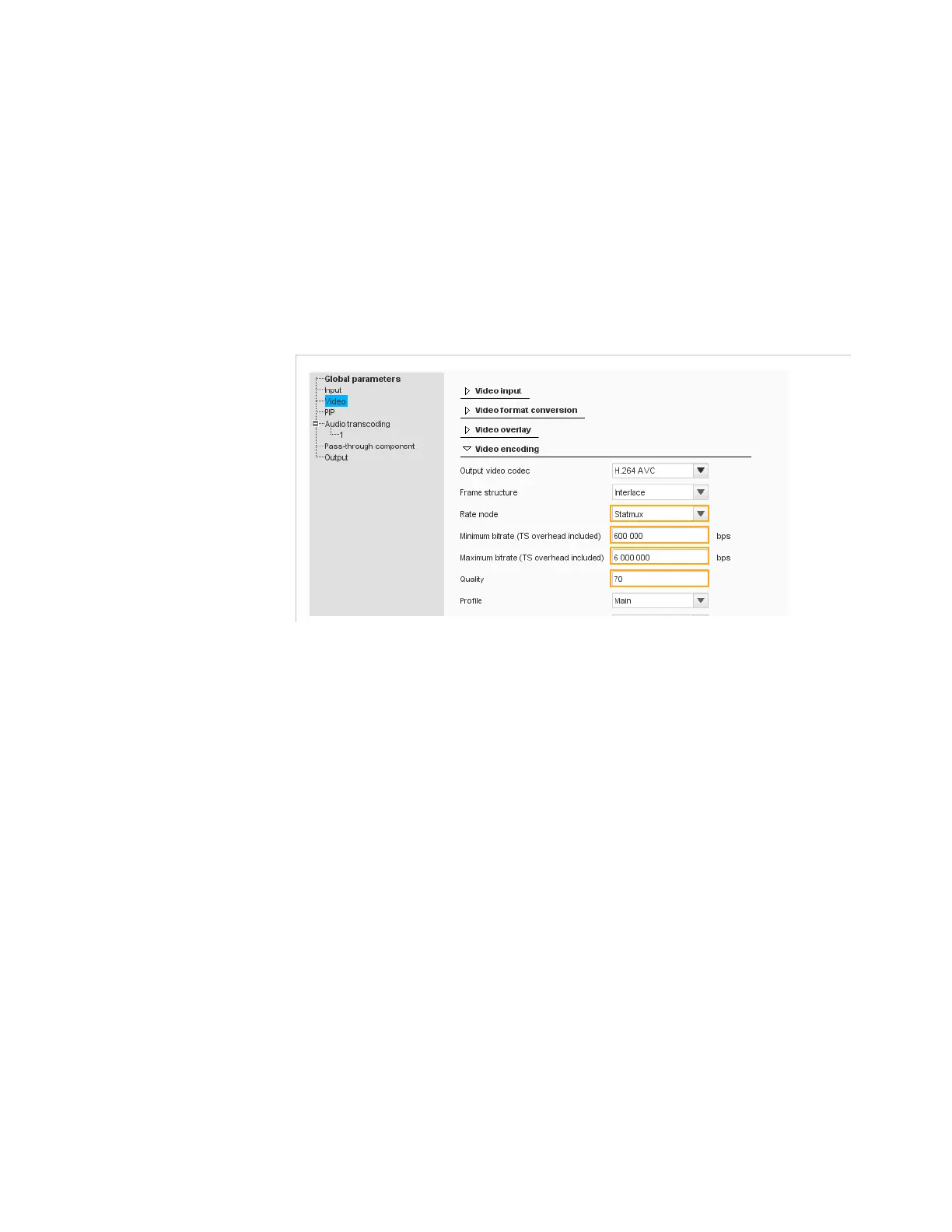
Create one Live SD-HD Transcoder job for each program of the MPTS
you wish to create. The procedure is the same as previously, except
that you must set the
Rate mode
to
Statmux
and set the
Minimum
bitrate
,
Maximum bitrate
and
Quality
parameters in the
Video
category (
Output TS type
must be set to
MPTS
in the
Global
parameters
category).
Figure 3-58. UM_TV1VBR job parameter - Video (Statmux)
In our example, we choose the following names:
UM_TV1VBR
for the 1st
program,
UM_TV2VBR
for the 2nd program,... and
UM_MPTS_VBR
for
the MPTS.



 To Next Page