Chapter 3 ’Web User Graphical Interface’ — GUI Description
180 Electra VS
-
Version 05.10
User Manual - Rev. A
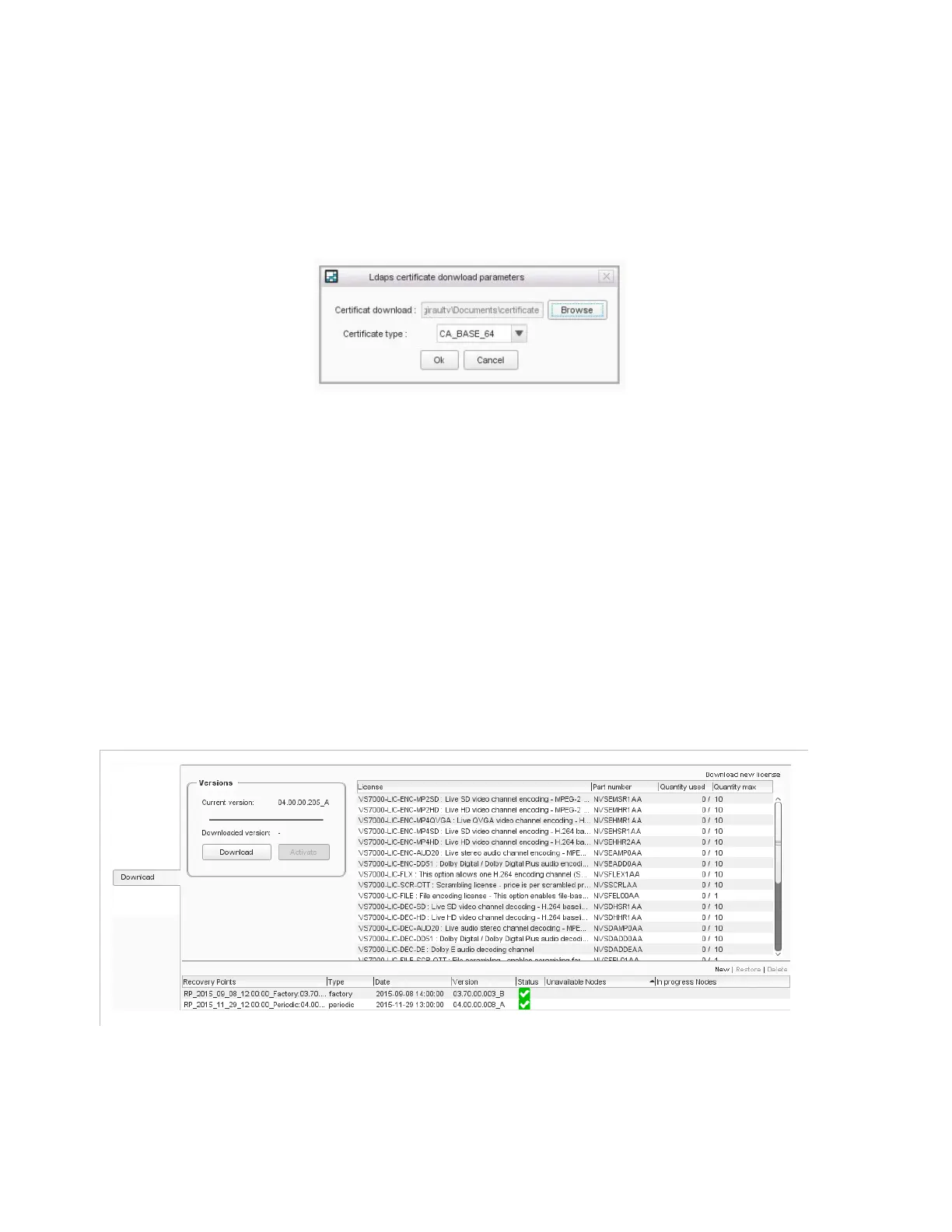
LDAPS:
check this box to activate LDAPS, and then select the
certificate file to import and set the certificate type. If the
certificate is incorrect, the LDAPS authentication will fail. LDAPS
is usable only through HTTPS interface. You can activate it for
the management LAN in the
Setup/Monitoring
tab.
Figure 3-139. Importing the LDAPS certificate
LDAP server
: configure the LDAP server IP address and port.
LDAP server credential
: configure the username and
password required to access the LDAP server.
Base DN
: configure the point from where a server will search
for users. Example : dc=corp,dc=company,dc=com
Schema
: set if the remote server implement
Open LDAP
or
Active Directory
.
Setup/Download
The
Download
category lets you manage software versions, licenses,
and Recovery Points.
Figure 3-140. Download panel
Please refer to the Chapter
‘Servicing’
for further information on these
features.



 To Next Page