Chapter 3 ’Web User Graphical Interface’ — GUI Description
Electra VS
-
Version 05.10 179
User Manual - Rev. A
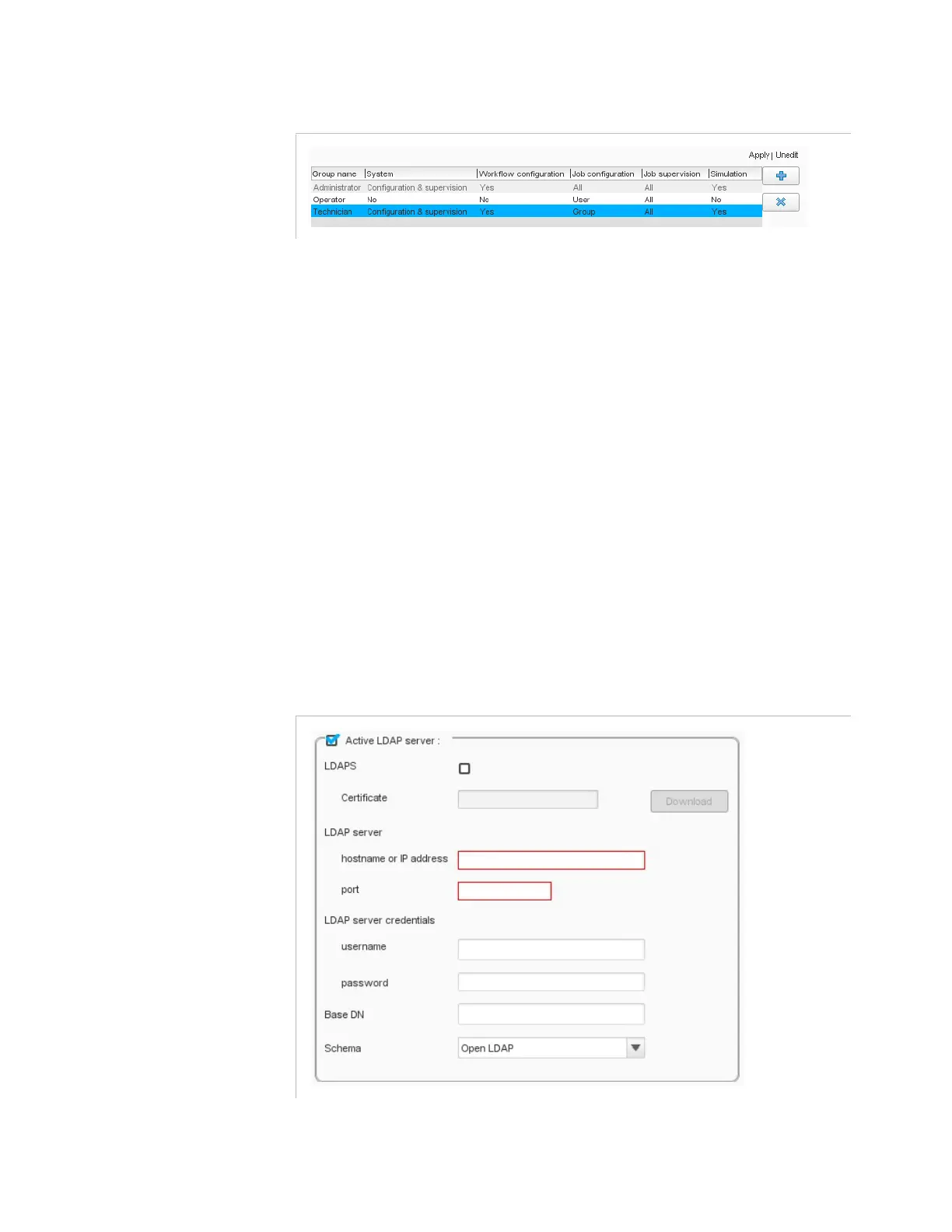
Figure 3-137. Setting the actions that users of this group will be able to perform
System
: you can grant rights for configuration and
supervision, for supervision only, or no rights at all.
Workflow configuration
: you can let the group’s users edit
the configuration of the workflows or not.
Job configuration
: you can grant rights for:
-
Jobs configuration
-
Modification of the jobs you created (
User
), of the jobs
created by another member of your group (
Group
), of any
job (
All
) or of no job (
No
).
Job supervision
: you can grant rights for the supervision of
the jobs you created (
User
), of the jobs created by another
member of your group (
Group
), of any job (
All
) or of no job (
No
).
Simulation
: you can let the group’s users launch simulation
mode or not.
The
LDAP server
section at the bottom allows the configuration of
the LDAP server access.
Figure 3-138. Setting the access to the LDAP server
You can activate it by checking
Active LDAP server
check box.



 To Next Page