Chapter 3 ’Web User Graphical Interface’ — Workflow Library
264 Electra VS
-
Version 05.10
User Manual - Rev. A
MXF Compressed Audio Extractor
Description
The
MXF Compressed Audio Extractor
processing component lets
you extract a compressed audio stream from an MXF file. The output
stream can be forwarded to a decoder, for example.
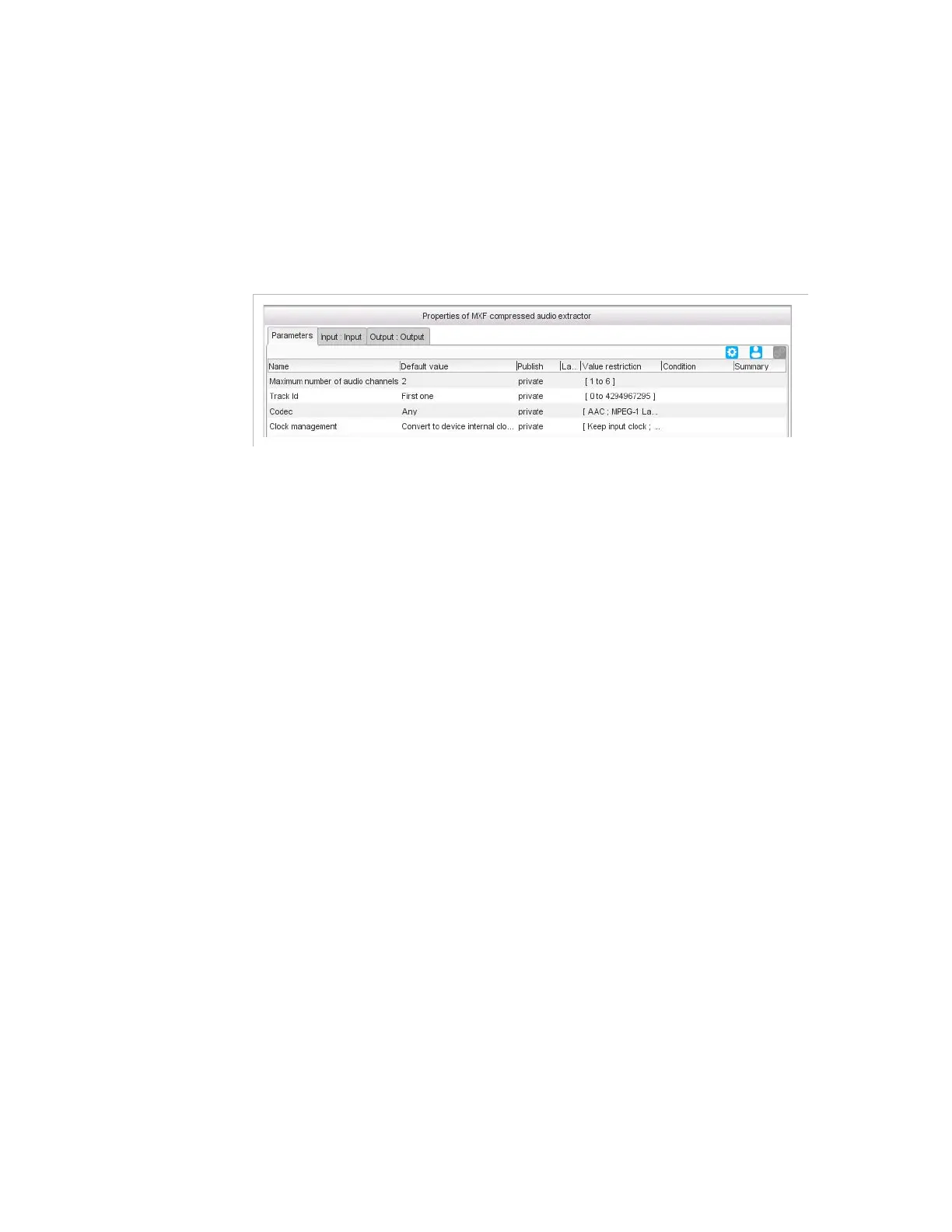
Figure 3-234. MXF compressed audio extractor parameters
Parameters
For this processing component, you must set the following parameters:
Maximum number of audio channels
: if the expected audio if
5.1, set this value to
6
, if it is stereo, set this value to
2
, and if it is mono,
set this value to
1
.
Tr ack I D
: you may enter the value directly in the field or use a
predefined value:
First one
: the first track that matches the criteria.
All
: all the tracks that match the criteria.
Codec
:
AAC
,
MPEG-1 Layer 2
or
Any
. If set to
Any
, the codec is
automatically detected.
Clock management
: if set to
Convert to device internal clock
(default value), then the input clock is converted to the device clock. If
set to
Keep input clock
, then the input clock is kept. When you want to
multiplex components from different input programs (to create a
mosaic for instance), the clocks shall be converted to the device clock.



 To Next Page