Chapter 2 ’Installation and Startup’ — Virtualization Delivery
Electra VS
-
Version 05.10 73
User Manual - Rev. A
4.
Select
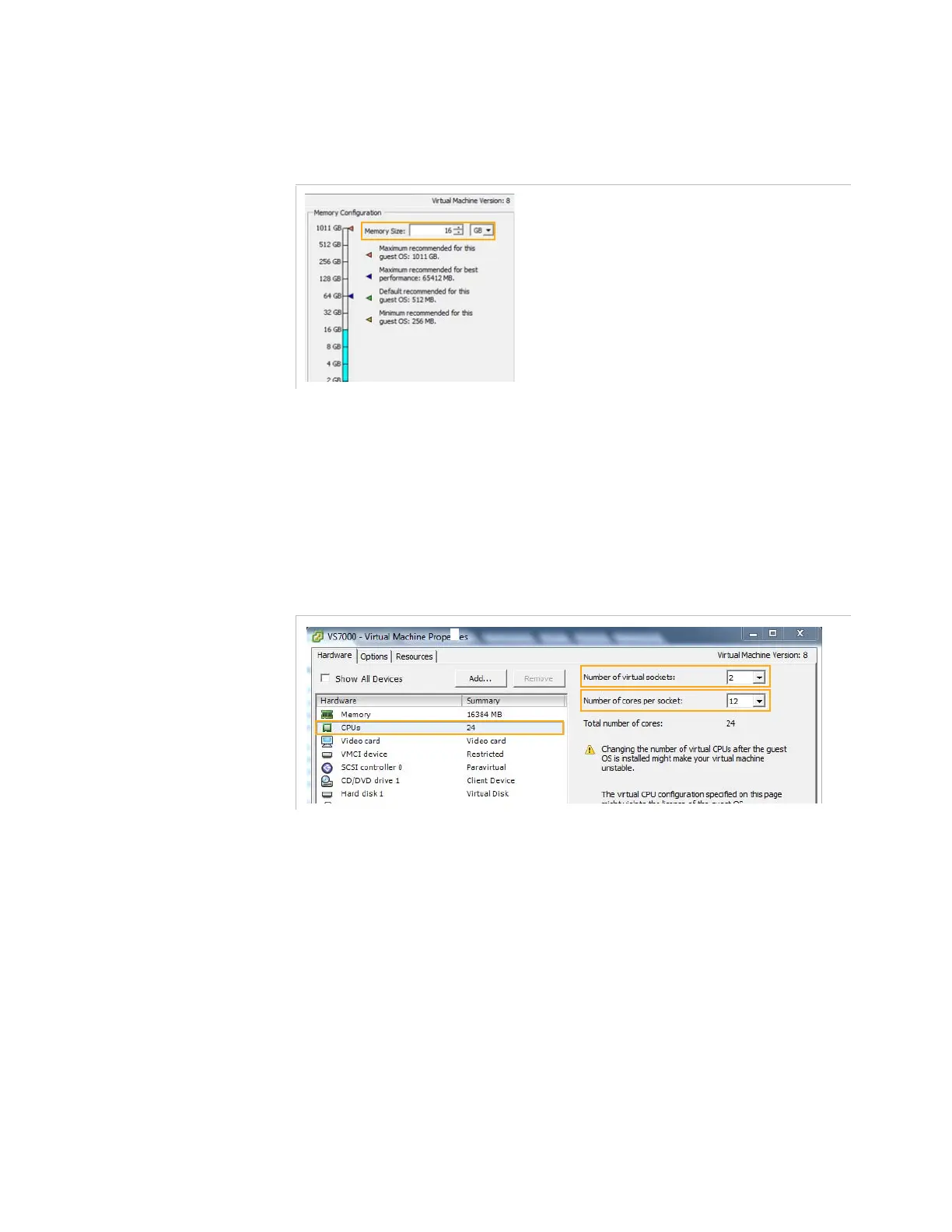
Memory
. If your server has less than 32G of RAM, reduce the
memory size to correspond to your real RAM. Otherwise you may
have an error when you start the Virtual machine.
5.
Select CPU.
a.
Configure the
Number of virtual sockets
to correspond to
the real number of processors in your server.
b.
Configure the
Number of cores
per socket to correspond to
the real number of core per processor (without hyperthreading).
The following picture indicates the configuration for a server
with two XEON E5-2690V3 processors.



 To Next Page