Chapter 3 ’Web User Graphical Interface’ — Operating Instructions (Tutorial)
134 Electra VS
-
Version 05.10
User Manual - Rev. A
A report is displayed and indicates the problems, if any.
If there are errors:
1.
Click the link of each error to open the processing component where
the problem is located.
2.
Click
Check
again.
Saving the Workflow
Click
Save
. The configuration is implicitly checked prior to saving.
Figure 3-80. Save button
Example: Encoding a File
This section provides you with an example of workflow using a TS file in
input and in output.
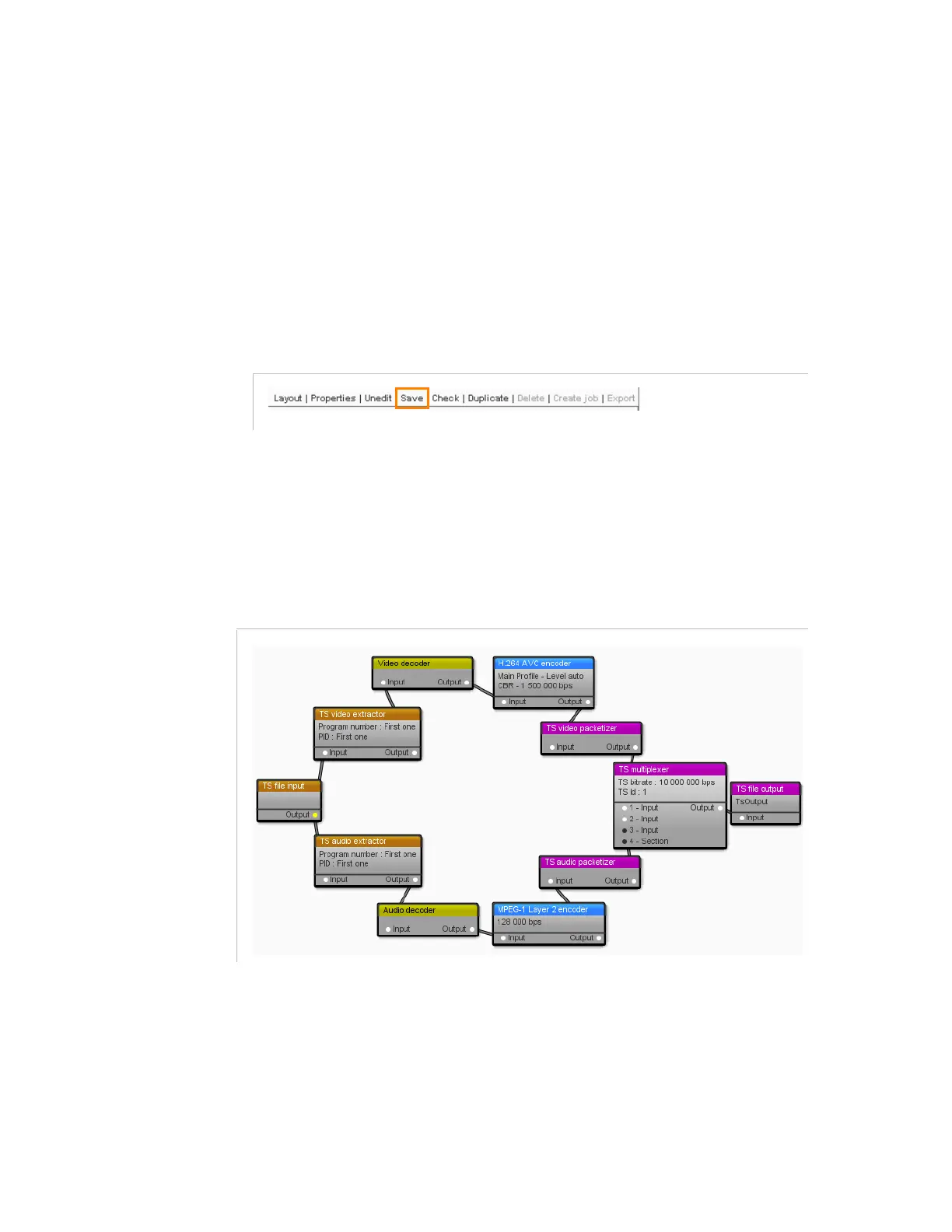
Figure 3-81
shows what the workflow example looks like.
Figure 3-81. TS file workflow example
This workflow contains:
1 TS file input
For the video component:
1 TS video extractor
1 Video decoder
1 H.264 AVC encoder



 To Next Page