Chapter 3 ’Web User Graphical Interface’ — GUI Description
Electra VS
-
Version 05.10 197
User Manual - Rev. A
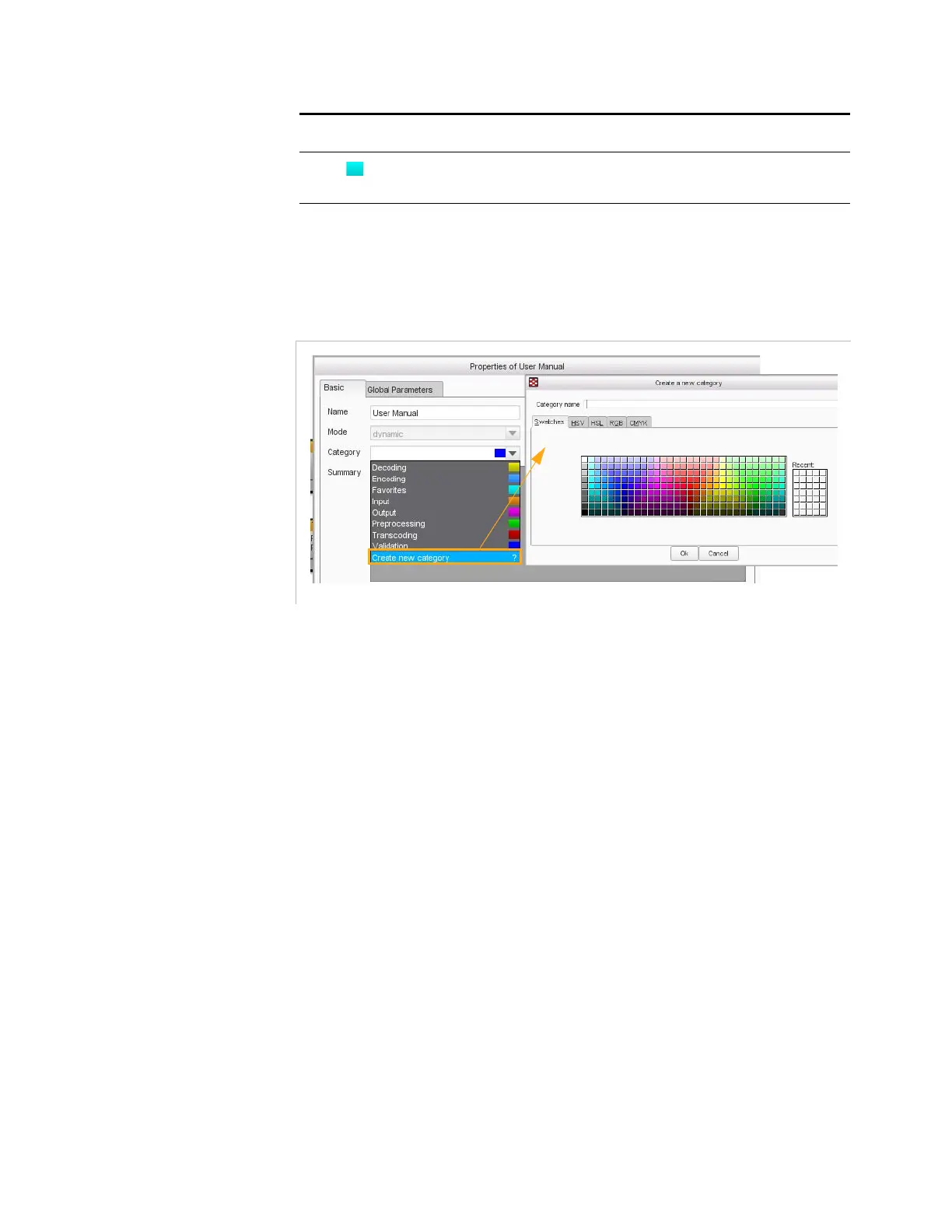
You can create your own categories. In this case, you can associate the
color. Proceed as follows:
Figure 3-157. Creating a category
1.
Click the
Properties
button.
2.
From the
Category
drop-down list, select
Create a new category
.
3.
Enter a name for your category and pick a color from the color chart.
4.
Click
Ok
.
Favorites. Workflows of this category are preferentially
proposed when creating a job.
Table 3-6. Colors associated to categories of workflows.
Color Associated category



 To Next Page