Chapter 3 ’Web User Graphical Interface’ — GUI Description
224 Electra VS
-
Version 05.10
User Manual - Rev. A
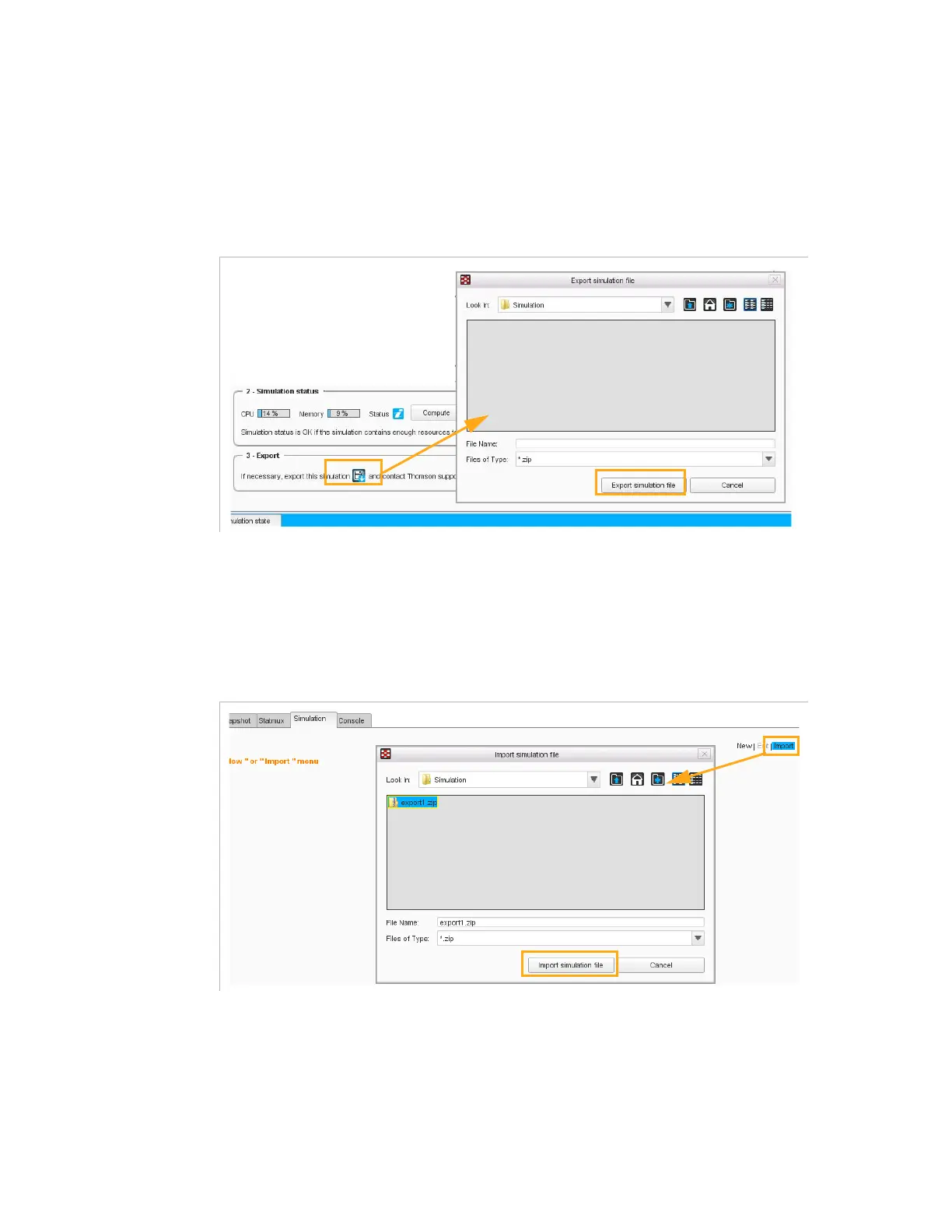
Export Simulation
To export an active simulation, click
Export
in the
Simulation
view,
specify the pathname to access the storage folder and click
Export
simulation file
.
Figure 3-194. Export a simulation - Simulation view
Reversely,
to import a simulation, click
Import
in the
Simulation
view,
specify the pathname to access the storage folder and click
Import
simulation file
.
You are not allowed to import a simulation if it is already in progress.
Figure 3-195. Import a simulation - Simulation view



 To Next Page