Chapter 3 ’Web User Graphical Interface’ — Workflow Library
Electra VS
-
Version 05.10 271
User Manual - Rev. A
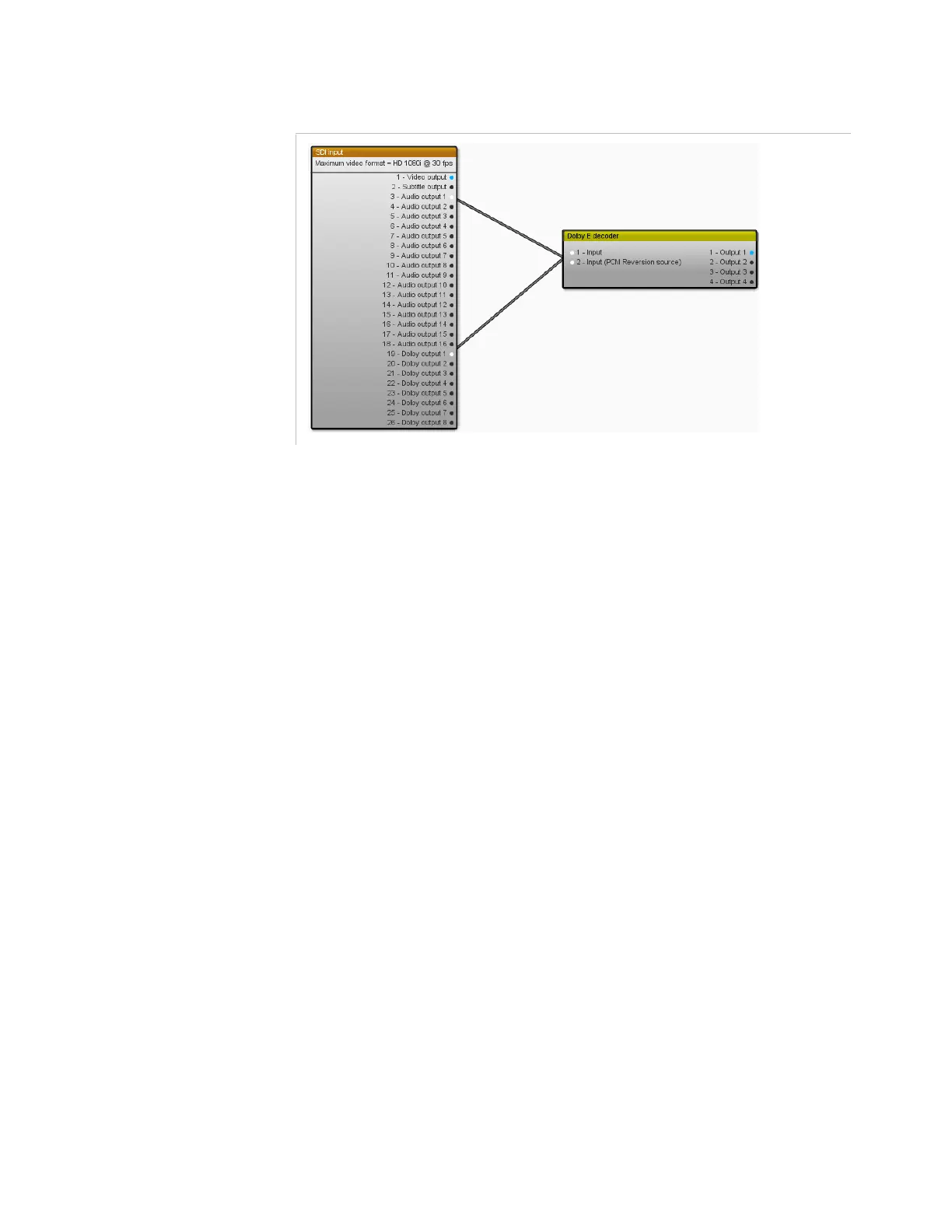
Figure 3-242. Dolby E decoder with Dolby E and PCM inputs connexions
Parameter
For this processing component you must:
Connect a Dolby E stream. It can come from an IP input or SDI input.
If it comes from an SDI Input, you shall connect the Dolby
E stream on
main input and optionally a PCM 2.0 reversion stream on secondary
input. The automatic switch between the main and the reversion stream
is configurable in the SDI input. The PCM reversion stream may also be
embedded in the main input, in this case you do not have to connect the
second one.
Set the following parameter:
Dolby compression mode
: Controls the dynamic of the decoded
audio signal. For the output level, select between
Line mode
and
RF
mode
. RF mode can provide a better rendering when decoding audio
with voices. If the input is different from Dolby Digital/Dolby Digital
Plus, this parameter is ignored.
The Dolby E stream is de-embedded. The Dolby E source carries up to 8
audio tracks which may be combined to carry surround (5.1), stereo (2.0)
or mono (1.0) audio programs. It is possible to decode up to 4 audio
programs from the same Dolby E source.



 To Next Page