Chapter 3 ’Web User Graphical Interface’ — Workflow Library
298 Electra VS
-
Version 05.10
User Manual - Rev. A
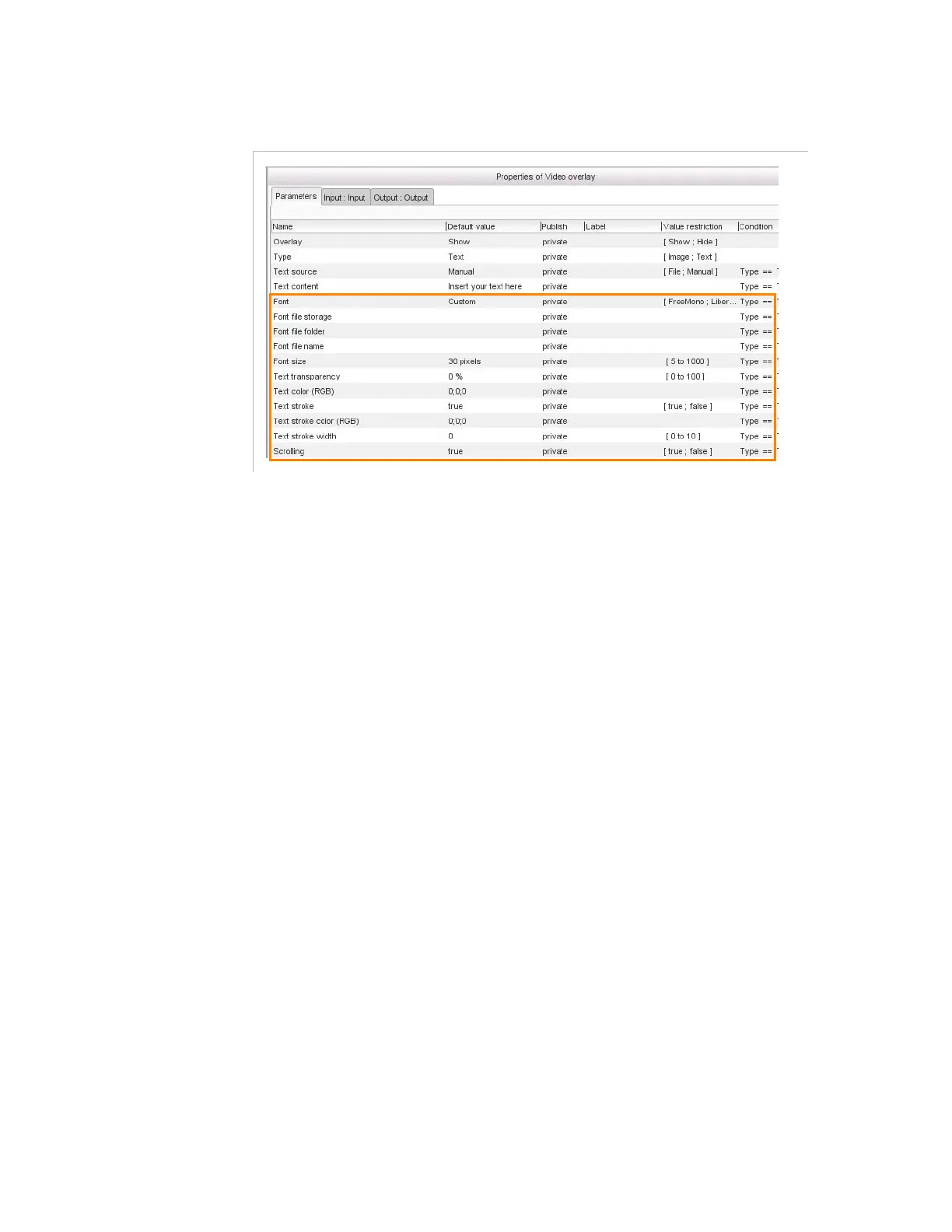
Figure 3-271. Video overlay parameters - Text insertion - text font, transparency, color,
stroke, and scrolling or static
Font
: select the font you wish to apply from the drop-down list.
If set to
Custom
also set:
- Font file storage
: server location where the font file is
stored.
- Font file folder
: folder on the network storage where the
font file is stored.
- Font file name
: name of the font file.
Font size
: size of the font, in pixels. Note that the font size
means the line separation of a font, and does not refer to the
actual height of the drawn letters. A letter will appear bigger or
smaller at a given font size, depending on the font.
Text transparency
: the level of transparency of the text (0%
corresponds to a plain text).
Text color (RGB)
: color of the text (0,0,0 corresponds to a
white text).
Tex t stroke
: if set to
false
there is no stroke around the text.
If
set to
true
also set:
- Text stroke color (RGB)
: color of the stroke (0,0,0
corresponds to a white stroke).
- Tex t s t ro ke wi dth
: width of the stroke (in pixels).
Scrolling:
if set to false the text will be static.
If the text is scrolling, you shall define:



 To Next Page