Chapter 2 ’Installation and Startup’ — Hardware Delivery
34 Electra VS
-
Version 05.10
User Manual - Rev. A
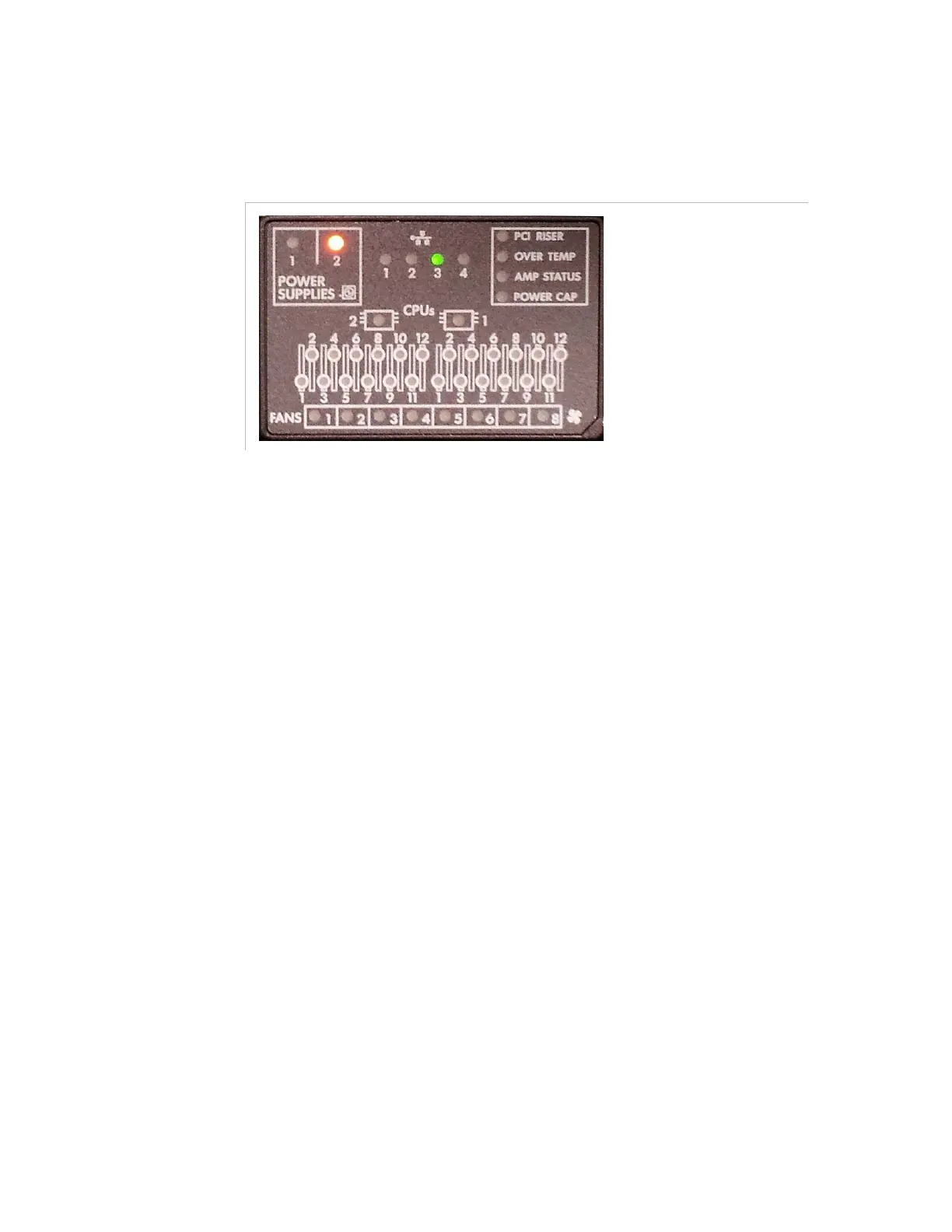
The 1RU front panel is equipped with a Slide-out System Insight Display
(SID) panel which shows the equipment status.
Figure 2-4. Slide-out System Insight Display on the Electra VS 1RU server front panel
This SID features LEDs that help you to diagnose a server failure.
When an internal component fails, the indication is made on an internal
component LED (amber) and on the front panel. If the item is serviceable
without removing the server hood, as in the case of a redundant power
supply failure, the External Health LED will illuminate. If the item is
serviceable by removing the hood, as in the case of a fan failure, the
Internal Health LED will illuminate.
If no failures have occurred, the system health LEDs will be green. If a
failure has occurred, but a redundant feature has enabled the system to
continue running, the LED will be amber. If the failure is critical and is/has
caused the system to shutdown, the LED will be red. These LEDs serve
as local indicators for several failure conditions. Insight Manager will
continue to report these, and many other failure conditions, as well.



 To Next Page