Chapter 3 ’Web User Graphical Interface’ — Workflow Library
Electra VS
-
Version 05.10 347
User Manual - Rev. A
Key mode
(
Nagra
,
Verimatrix, Huawei, Harmonic KMS, Novel
DRM, ZTE, None + AES-128, None + SAMPLE-AES
):
-
If set to
Fixed Key
, the key is fixed once. Enter the value of
the key in the
Key
field (32 characters).
-
If set to
Key Rotation
, the key is periodically renewed. Enter
the refresh period in the
Key refresh period
field, in
number of chunks.
IV value
: value of the initial vector. This can be:
-
Chunk number
-
Random value
: in this case, enter the refresh period of the
initial vector in the
IV refresh period
field, in number of
chunks.
Parental Control
: set to true if you wish to broadcast the
parental control ID received from a remote server (specific
customer protocol).
Define the channel ID of the HLS output, the protocol used for
the broadcast of parental control (ID3 or WebVTT format) and
the client URL for the remote server feedback.
Input Tab
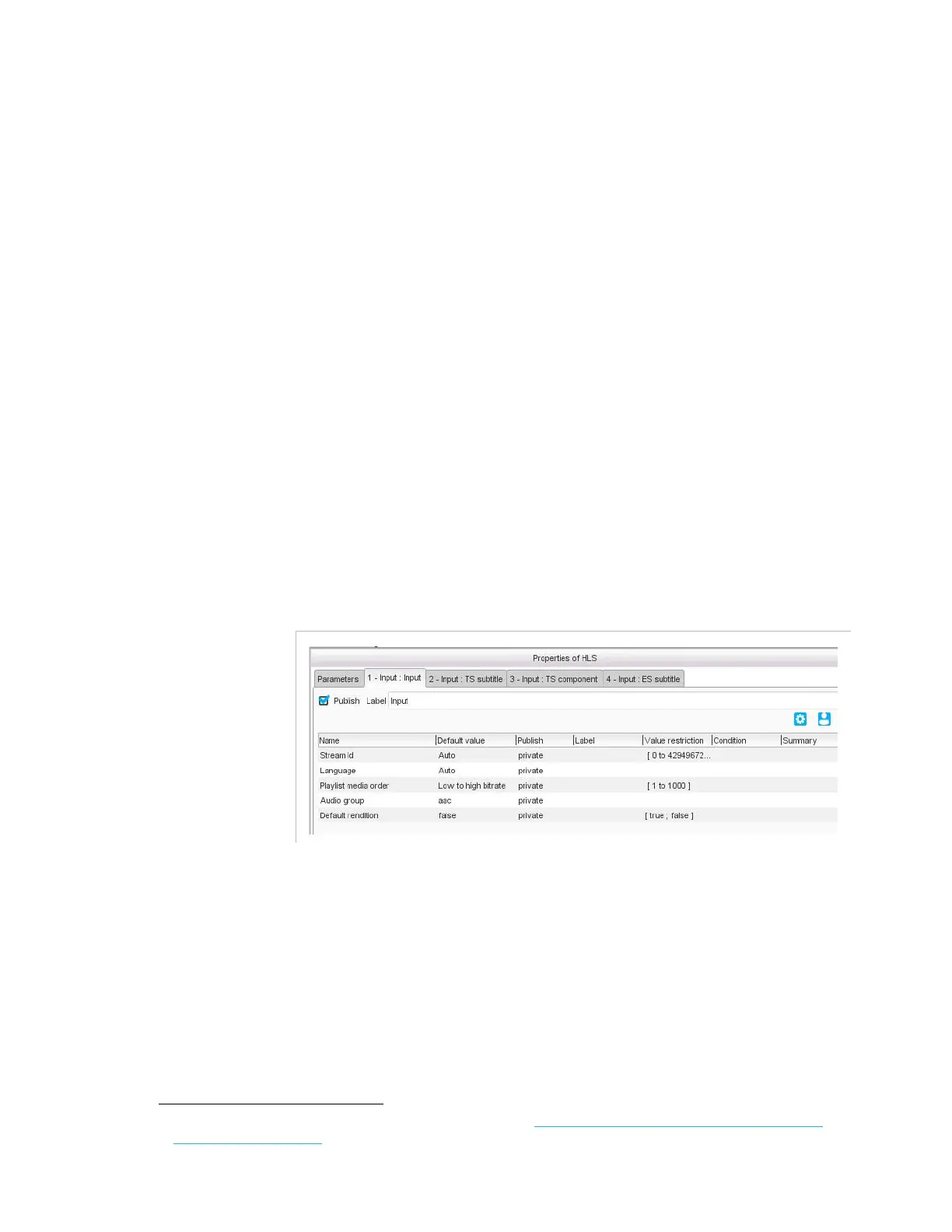
Figure 3-310. HLS output – Input parameters
In the
Input
tab, set the following parameter:
Stream Id
: Internal identifier used in the filename and URI to
reference the input stream.
Language
: leave to
Auto
to keep the language of the input, or use the
ISO codes
1
to force the language manually (for instance, enter eng for
English, spa for Spanish, etc.).
1.
For the whole list of ISO codes, refer to: http://www-01.sil.org/iso639-3/codes.asp?or-
der=639_3&letter=%25



 To Next Page