Chapter 3 ’Web User Graphical Interface’ — Workflow Library
Electra VS
-
Version 05.10 351
User Manual - Rev. A
In this tab, you must set the following parameters:
Stream Id
: Internal identifier used in the filename and URI to
reference the input stream.
ES Subtitle input ID
: indicate the page number you wish to use. If
left to
Auto
, the first page number of the subtitle is used. This mode is
not suitable when there are several Subtitle IDs in the same input.
ES Subtitle language
: if left to
Auto
, which is fine if the stream
complies with the standard, the Electra VS uses the language
associated with the teletext indicated by the ID. Otherwise, specify the
language manually using the ISO codes
1
(e.g., enter eng for English,
spa for Spanish, etc.).
Default rendition
: if set to true, the rendition should be played by
default in the absence of information from the user indicating a
different choice. It shall be unique among the subtitles.
Auto-select rendition
: set to
true
by default. A player may
automatically select a rendition between the ones with auto-select set
to true. Only one rendition with the same language shall be
auto-selectable. Auto-select shall is usually set to
false
for subtitle for
hearing impaired.
Forced rendition
: set to
false
by default. If set to yes, the rendition
contains content which is considered essential to play. When selecting
a forced rendition, a player should choose the one that best matches
the current playback environment (e.g. language).
Rendition NAME attribute
: set to
Auto
by default. Fill the NAME
attribute of the
#EXT-X-MEDIA
tag. It shall be unique among the
subtitles.
Input: Section Tab
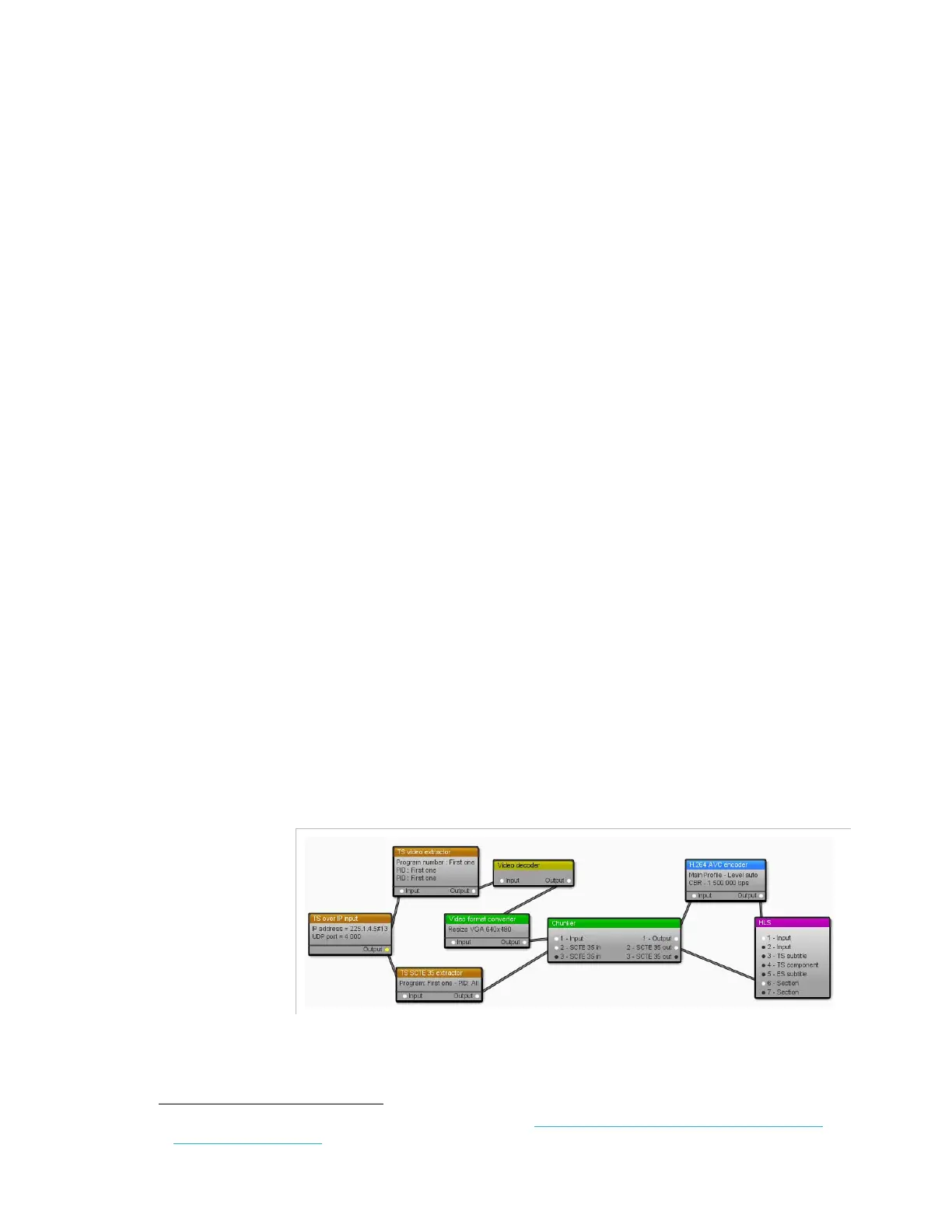
You can link the output of a SCTE 35 extractor to the input of HLS output.
Figure 3-313. SCTE 35 extractor linked to HLS output
Each time a SCTE 35 section is received, a tag containing the section as
a base64 string is added in the HLS media list.
1.
For the whole list of ISO codes, refer to: http://www-01.sil.org/iso639-3/codes.asp?or-
der=639_3&letter=%25



 To Next Page