Chapter 3 ’Web User Graphical Interface’ — Workflow Library
Electra VS
-
Version 05.10 371
User Manual - Rev. A
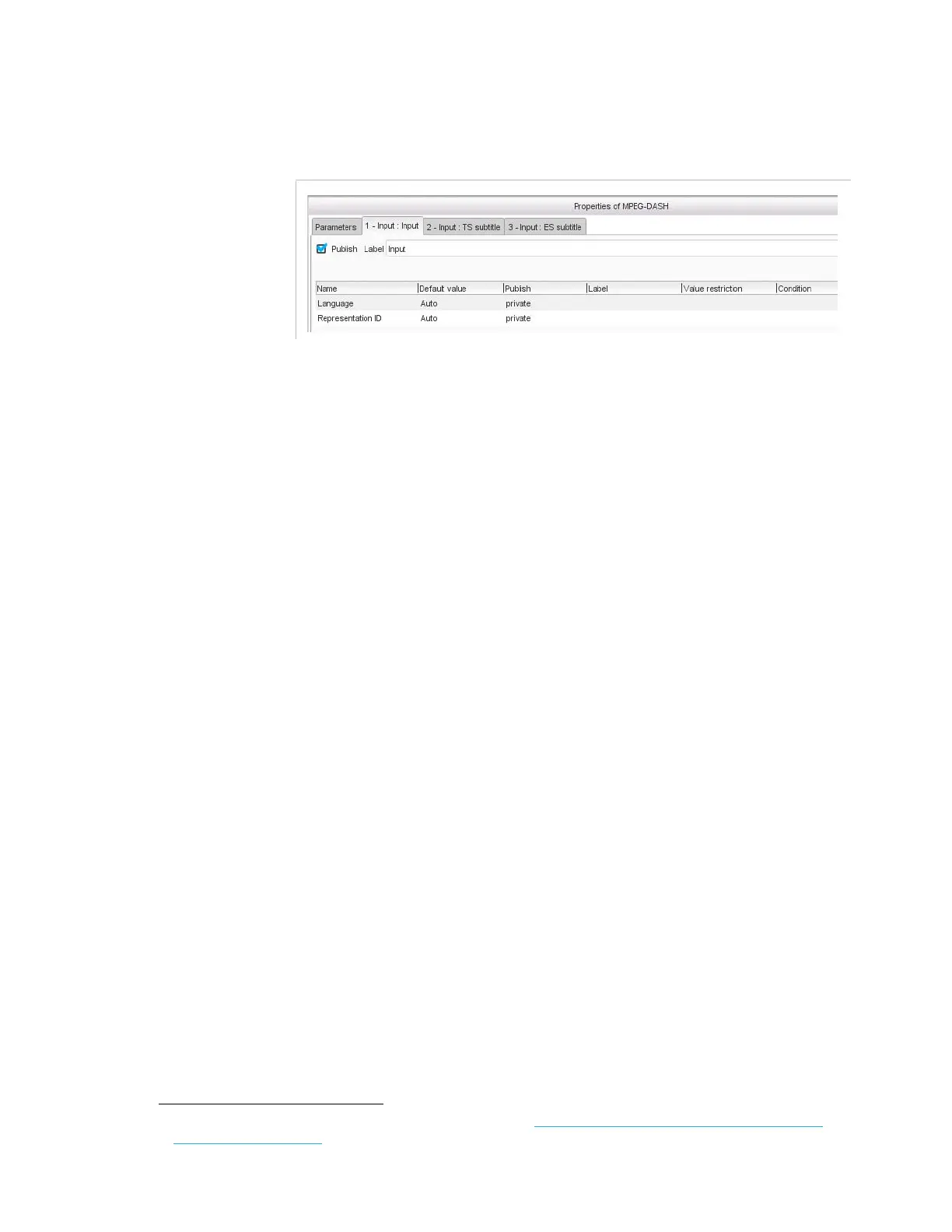
Input Tab
Figure 3-322. DASH output- input parameter
In the
Input
tab, set the following parameter:
Language
: leave to
Auto
to keep the language of the input, or use the
ISO codes
1
to force the language manually (for instance, enter
eng
for
English,
spa
for Spanish, etc.).
Representation ID
: media identifier. If left to
Auto
a numeric
identifier will be automatically set. If you enter an identifier, it must be
unique for the component (i.e. it is guaranteed to be unique among all
identifiers).
Input: TS Subtitle Tab
To get the DVB Teletext or DVB-Subtitle subtitles from a TS input and
include them as SMPTE-TT subtitles in a
DASH
output, you must:
Create a
TS component extractor
processing component to
extract the subtitles.
In this processing component, set the
Component type
to
subtitle
and specify the
Subtitle language
and/or
Subtitle type
and/or
Subtitle component type
.
Link the
TS component extractor
processing component to a TS
Subtitle input of the
DASH
output.
Note that if you want to extract several IDs coming from the same input
PID, you may set the
Component type
to
subtitle
and set
Any
to the
Language
and/or
Subtitle type
and/or
Subtitle component type
.
You can also specify all the parameters and link the concerned
processing components as many times as of IDs.
For each linked TS subtitle input, an
Input: TS Subtitle
tab is created
in the
DASH
output processing component.
1.
For the whole list of ISO codes, refer to: http://www-01.sil.org/iso639-3/codes.asp?or-
der=639_3&letter=%25



 To Next Page