Chapter 3 ’Web User Graphical Interface’ — Workflow Library
382 Electra VS
-
Version 05.10
User Manual - Rev. A
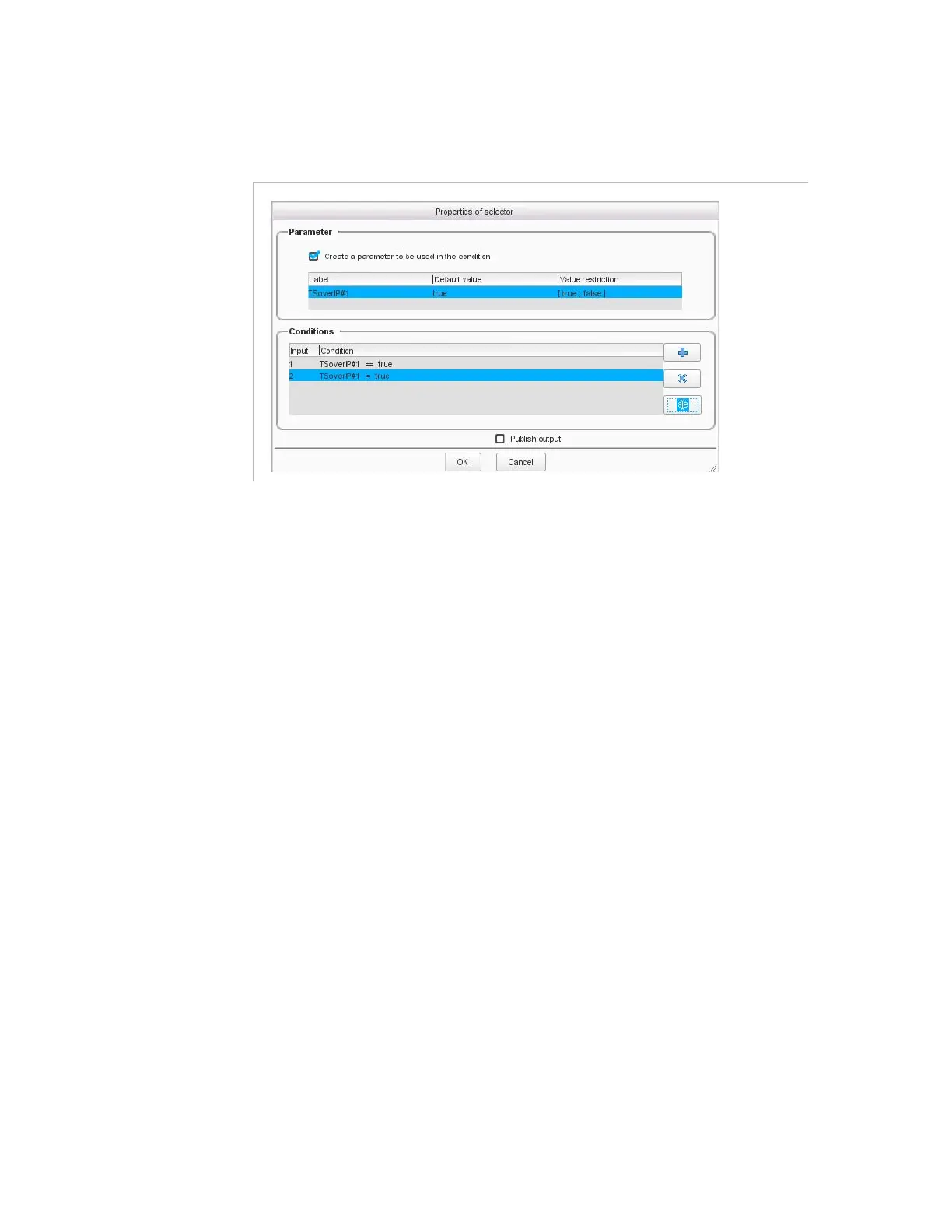
Figure 3-331
shows the parameters set for the
Selector
tool.
Figure 3-331. Selector properties
In our example, we create a parameter called
TSoverIP#1
to be used in
the condition and we limit the possible values to
true
or
false
.
Then we set the condition as follows:
Input #1, i.e. the TS over IP input
#1
, must be used if the
TSoverIP#1
parameter is set to
true
.
Input #2, i.e. the TS over IP input
#2
, must be used if the
TSoverIP#1
parameter is not set to
true
(i.e.
false
).



 To Next Page