Chapter 4 ’Servicing’ — Common
Electra VS
-
Version 05.10 409
User Manual - Rev. A
Periodic
: the recovery point has been generated automatically.
A recovery point is generated daily at 12:00 (UTC). These
recovery points are automatically erased. The only ones kept are
those from:
-
The 1st Sunday of the last 3 months
-
The last 3 Sundays
-
The last 3 days
Manual
: the recovery point has been generated manually. The
maximum number allowed is 10. They are not purged
automatically.
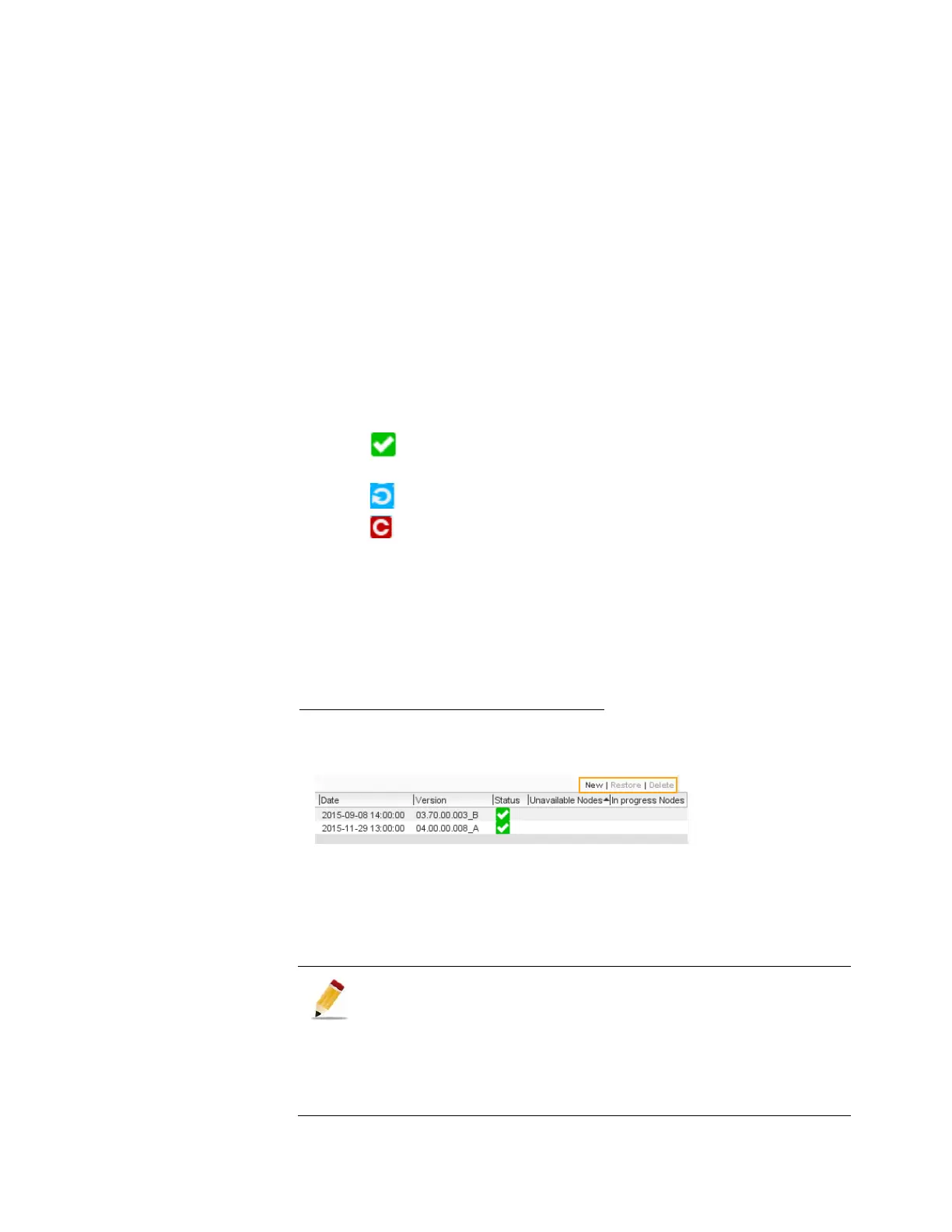
Date
:
recovery point date creation.
Version
: software version associated with the recovery point.
Status
:
: the recovery point is available on all nodes and can be
restored.
: the recovery point creation is «in progress».
: the recovery point creation failed in at least one node. A
recovery point in error can be restored if it is copied at least on
the two masterisable nodes.
Unavailable Nodes
:
the list of nodes in which the recovery point
has not been created.
In progress Nodes
: the list of nodes in which the recovery point is
on-going.
Add, Delete or Restore a Recovery Point
Figure 4-2. Recovery Point management
To add a Manual recovery point click
New
. Up to 10 Manual recovery
points can be stored in the device.
To delete a recovery point select it and click
Delete
.
To restore a recovery point select it, click
Restore
and confirm.
The creation of a recovery point (manual or periodic) has no
effect on the operation of the system: the jobs are not disturbed.
Restoring a recovery point interrupts the processing of jobs, and
involves a reboot of the system.
If you add new nodes in the system, restoring an old recovery
point will remove the new nodes from the system as the old
license file will be restored.



 To Next Page