Chapter 4 ’Servicing’ — Hardware Delivery
424 Electra VS
-
Version 05.10
User Manual - Rev. A
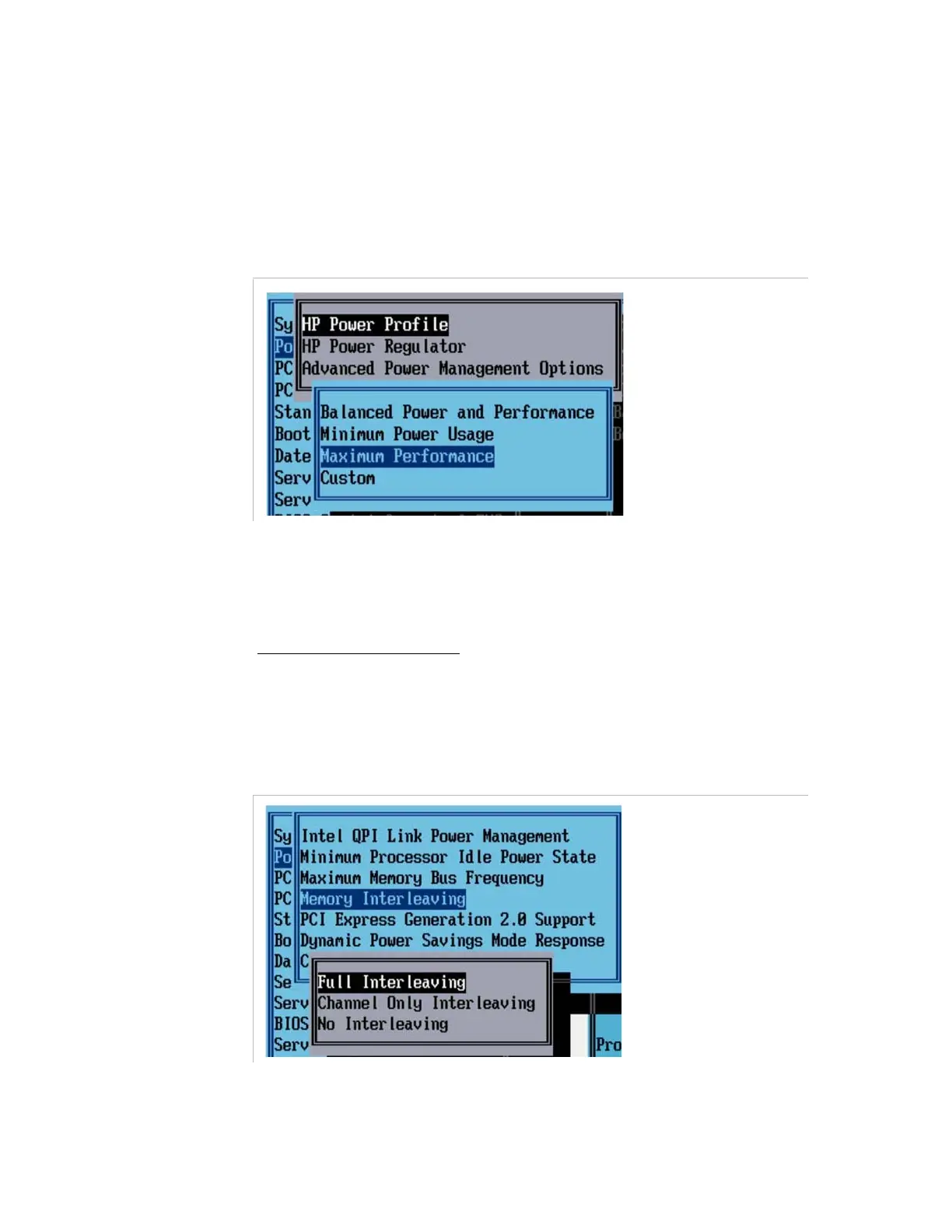
Modifying the HP Power Profile
1.
Go back to the main menu of the BIOS.
2.
Select
Power Manager Options
and press
Enter
twice.
3.
Select
Maximum Performance
.
Figure 4-24. Selecting the HP power profile
4.
Press
Enter
to apply the change.
Setting the Advanced Power Management Options
1.
Select
Advanced Power Management Options
.
On G7 blades and servers:
2.
Select the
Memory Interleaving
submenu.
3.
Choose the
Full Interleaving
option.
Figure 4-25. Setting the memory interleaving on G7 blades and servers



 To Next Page