Chapter 4 ’Servicing’ — Hardware Delivery
432 Electra VS
-
Version 05.10
User Manual - Rev. A
2.
On a remote computer, type the DNS name in the address bar of a
Web browser.
3.
Enter the user name and password indicated on the asset tag. You are
now connected to the HP configuration interface.
In the HP iLO page, point to Information, System information.
Save a screen shot of the subsystems and device status.
Save a screen shot of the failed subsystems by selecting the
corresponding tab.
Technical support registration number (if applicable).
Product serial number.
Product model name and number.
Product identification number.
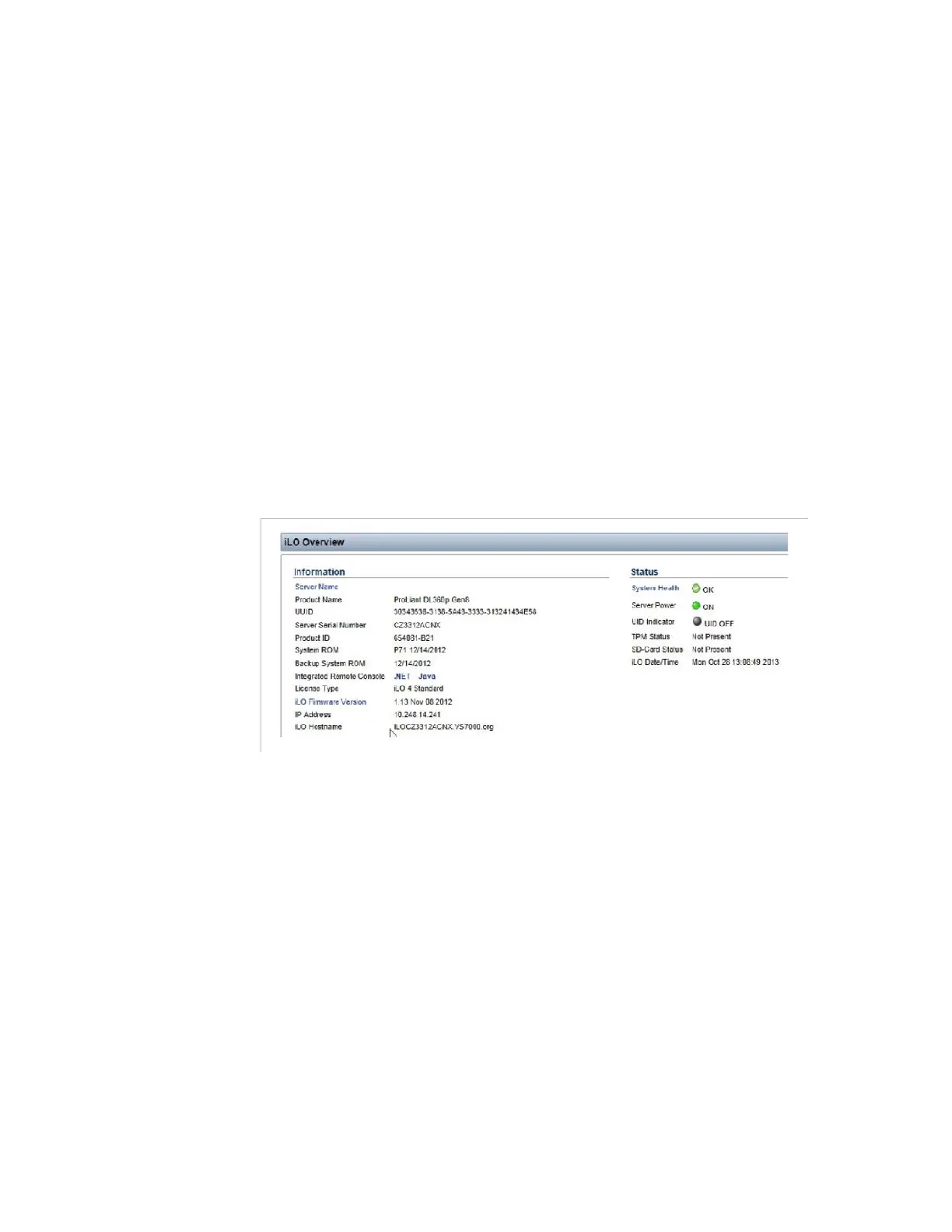
In the HP iLO page, point to Information, Overview.
Save a screen shot of the iLO overview.
Figure 4-35. HP iLO page – iLO overview
The serial number and product ID information are also available
on the slide out information stick on the platform front panel.
Applicable error messages (IML)
In the HP iLO page, point to Integrated Management Log.
Save the log to a text file.
Add-on boards or hardware.
Third-party hardware or software.
Operating system type and revision level.
The information will be provided by Harmonic.



 To Next Page