Chapter 2 ’Installation and Startup’ — Software Only Delivery
Electra VS
-
Version 05.10 59
User Manual - Rev. A
2.
Plug the USB Flash drive in the master server.
3.
Power up the server.
4.
Select Install Electra VS on local host:
5.
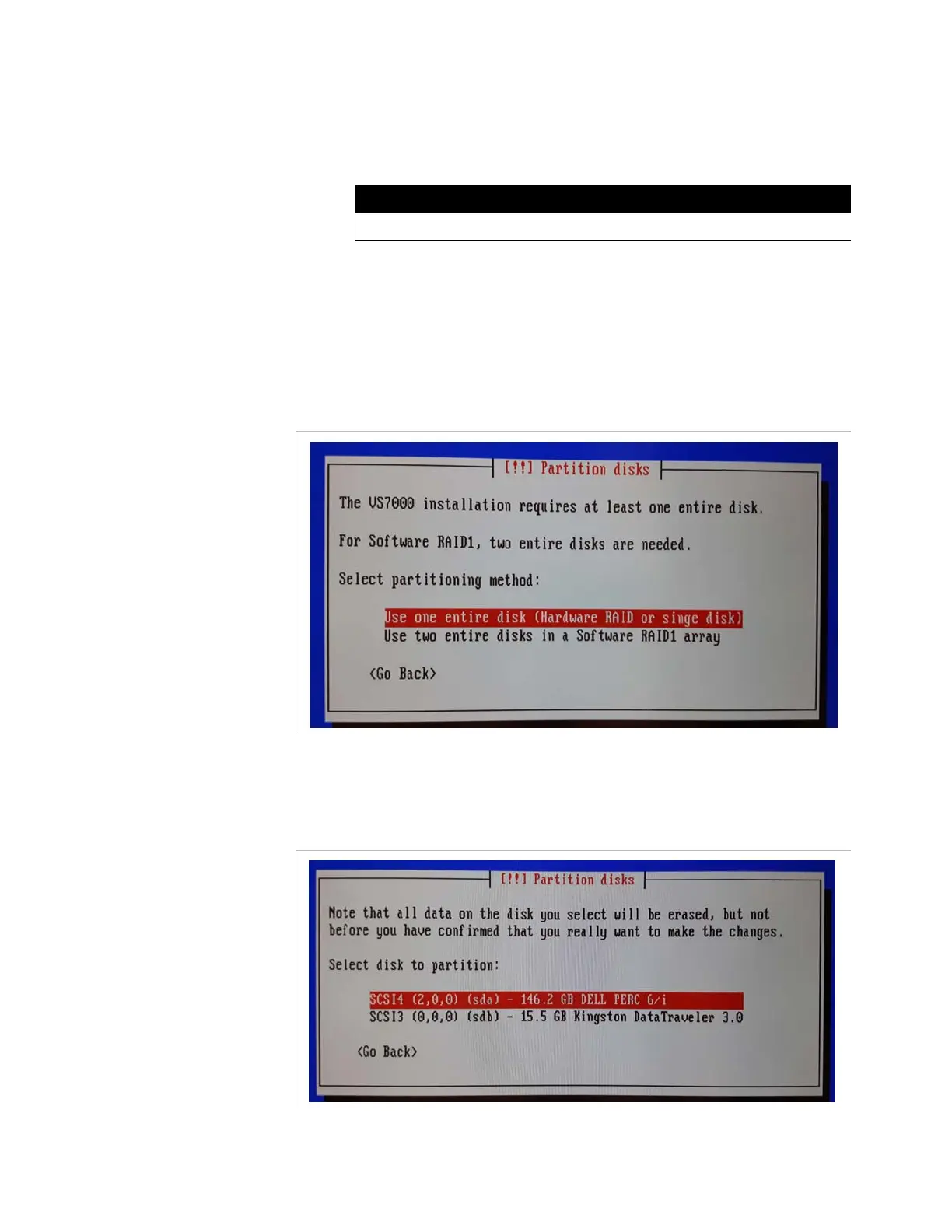
Partition disks
a.
Selection of the partitioning method. Depending on the
hardware configuration:
-
If you have installed an Hardware RAID, select
Use one
entire disk (Hardware RAID or single disk)
or if you have
installed two independent disks, select
Use two entire disks
in a Software RAID1 array
b.
Selection of the disk to partition:
- Select the HDD disk of the hardware platform. Be sure to not
select the USB Flash drive disk.
- Press
Enter
.
RUN VS7000 (for evaluation using NodeBench tool)
Install VS7000 on Local host



 To Next Page