© 2018 MA Lighting Technology GmbH - Dachdeckerstr. 16 - 97297 Waldbüttelbrunn - Germany
Phone +49 5251 688865-27 - support@ma-dot2.com - www.malighting.com
Figure 2: Effect Mode Title Bar
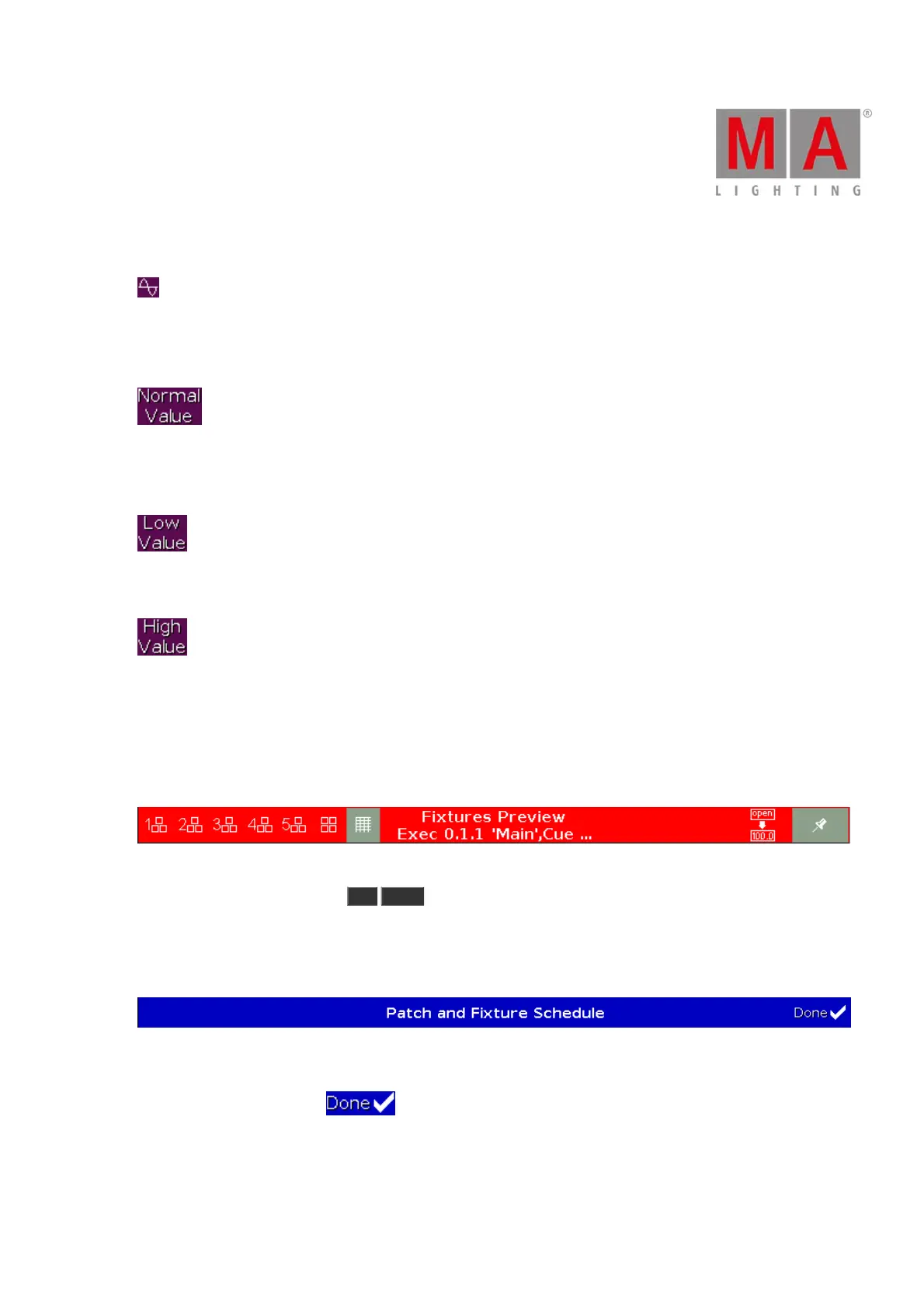
Effect Loop:
Located in the preset type views title bar.
Tap to open the corresponding effect view.
Normal Value:
Displays the current effect between the selected low value and high value.
Tap to overwrite the running effect with a normal value.
Low Value:
Tap to change the lowest value of the selected effect.
High Value:
Tap to change the highest value of the selected effect.
Preview Title Bar
If the preview mode is on, the fixtures view changes into a preview mode and gets an red title bar.
Figure 3: Preview title bar
To leave the preview mode, press Off Prvw .
Patch and Fixture Schedule Title Bar
All title bars starting from the Patch and Fixture Schedule are displayed in blue.
Figure 4: Patch and Fixture Schedule Title Bar
A blue title bar displays, that this is a mode in which the changes do not interact directly with the console.
They need to apply by a Done .



 To Next Page