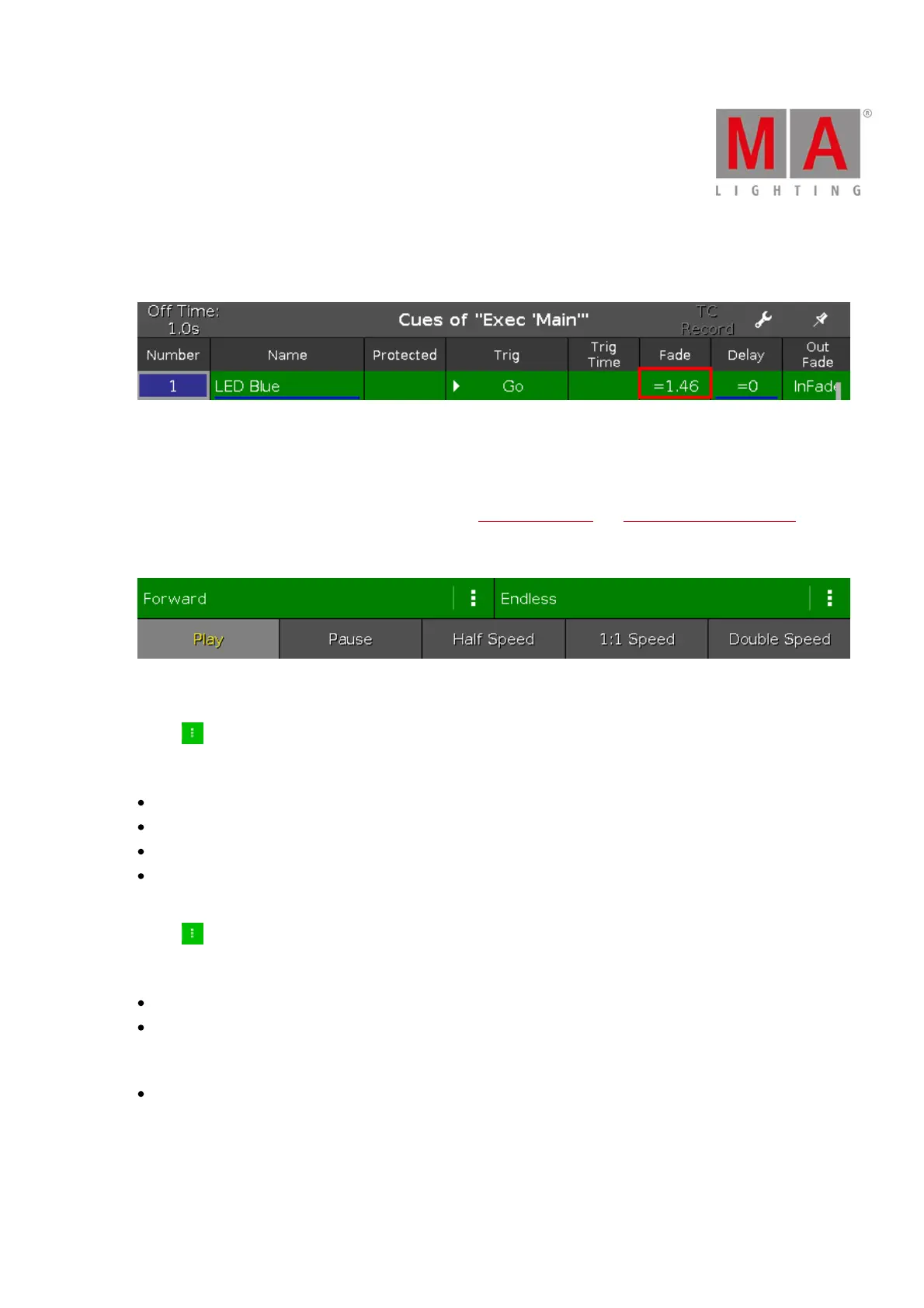
If the assigned fade or delay time is overwritten by the exec time master, it is indicated by an equal sign in front
of the fade or delay time.
Figure 4: Cues View - Overwritten fade time
Chaser
If the executor is set to a chaser, all cue functions and timings which are not active in the chaser mode are shown
gray out. For more information about chasers, refer to What is a Chaser? and How to work with Chasers?.
Additional is the chaser bar visible.
Figure 5: Chaser Bar in the Cues View
Forward (chaser direction mode):
Tap at to select the direction mode of the chaser.
There are four directions modes available
Forward
Backward
Bounce (e.g. starts with cue 1 to 4 and goes back from 4 to 1)
Random
Endless (chaser run mode):
Tap at to select the run mode of the chaser.
There are three run modes available.
Endless
Shoot-Off
The chaser starts at the selected cue, e.g cue 1, and stops at the end of cue 5. The executor is off after the last
cue.
Shoot-On
The chaser starts at the selected cue, e.g. cue 1, and stops at the end of cue 5. The executor is on after the last
cue.
Play:
Tap to start the chaser.



 To Next Page