© 2018 MA Lighting Technology GmbH - Dachdeckerstr. 16 - 97297 Waldbüttelbrunn - Germany
Phone +49 5251 688865-27 - support@ma-dot2.com - www.malighting.com
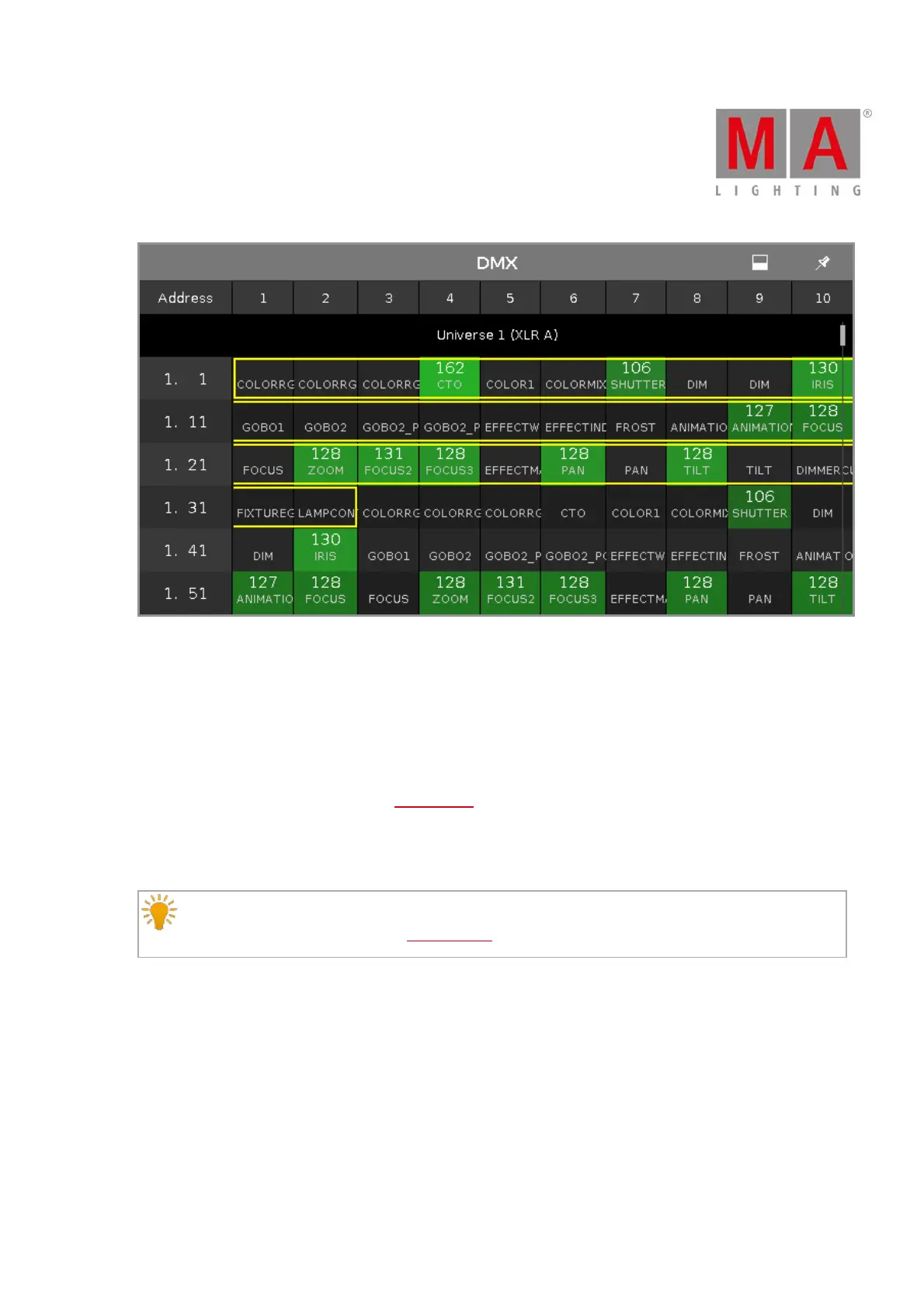
Figure 2: DMX View with Attributes
If an attribute has no DMX output, the value 0 and the cell is gray displayed.
If an attribute has a DMX output, the values starts with 1 (dark green) and goes up to 255 (neon bright green).
To search for a fixture in the DMX view and mark it: Select the fixture in the fixture view and the dynamic mode
goes to the respective DMX address.
If one or more fixtures are selected in the fixtures view, the are displayed in the DMX view with a yellow frame
around it.
Parked DMX channels are displayed with a blue background.
Hint:
To unpark DMX channels, open the tools window.



 To Next Page