© 2018 MA Lighting Technology GmbH - Dachdeckerstr. 16 - 97297 Waldbüttelbrunn - Germany
Phone +49 5251 688865-27 - support@ma-dot2.com - www.malighting.com
Next and Previous Key function changes into a toggle function between even and odd.
Reset the Next and Previous Key back to default by using Macro 38 MAtricks RESET.
31. MAtricks Even ID:
Selects only fixtures with an even fixture ID of the current fixture selection.
Next and Previous Key selects next and previous even fixture ID.
Reset the Next and Previous Key back to default by using Macro 38 MAtricks RESET.
32. MAtricks Group 0:
Important:
To use the MAtricks Group macros, enter the values by using the calculator or the number pad.
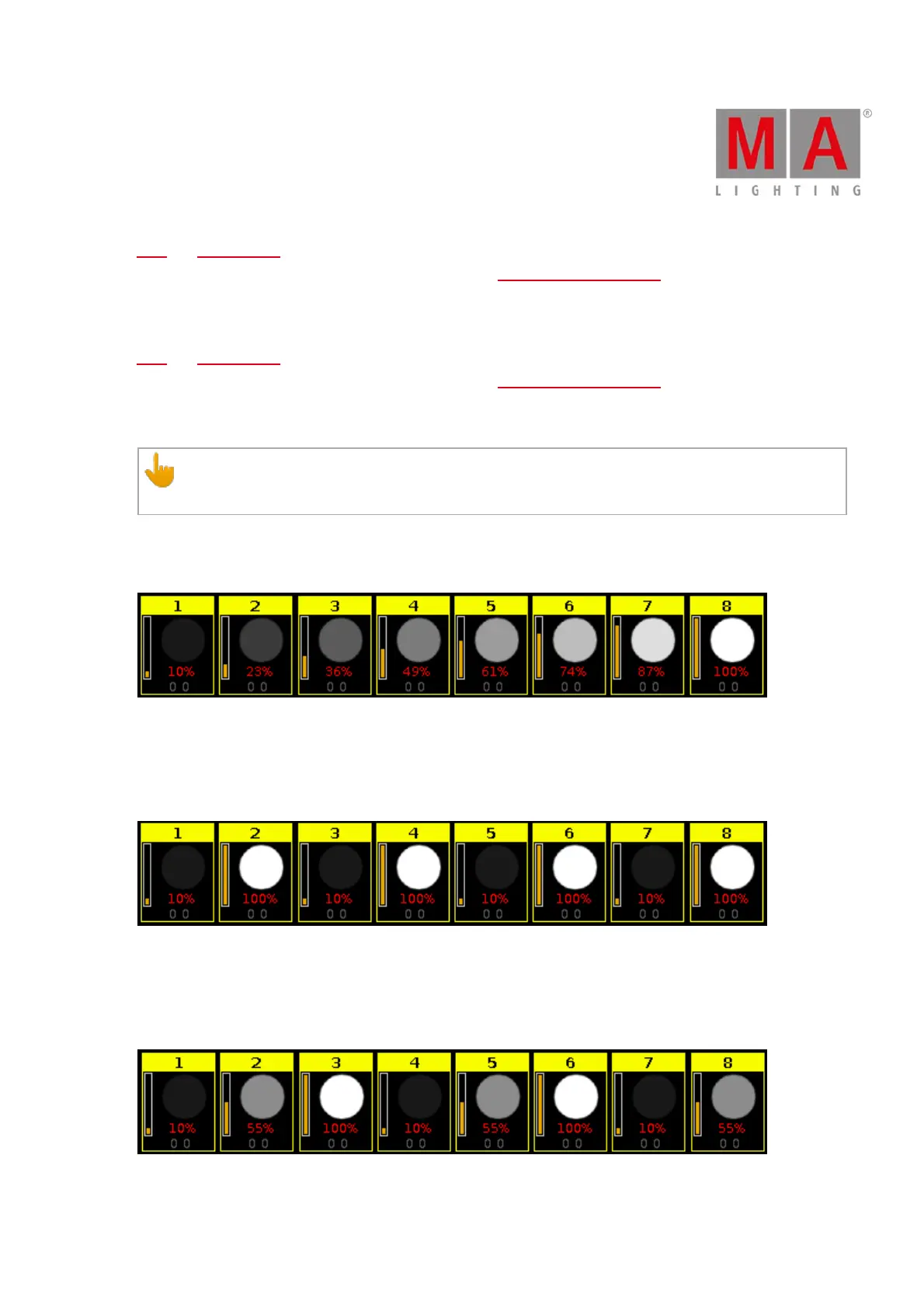
Aligns the values across the fixture selection.
- Select the MAtricks Group and then enter the align values.
Figure 8: Fixtures use MAtricks Group 0
33. MAtricks Group 2:
Aligns the values across groups of 2 fixtures of the fixture selection.
- Select the MAtricks Group and then enter the align values.
Figure 9: Fixtures use MAtricks Group 2
34. MAtricks Group 3:
Aligns the values across groups of 3 fixtures of the fixture selection.
- Select the MAtricks Group and then enter the align values.
Figure 10: Fixtures use MAtricks Group 3



 To Next Page