© 2018 MA Lighting Technology GmbH - Dachdeckerstr. 16 - 97297 Waldbüttelbrunn - Germany
Phone +49 5251 688865-27 - support@ma-dot2.com - www.malighting.com
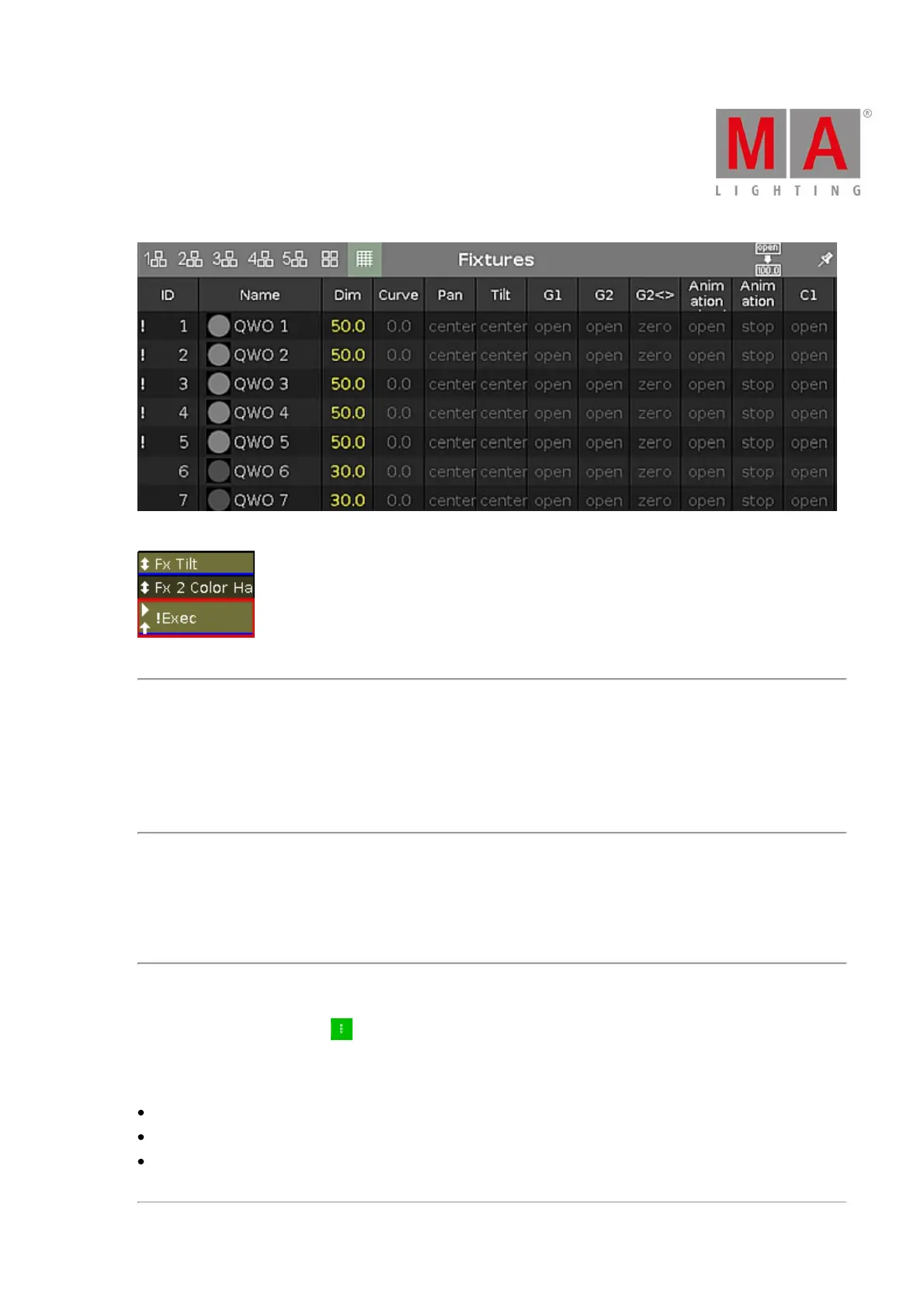
Figure 4: Super Priority (!) displayed in the fixture sheet view
Figure 5: Super Priority (!) displayed in an executor
Off on Overwritten
To enable this function, tap the prohibition sign.
This function automatically deactivates the executor if another executor took over the control with all attributes.
This means that the executor no longer has control over any of the attributes.
Swop Protect
To turn swop protect on, tap the tick mark.
If swop protect is on, the dimmer values of this executor are not set to zero when an other swop executor is on.
Restart Mode
To select the restart mode, tap .
There are three different restart modes there:
First (default): The executor restarts the sequence using the first cue.
Current: The executor restarts the sequence using the current cue.
Next: The executor restarts the sequence using the next cue – depending on where the sequence stopped
before.



 To Next Page