HIGH DATA RATE RECEIVER
HDR-4G+ USER’S MANUAL
Ref. DTU 100782
Is.Rev 3.5
Date: June 1, 2021
© Safran Data Systems – IMP000074 e14r1
This document is the property of Safran Data Systems.
It cannot be duplicated or distributed without expressed written consent.
Signal Processing software (SPS) 4.2
CTX Documents 4.2.1
CTX Documents are configuration files created and managed by the CORTEX SPS. A CTX
Document contains the whole set of configuration parameters that have been previously stored on the
disk under file extension .CTX.
A CTX Document is loaded by the SPS every time the CORTEX is started and the CORTEX is
automatically configured from the contents of this CTX file.
If the machine has never been started since its software was installed, the default loaded CTX file is
menu1.ctx. Else (usual case), the CTX document which is loaded is the last active CTX file (See
4.2.9.1.1 and 4.2.9.1.2 ).
A copy of this file (CTX Table) is maintained in SRAM and is updated whenever the CORTEX
configuration is changed by the operator. The CTX Table is automatically saved to the CTX Document
on the hard disk every 10 seconds and at application ending.
Additional CTX Documents reflecting mission-specific configurations can be created at will by the
operator.
CTX Documents are binary files; they cannot be displayed on the screen or printed out.
SPS Start Sequence 4.2.2
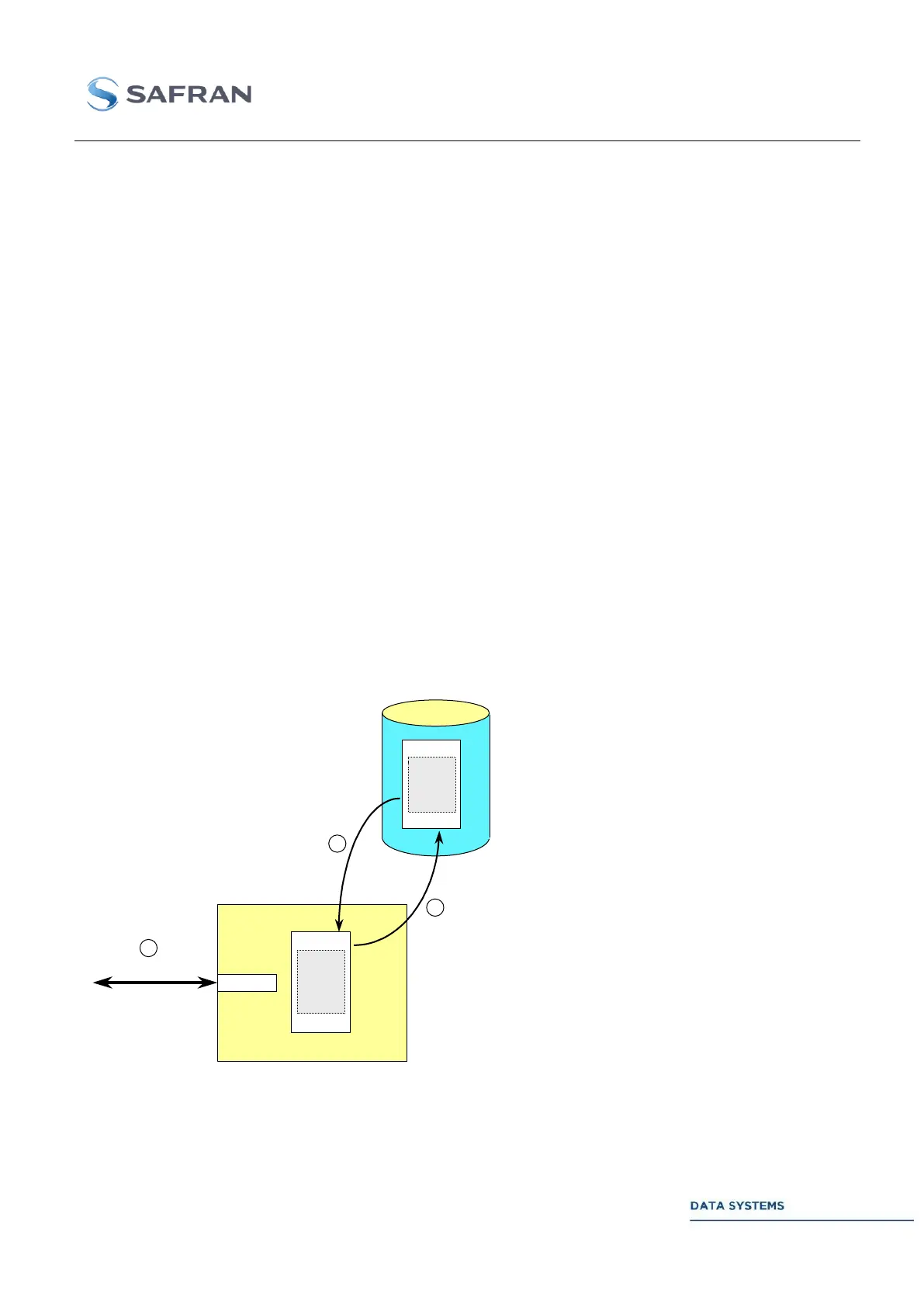
The last active CTX Document is loaded by the SPS when the CORTEX is started. The CORTEX is
configured from the content of this file.
cortex-nt.CTX file
IP address
CORTEX SPS
TCP-IP
2
Local GUI or
Remote MCS Clients
CTX table
CORTEX
Configuration
Parameters
(see STI100013)
CORTEX
Configuration
Parameters
(see STI100013)
3
1
STEP 0: Windows boot up sequence.
STEP 1: The Signal Processing Software
(SPS) is automatically started. The CORTEX
is configured from parameters stored in the
last active CTX file. A copy of the file is
maintained in RAM (CTX Table).
STEP 2: The Monitoring & Control Software
(MCS) (local GUI or remote MCS) opens a
TCP-IP connection to the Monitoring port
and starts monitoring the machine. The CTX
Table is updated when configuration
requests are received on the TCP-IP Control
port.
STEP 3: The CTX file is automatically
refreshed every 10 seconds and at
application ending.
Figure 76: SPS Start Sequence



 To Next Page