HIGH DATA RATE RECEIVER
HDR-4G+ USER’S MANUAL
Ref. DTU 100782
Is.Rev 3.5
Date: June 1, 2021
© Safran Data Systems – IMP000074 e14r1
This document is the property of Safran Data Systems.
It cannot be duplicated or distributed without expressed written consent.
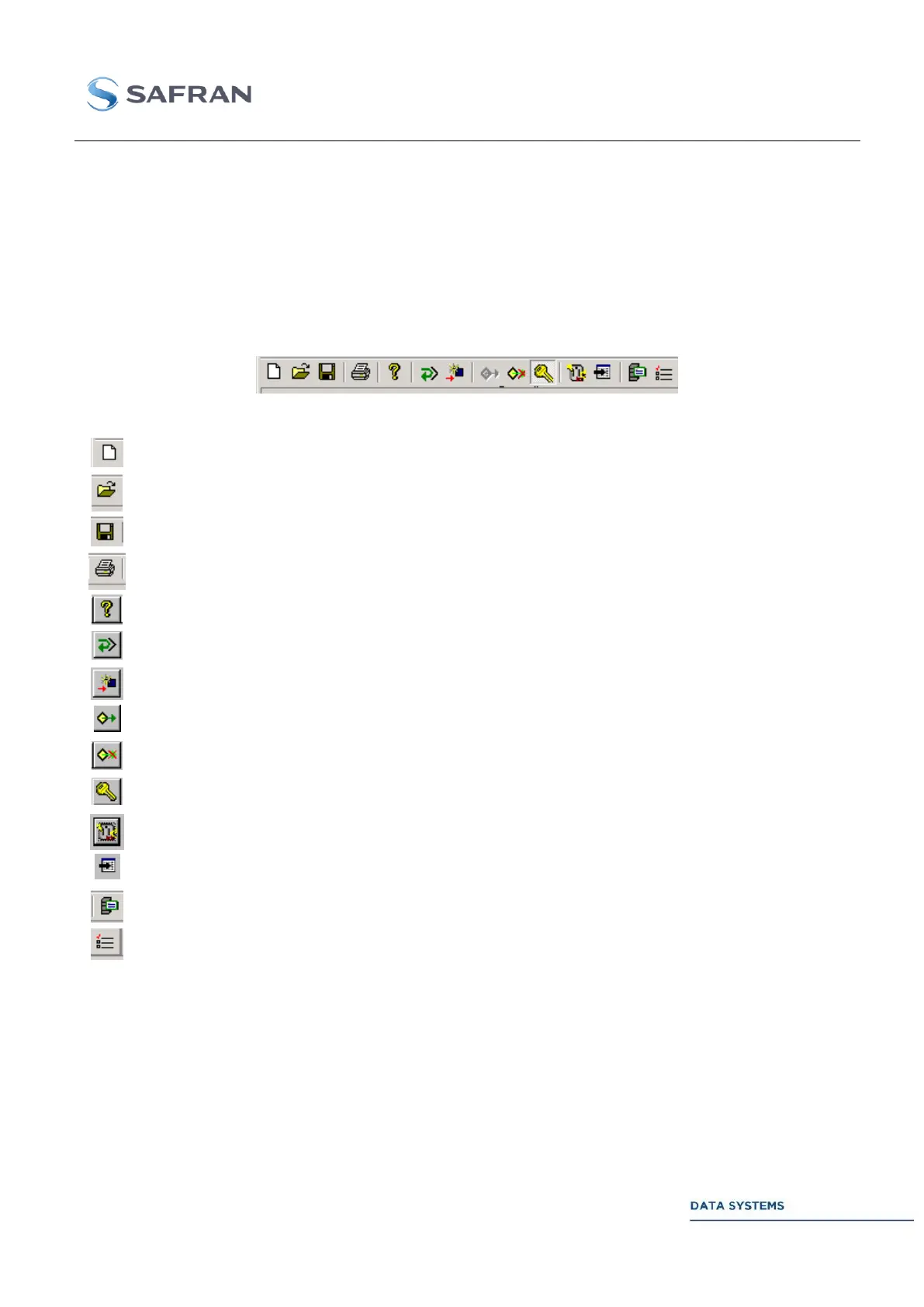
Lower Toolbar 4.3.5.4
Hide or display the lower toolbar from menu PREFERENCE / TOOL BAR. The lower toolbar appears
on the screen only after the MCS is started.
Common Data 4.3.5.4.1
The following commands are common to all of the CORTEX products. For product specific commands,
see next section.
Same as command FILE - NEW.
Same as command FILE - OPEN.
Same as command FILE - SAVE.
Same as command FILE - PRINT.
Same as command HELP - ABOUT.
Update the MCS Table from the real configuration of the connected CORTEX.
Reconfigure the connected CORTEX from the active MCS Table.
Connect to the monitoring port of the CORTEX.
Close the connection to the monitoring port of the CORTEX.
Activate/inhibit the configuration mode. Password-protected function.
Toggle command: open/close the connection to the Control port (see section 4.3.6.3 ).
Open the CTX Document management window (see section 4.3.9 ).
Open the MCS Menu Management window (see section 4.2.4.2 ).



 To Next Page