HIGH DATA RATE RECEIVER
HDR-4G+ USER’S MANUAL
Ref. DTU 100782
Is.Rev 3.5
Date: June 1, 2021
© Safran Data Systems – IMP000074 e14r1
This document is the property of Safran Data Systems.
It cannot be duplicated or distributed without expressed written consent.
Playback Windows 4.5.9
“Global” Window 4.5.9.1
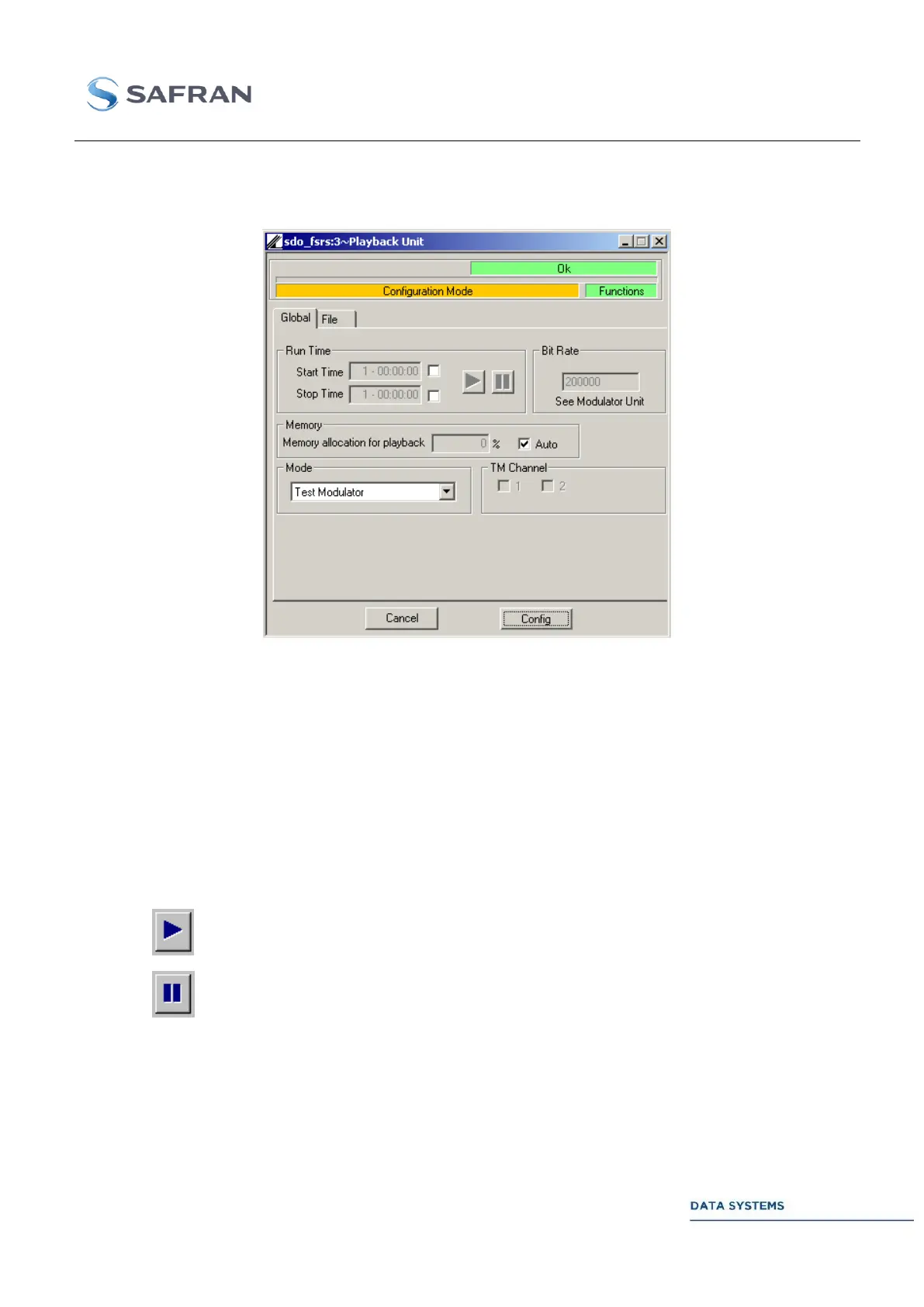
Figure 185: Playback: Global Window
Configuration and control 4.5.9.1.1
Parameters in this window are described in PLBK
To start the replay, the HDR must be set in “Acquisition” mode.
Enables to define an automatic starting date for the replay.
Must be selected to be active.
Enables to define an automatic stop date for the replay.
Must be selected to be active.
Manual start of the replay.
Manual stop of the replay.
Selects the bit rate of the playback only used in “Data+Clock” mode.
Important: In “Test modulator” mode, the bit rate of the playback is the bit
rate set in the test modulator window.



 To Next Page