HIGH DATA RATE RECEIVER
HDR-4G+ USER’S MANUAL
Ref. DTU 100782
Is.Rev 3.5
Date: June 1, 2021
© Safran Data Systems – IMP000074 e14r1
This document is the property of Safran Data Systems.
It cannot be duplicated or distributed without expressed written consent.
Figure 85: Changing a Password
Notes:
1. The Control password does not protect the CORTEX from re-configuration by remote Control
Clients.
2. The TCP-IP password does not protect from reset commands issued by remote Reset Clients.
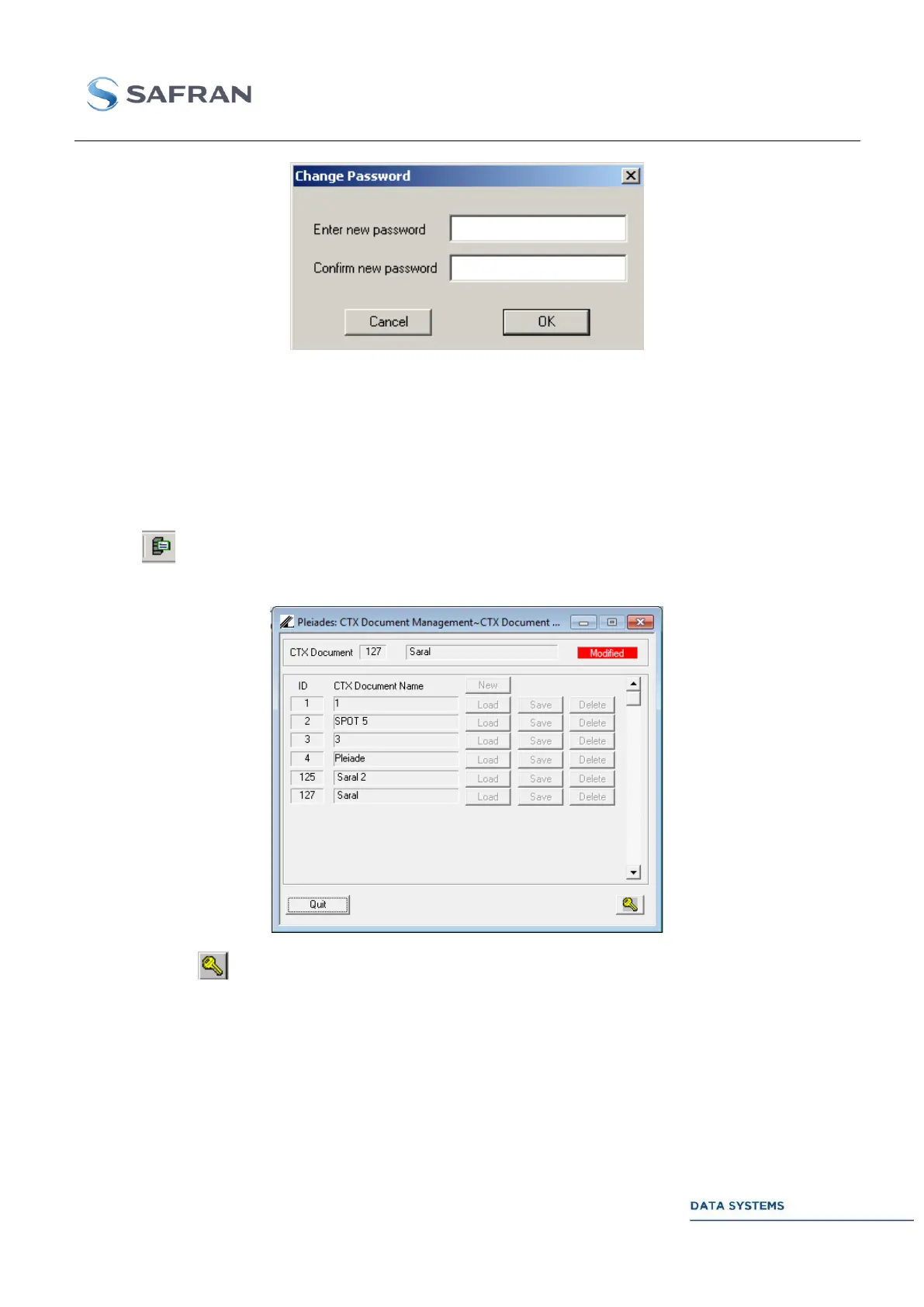
MCS Interface for CTX document management 4.3.9
Click on to access the CTX Document management window, which enables to save up to 127
different configurations:
Click on and enter the password enabling the Load , Save and Delete commands
To create a new CTX Document, click on New and enter the name (maximum name size: 16
characters), and the number (0 to 127) of the new CTX document
Click on Save to capture the current CORTEX configuration and save it to an existing CTX
Document on the disk
Click on Load to load a CTX document in the current CORTEX configuration.



 To Next Page